
用盒组件对齐按钮
用盒组件对齐按钮
提问于 2013-10-14 11:26:25
所以我想创造出这样的东西:
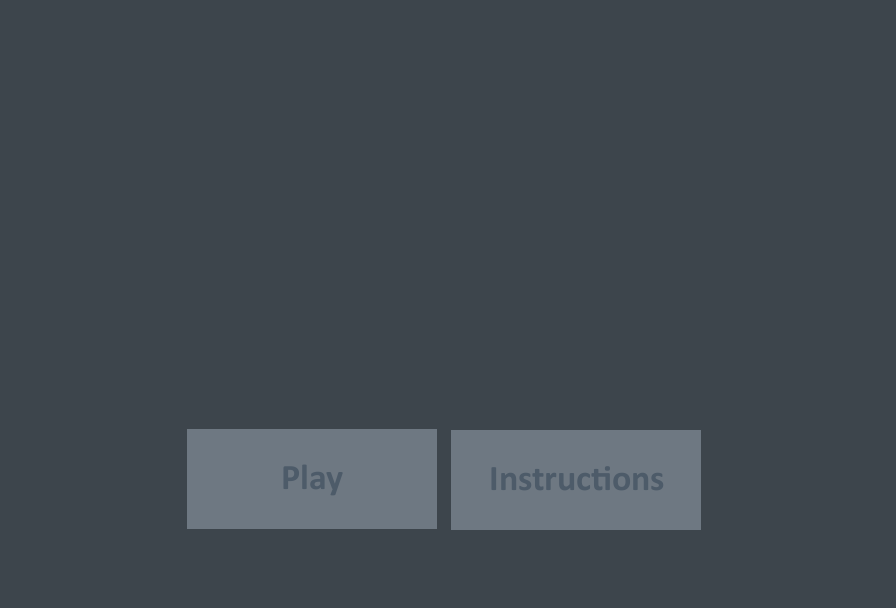
最后,我取得了一些进展,但我不明白为什么我的按钮没有对齐中心,也不知道它为什么没有在它们之间造成差距。
这是我的密码:
canvas.setLayout(new BoxLayout(canvas, BoxLayout.X_AXIS));

//buttons
final JButton btn1 = new JButton(play);
btn1.setBorder(BorderFactory.createEmptyBorder());
btn1.setContentAreaFilled(false);
btn1.setAlignmentX(Component.CENTER_ALIGNMENT);
btn1.getModel().addChangeListener(new ChangeListener() {
    @Override
    public void stateChanged(ChangeEvent e) {
        ButtonModel model = (ButtonModel) e.getSource();
        if (model.isRollover())
            btn1.setRolloverIcon(playro);
    }
});
final JButton btn2 = new JButton(instructions);
btn2.setBorder(BorderFactory.createEmptyBorder());
btn2.setContentAreaFilled(false);
btn2.setAlignmentX(Component.CENTER_ALIGNMENT);
btn2.getModel().addChangeListener(new ChangeListener() {
    @Override
    public void stateChanged(ChangeEvent e) {
        ButtonModel model = (ButtonModel) e.getSource();
        if (model.isRollover())
            btn2.setRolloverIcon(instructionsro);
    }
});

canvas.add(btn1);
canvas.add(Box.createHorizontalStrut(10));
canvas.add(btn2);
这就是它所创造的:
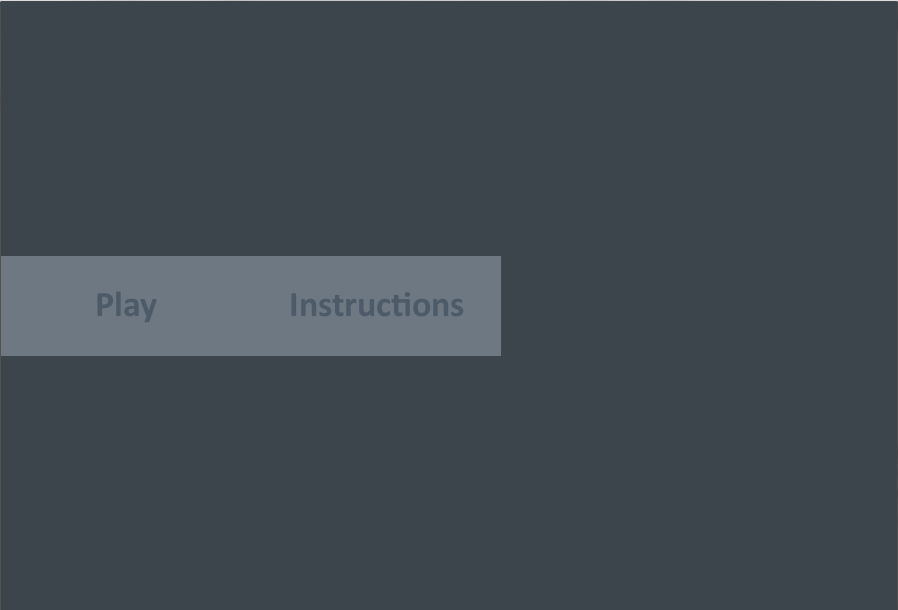
我做错了什么?
编辑:修复了按钮之间的间隙问题。我意识到我没有把它加到画布上。但仍与对齐问题相混淆。
回答 1
Stack Overflow用户
回答已采纳
发布于 2013-10-14 11:50:17
BoxLayout不是您应该用于该任务的最佳布局。我建议BorderLayout和FlowLayout一起使用。所以,就像这样:
canvas.setLayout(new BorderLayout());

JPanel bottomPanel = new JPanel(); // Panel where you can
// place those buttons (by default,
// FlowLayout has been set on it)
bottomPanel.setBorder(BorderFactory.createEmptyBorder(0, 0, 30, 0));
canvas.add(bottomPanel, BorderLayout.SOUTH);
bottomPanel.add(btn1);
bottomPanel.add(btn2);页面原文内容由Stack Overflow提供。腾讯云小微IT领域专用引擎提供翻译支持
原文链接:
https://stackoverflow.com/questions/19359140
复制相关文章
相似问题
腾讯云开发者

Copyright © 2013 - 2026 Tencent Cloud. All Rights Reserved. 腾讯云 版权所有
深圳市腾讯计算机系统有限公司 ICP备案/许可证号:粤B2-20090059  粤公网安备44030502008569号
腾讯云计算(北京)有限责任公司 京ICP证150476号 | 京ICP备11018762号