
使用CAShapeAnimation逐步使用Taps iOS
当我点击的时候,我想要一个计数器来增加一个圆的弧大小。
该线应该动画到下一个大小,并停留在那里,直到下一个增量作出(让我们从一个点击-我已经测量到其他地方),然后动画到下一个大小等。
见下面的例子
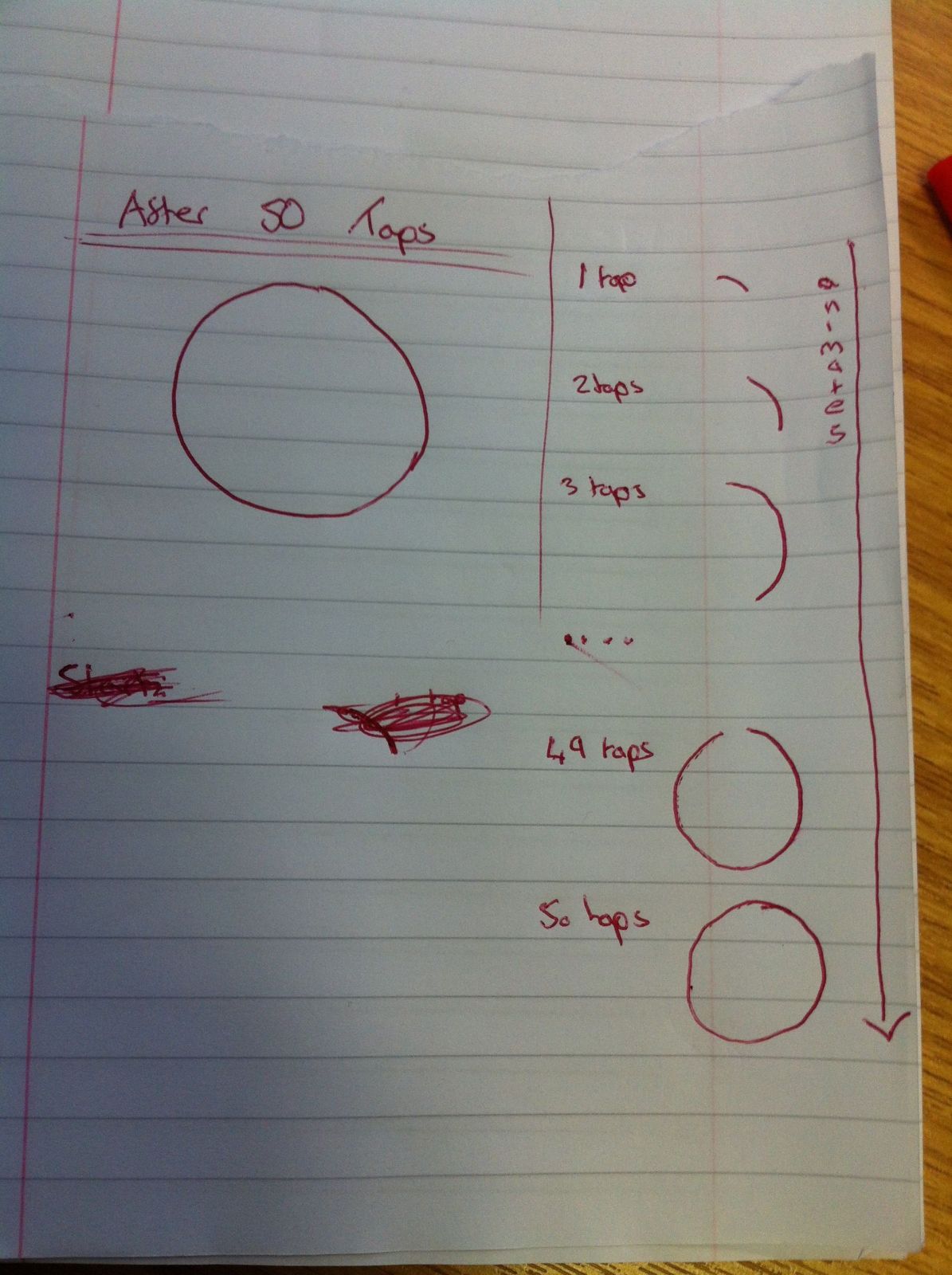
这是我到目前为止发现的代码..。
_radius = 150; CGPointMake(CGRectGetMidX(self.target.frame)-_radius,CAShapeLayer *循环= CAShapeLayer层;//使圆型circle.path = UIBezierPath bezierPathWithRoundedRect:CGRectMake(0,0,2.0*_radius,2.0*_radius) cornerRadius:_radius.CGPath;//以self.view circle.position =self.view circle.position(self.target.frame)-_radius中的形状居中;//配置圆圈circle.fillColor = UIColor clearColor.CGColor;circle.strokeColor = UIColor blackColor.CGColor;circle.lineWidth = 5;//添加到父层self.view.layer addSublayer:圆;. //配置动画CABasicAnimation * CABasicAnimation *CABasicAnimation动画:@“strokeEnd”;drawAnimation.duration = 0.3;//“超过10秒左右动画。”drawAnimation.repeatCount = 1.0;//只动画一次。drawAnimation.removedOnCompletion = NO;//在动画之后继续抚摸。//从笔画的任何部分绘制到被绘制的整个笔画,drawAnimation.fromValue = NSNumber数字-- with :0.0f;// Drae动画。to = NSNumber numberWithFloat:0.0f;//实验计时,以使外观看起来像您想要的drawAnimation.timingFunction = CAMediaTimingFunction drawAnimation.timingFunction/将动画添加到圆圈动画中:绘制动画forKey:@"drawCircleAnimation";
回答 1
Stack Overflow用户
发布于 2013-09-30 17:12:43
动画绘图值
我已经在CoreGraphics中做过类似的动画,所以如果您不能让CAShapeAnimation为您工作,您可能会想把它作为一种替代。我有一个进度视图这里,它有这样的动画,除了线性的方式。
- (void)setProgress:(CGFloat)progress {
    self.progressToAnimateTo = progress;
    if (self.animationTimer) {
        [self.animationTimer invalidate];
    }
    self.animationTimer = [NSTimer scheduledTimerWithTimeInterval:0.008 target:self selector:@selector(incrementAnimatingProgress) userInfo:nil repeats:YES];
}

- (void)incrementAnimatingProgress {
    if (_progress >= self.progressToAnimateTo-0.01 && _progress <= self.progressToAnimateTo+0.01) {
        _progress = self.progressToAnimateTo;
        [self.animationTimer invalidate];
        [self setNeedsDisplay];
    } else {
        _progress = (_progress < self.progressToAnimateTo) ? _progress + 0.01 : _progress - 0.01;
        [self setNeedsDisplay];
    }
}这种使用另一个属性(如progressToAnimateTo )和在重绘之前递增progress值的技术也可以用来重新绘制一个圆的进度。
资源
我还可以补充一点,您在这里所做的事情还有其他实现。MBProgressHUD和EVCircularProgressView具有这样的效果。
https://stackoverflow.com/questions/18911971
复制相似问题
腾讯云开发者

Copyright © 2013 - 2026 Tencent Cloud. All Rights Reserved. 腾讯云 版权所有
深圳市腾讯计算机系统有限公司 ICP备案/许可证号:粤B2-20090059  粤公网安备44030502008569号
腾讯云计算(北京)有限责任公司 京ICP证150476号 | 京ICP备11018762号