
缩放时保持内容中心
我有一个使用HTML和CSS (小提琴)居中内容的简单例子。截图如下:
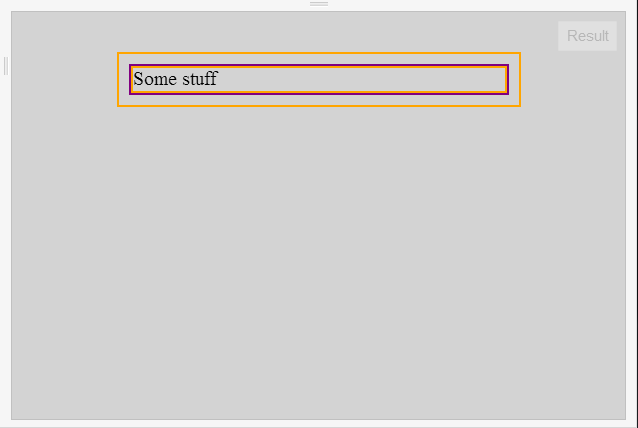
HTML:
<body class="" lang="en-US">
    <div class="wrapper">
        Some stuff
    </div>
</body>
CSS:
html
{
    background: lightgray; /* Background color of whole window */
    border: 2px solid orange; /* Debug */
    width: 20em; /* The width of the content */
    margin: 2em auto;
}

body
{
    border: 2px solid purple;
}

.wrapper
{
    background: lightgray; /* Background color of whole window */
    border: 2px solid orange; /* Debug */
}
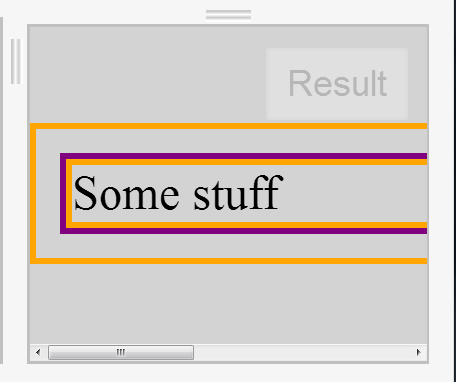
当我使用浏览器缩放时,当您放大时,内容将停留在左侧:
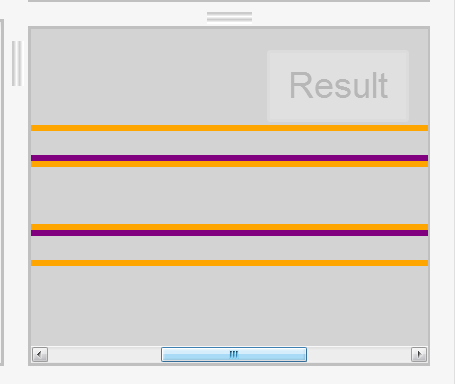
我想要发生的是,当你缩放时,窗口中间的内容会说:
是否有一种简单的方法可以使用CSS来完成这个任务。如果可能的话,我不想使用jquery或任何其他方式。
更新@ Lister先生指出,this "problem" has nothing top do with zoom. The very same thing happens if the user makes the window narrower until the horizontal scrollbar appears. Are you saying you want the scrollbar to automatically go to the center then too? That would require Javascript
我想我不想那样。从这个角度看,用户体验可能有点奇怪。我不想强迫它一直在中间,不允许他们移动到页面的其他部分。当水平滚动条第一次出现并在随后的缩放时,只需保持它的中心。如果用户在缩放滚动条时更改了它的位置,则不需要在随后的缩放中重新进行操作。这只是用于初始滚动条显示。希望这是合理的。它的“对错”是可以争论的,但这是我想要的。如果你需要进一步澄清,请告诉我。
回答 1
Stack Overflow用户
发布于 2013-07-19 20:01:40
根据我的经验,解决这一问题的办法如下:
.wrapperDiv {
    text-align:center;
}

.centeredDiv {
    width: /*define yours*/ px;
    display:inline-block;
}
谨慎使用
https://stackoverflow.com/questions/17754217
复制相似问题
腾讯云开发者

Copyright © 2013 - 2026 Tencent Cloud. All Rights Reserved. 腾讯云 版权所有
深圳市腾讯计算机系统有限公司 ICP备案/许可证号:粤B2-20090059  粤公网安备44030502008569号
腾讯云计算(北京)有限责任公司 京ICP证150476号 | 京ICP备11018762号