
Java游戏开发:图形
我对这里一无所知。希望你能帮忙。
问题:在JFrame上显示动画的问题。我似乎很想念/不太明白Java的图形是如何工作的。
全球创意:让我说我想制作一个游戏/电影/剪辑。为此,我需要这个(而不是)简单的动画工作。
这个问题的一个例子:I获得了类屏幕,其中包含屏幕内容-- JFrame声明,设置其配置(大小、关闭操作等),然后创建类Box的对象,以便在框架上显示。请检查这个类的图像/图表(希望我用正确的方式编写):ClassesDiagram
现在,类Box扩展了JPanel。我从JPanel继承了Paint()方法,并覆盖它,绘制方框。
在Screen类中,在创建两个框之后,我将它们.add()到JFrame中。接下来,在(True)时启动一个循环,并通过让线程休眠该数量,每200英里更新一次该框的位置。(在本例中,简单的x++或y++取决于哪个框、box1还是box2)。
主要问题1):程序运行,并显示JFrame,但在JFrame上,它只显示,最后添加的对象/组件- Box。它没有显示另一个。为什么?
我找到了一个话题,如何向JFrame中添加多个组件?,并且尝试了Jjn家伙11月15 '10在17:02给出的技巧。出于一些奇怪的原因,第一条,也不是第二条对我有用。
主要问题2):据我所知,需要布局管理器。如果我只想在框架上画特定的X,Y,为什么要用它呢?
查找其他帖子(无法再次找到它)+甲骨文关于布局的指导方针,建议我需要考虑使用setLayout(null);我尝试这样做,但又出现了一个问题。
主要问题3): -- JFrame出现了,它只显示了一个框(无论你做什么,绿色的那个都不会出现。不知道为什么),当它移动的时候,它会从另一边被抹去。这里:箱体运动
感谢您的任何帮助,提示和解释!希望这篇文章清晰,有条理,好看。。
public class Screen {

public static void main(String[] args) {
    new Screen();
}

private JFrame window;

public Screen() {
    window = new JFrame("Multiply components panel");
    //window.setLayout(null);
    window.setSize(200, 200);

    window.setDefaultCloseOperation(JFrame.DISPOSE_ON_CLOSE);

    Box b1 = new Box(10,10, "box1");
    //b1.setBounds(10, 10, 50, 50);

    Box b2 = new Box(100,100, "box2");
    //b2.setBounds(100, 100, 50, 50);


    window.add(b1);
    //window.add(b2);


    window.setVisible(true);

    while (true){

        b1.update();
        b2.update();

        try {
            Thread.sleep(200);
        } catch (Exception e) {
            // TODO: handle exception
        }
    }

}
}public class Box extends JPanel{
int x, y, w, h;
private String name;
public Box(int x, int y, String name) {
this.x = x;
this.y = y;
this.w = 100;
this.h = 100;
this.name=name;
}
public void paint(Graphics g){
System.out.println(this.name.equalsIgnoreCase("box1"));
if(this.name.equalsIgnoreCase("box1")){
g.setColor(Color.BLACK);
g.fillRect(x, y, w, h);
}else{
g.setColor(Color.GREEN);
g.fillRect(x, y, w, h);
}
}
public void update() {
if(this.name.equalsIgnoreCase("box1"))
x++;
else
y++;
//this.setBounds(x, y, w, h);
System.out.println("Current "+name+": X: "+x+", Y: "+y+", W: "+w+", H: "+h);
repaint();
}
}回答 2
Stack Overflow用户
发布于 2013-06-28 21:47:09
主要问题1):程序运行,并显示JFrame,但在JFrame上,它只显示最后添加的对象/组件- Box。它没有显示另一个。为什么?
您执行window.add(b1); window.add(b2);,默认情况下,JFrame有BorderLayout,因此在执行add(..)时将替换最后添加的框。
据我所知,我需要布局管理器。如果我只想在框架上画特定的X,Y,为什么要用它呢?
如果您在游戏中使用JPanel作为对象,这将是使用setLayout(null)的唯一时间,因为我们希望完全控制JPanel的放置。
主要问题3):JFrame显示,它只显示一个框(绿色的一个不会出现,无论你做什么。不知道为什么),当它移动的时候,它会从另一边被抹去。这里:盒子运动
因为你做了这个g.fillRect(x,y,w,h),它应该是g.fillRect(0,0,w,h)
其他问题:
1)我认为你面临的一个主要问题是:
public class Box extends JPanel{

    ...

    public void paint(Graphics g){

       ...
    }

}您应该重写paintComponent of JPanel,并记住在重写方法中调用super.paintComponent(g)作为第一次调用。
3)应重写getPreferredSize of JPanel并返回与JPanel的图像或内容匹配的正确尺寸
4)不要在setSize上调用JFrame,使用正确的Layoutmanager和/或覆盖所需容器的getPreferredSize,而不是在将pack()设置为可见之前在JFrame上调用pack()。
5)正如@MadProgrammer所说,可以读取在Swing中并发,但基本上所有Swing组件都应该通过SwingUtilities.inokeXXX块在EDT上创建/操作。
6)这样做绝对是不好的:
while (true){

    b1.update();
    b2.update();

    try {
        Thread.sleep(200);
    } catch (Exception e) {
        // TODO: handle exception
    }
}因为您不仅要创建一个连续的循环,而且还要在您创建的GUI的线程上调用Thread.sleep,因此看起来是冻结的。看一看如何使用摆动计时器,还可以看到上面主题上的这相似的question.answer。
下面是实现了上述修复的代码:
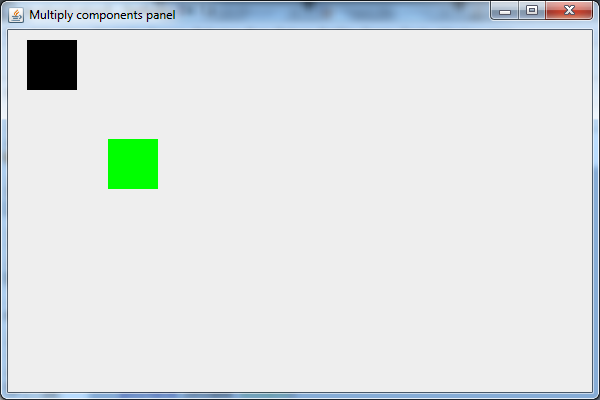
import java.awt.Color;
import java.awt.Dimension;
import java.awt.Graphics;
import java.awt.event.ActionEvent;
import javax.swing.AbstractAction;
import javax.swing.JFrame;
import javax.swing.JPanel;
import javax.swing.SwingUtilities;
import javax.swing.Timer;

public class Screen {

    private JFrame window;

    public static void main(String[] args) {

        //creat UI on EDT
        SwingUtilities.invokeLater(new Runnable() {
            @Override
            public void run() {
                new Screen();
            }
        });
    }

    public Screen() {
        window = new JFrame("Multiply components panel") {
            @Override
            public Dimension getPreferredSize() {
                return new Dimension(600, 400);
            }
        };

        window.setLayout(null);//only reason this is warrented is because its a gmae using JPanels as game objects thus we need full control over its placing
        window.setDefaultCloseOperation(JFrame.EXIT_ON_CLOSE);//changed from DISPOSE to EXIT so Timers  will be exited too

        final Box b1 = new Box(10, 10, 50, 50, "box1");

        final Box b2 = new Box(100, 100, 50, 50, "box2");

        window.add(b1);
        window.add(b2);

        window.pack();
        window.setVisible(true);

        Timer timer = new Timer(200, new AbstractAction() {
            @Override
            public void actionPerformed(ActionEvent e) {
                b1.update();
                b2.update();
            }
        });
        timer.setInitialDelay(0);
        timer.start();

    }
}

class Box extends JPanel {

    int x, y, w, h;
    private String name;

    public Box(int x, int y, int w, int h, String name) {
        this.x = x;
        this.y = y;
        this.w = w;
        this.h = h;
        this.name = name;
        setBounds(x, y, w, h);//let the Box class handle setting the bounds more elegant OOP
    }

    @Override
    public void paintComponent(Graphics g) {
        super.paintComponent(g);
        System.out.println(this.name.equalsIgnoreCase("box1"));
        if (this.name.equalsIgnoreCase("box1")) {
            g.setColor(Color.BLACK);
            g.fillRect(0, 0, w, h);
        } else {
            g.setColor(Color.GREEN);
            g.fillRect(0, 0, w, h);
        }
    }

    @Override
    public Dimension getPreferredSize() {
        return new Dimension(w, h);
    }

    public void update() {
        if (this.name.equalsIgnoreCase("box1")) {
            x++;
        } else {
            y++;
        }
        this.setBounds(x, y, w, h);//set the new bounds so box may be updated
        System.out.println("Current " + name + ": X: " + x + ", Y: " + y + ", W: " + w + ", H: " + h);
        revalidate();
        repaint();
    }
}最后,看看我的教程/代码片段游戏开发循环、逻辑与碰撞检测Java Swing 2D。
它拥有启动一个简单的2D游戏所需的一切,比如游戏循环、逻辑、像素碰撞检测、动画(即在多个精灵之间交换以创建精灵集的动画),更基本的区别是它使用对象作为游戏实体,即一个类将保存要绘制的对象所需的所有信息。
Stack Overflow用户
发布于 2020-12-22 12:37:54
我知道这是个老问题,但它已经被浏览了一千多次。
在创建Swing GUI时,最好使用模型/视图/控制器 (MVC)模式。这种模式允许我们将关注点分离开来,一次只关注GUI的一个部分。如果有问题,那么我们很清楚代码中的问题在哪里。
下面是我创建的GUI。
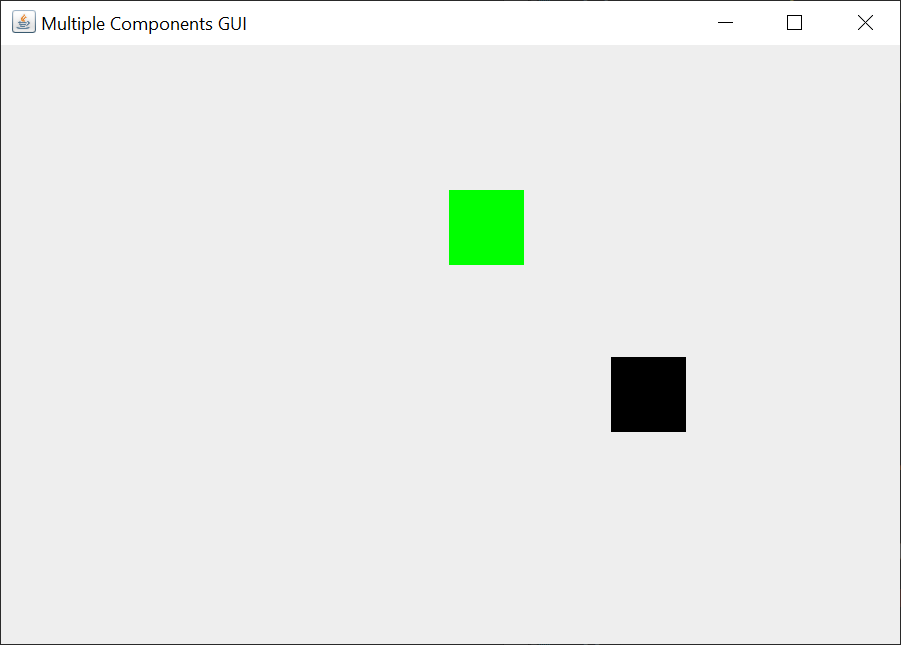
那么,让我们从模型开始。这是Box类。
public class Box {

    private final Color color;

    private final Point boxMotion;

    private final Rectangle rectangle;

    private final String name;

    public Box(String name, Color color, Rectangle rectangle,
            Point boxMotion) {
        this.name = name;
        this.color = color;
        this.rectangle = rectangle;
        this.boxMotion = boxMotion;
    }

    public void update(int width, int height) {
        this.rectangle.x += boxMotion.x;
        this.rectangle.y += boxMotion.y;
        int boxWidth = rectangle.x + rectangle.width;
        int boxHeight = rectangle.y + rectangle.height;

        if (rectangle.x < 0) {
            rectangle.x = -rectangle.x;
            boxMotion.x = -boxMotion.x;
        }

        if (boxWidth > width) {
            rectangle.x = width - rectangle.width - boxMotion.x;
            boxMotion.x = -boxMotion.x;
        }

        if (rectangle.y < 0) {
            rectangle.y = -rectangle.y;
            boxMotion.y = -boxMotion.y;
        }

        if (boxHeight > height) {
            rectangle.y = height - rectangle.height - boxMotion.y;
            boxMotion.y = -boxMotion.y;
        }
    }

    public Color getColor() {
        return color;
    }

    public Rectangle getRectangle() {
        return rectangle;
    }

    public String getName() {
        return name;
    }

}Box类是一个普通的Java类。它有典型的吸气方法。没有setter类,因为构造函数设置了所有内部字段。
我们分别利用java.awt.Rectangle和java.awt.Point来保持盒子的大小和盒子运动的方向。这使我们不必定义六个int字段。
通过保存Color和每个盒子的运动方向,我们可以有许多不同颜色和不同方向的盒子。从技术上讲,运动方向是一个δX和δY实例,但我不打算创建一个单独的类来说明这一点。Point类已经足够好了。
update方法是最难得到正确的。update方法控制盒的运动,并检查框是否击中绘图JPanel的边缘。此方法包含在Box类中,因为它对每个框都起作用。此方法将由控制器执行。
MVC模式并不意味着模型、视图和控制器代码驻留在单独的类中,尽管这是理想的。只要代码的执行被模型、视图和控制器隔开,代码就可以去最有意义的地方。
接下来,我们将查看Boxes类。
public class Boxes {

    private final int drawingPanelWidth;
    private final int drawingPanelHeight;

    private final List<Box> boxes;

    public Boxes() {
        this.drawingPanelWidth = 600;
        this.drawingPanelHeight = 400;
        this.boxes = new ArrayList<>();
        addBoxesFactory();
    }

    private void addBoxesFactory() {
        Rectangle rectangle = new Rectangle(10, 10, 50, 50);
        Point point = new Point(3, 3);
        this.boxes.add(new Box("box1", Color.BLACK, rectangle, point));

        rectangle = new Rectangle(100, 100, 50, 50);
        point = new Point(-3, -3);
        this.boxes.add(new Box("box2", Color.GREEN, rectangle, point));
    }

    public int getDrawingPanelWidth() {
        return drawingPanelWidth;
    }

    public int getDrawingPanelHeight() {
        return drawingPanelHeight;
    }

    public List<Box> getBoxes() {
        return boxes;
    }

}Boxes类是一个普通的Java类。它有典型的吸气方法。没有setter类,因为构造函数设置了所有内部字段。
我们使用List来保存我们想要显示的尽可能多的Box实例。在这个类中,我们定义了两个Box实例。我们可以定义任意数量的Box实例。代码的其余部分将处理我们定义的相同数量的框。
我们在这个类中定义绘图JPanel的宽度和高度。之所以这样做,是因为绘图JPanel需要这些维度来调整自身的大小,而且控制器需要这些维度来确定Box实例何时到达宽度或高度边缘。
接下来,我们将查看主视图类,BoxMotionGUI类。
public class BoxMotionGUI implements Runnable {

    public static void main(String[] args) {
        SwingUtilities.invokeLater(new BoxMotionGUI());
    }

    private Boxes boxes;

    private DrawingPanel drawingPanel;

    public BoxMotionGUI() {
        this.boxes = new Boxes();
    }

    @Override
    public void run() {
        JFrame frame = new JFrame("Multiple Components GUI");
        frame.setDefaultCloseOperation(JFrame.EXIT_ON_CLOSE);

        drawingPanel = new DrawingPanel(boxes);
        frame.add(drawingPanel, BorderLayout.CENTER);

        frame.pack();
        frame.setLocationByPlatform(true);
        frame.setVisible(true);

        Timer timer = new Timer(20, new AbstractAction() {

            private static final long serialVersionUID = 1L;

            @Override
            public void actionPerformed(ActionEvent e) {
                for (Box box : boxes.getBoxes()) {
                    box.update(boxes.getDrawingPanelWidth(),
                            boxes.getDrawingPanelHeight());
                    drawingPanel.repaint();
                }
            }
        });

        timer.setInitialDelay(0);
        timer.start();
    }

}BoxMotionGUI类以对SwingUtilities invokeLater方法的调用开始。此方法确保Swing应用程序将在事件调度线程上创建Swing组件。一个写得很好的Swing程序使用并发性来创建一个从未“冻结”过的用户界面。
构造函数创建Boxes类的一个实例。通常,您创建模型并将模型传递给视图。视图从模型中读取,但不以任何方式更新模型。控制器类将更新模型并更新/重新绘制视图。
run方法保存创建JFrame的所有代码。必须按此顺序调用这些方法。这个顺序是我在大多数Swing应用程序中使用的顺序。
java.swing.Timer代码构成控制器。我将这段代码放入视图方法中,因为它很短。如果更多地涉及actionPerformed代码,则需要单独的控制器类。
actionPerformed方法更新模型并重新绘制视图。
接下来,我们将查看DrawingPanel类。
public class DrawingPanel extends JPanel {

    private static final long serialVersionUID = 1L;

    private final Boxes boxes;

    public DrawingPanel(Boxes boxes) {
        this.boxes = boxes;
        this.setPreferredSize(new Dimension(
                boxes.getDrawingPanelWidth(),
                boxes.getDrawingPanelHeight()));
    }

    @Override
    protected void paintComponent(Graphics g) {
        super.paintComponent(g);

        Graphics2D g2d = (Graphics2D) g;
        for (Box box : boxes.getBoxes()) {
            g2d.setColor(box.getColor());
            Rectangle rectangle = box.getRectangle();
            g2d.fillRect(rectangle.x, rectangle.y,
                    rectangle.width, rectangle.height);
        }
    }

}DrawingPanel类绘制Box实例。我们扩展JPanel是因为我们想要覆盖paintComponent方法。您应该扩展Swing组件或任何Java类的唯一原因是如果您想要覆盖一个或多个类方法。
paintComponent方法绘制。它不会尝试做任何其他的事情。由于该方法每次重新绘制GUI时都会被调用,因此您希望尽可能地执行最小数量的处理。除了绘画之外,所有其他的加工都去了别的地方。
最后,这里是完整的可运行代码。
import java.awt.BorderLayout;
import java.awt.Color;
import java.awt.Dimension;
import java.awt.Graphics;
import java.awt.Graphics2D;
import java.awt.Point;
import java.awt.Rectangle;
import java.awt.event.ActionEvent;
import java.util.ArrayList;
import java.util.List;

import javax.swing.AbstractAction;
import javax.swing.JFrame;
import javax.swing.JPanel;
import javax.swing.SwingUtilities;
import javax.swing.Timer;

public class BoxMotionGUI implements Runnable {

    public static void main(String[] args) {
        SwingUtilities.invokeLater(new BoxMotionGUI());
    }

    private Boxes boxes;

    private DrawingPanel drawingPanel;

    public BoxMotionGUI() {
        this.boxes = new Boxes();
    }

    @Override
    public void run() {
        JFrame frame = new JFrame("Multiple Components GUI");
        frame.setDefaultCloseOperation(JFrame.EXIT_ON_CLOSE);

        drawingPanel = new DrawingPanel(boxes);
        frame.add(drawingPanel, BorderLayout.CENTER);

        frame.pack();
        frame.setLocationByPlatform(true);
        frame.setVisible(true);

        Timer timer = new Timer(20, new AbstractAction() {

            private static final long serialVersionUID = 1L;

            @Override
            public void actionPerformed(ActionEvent e) {
                for (Box box : boxes.getBoxes()) {
                    box.update(boxes.getDrawingPanelWidth(),
                            boxes.getDrawingPanelHeight());
                    drawingPanel.repaint();
                }
            }
        });

        timer.setInitialDelay(0);
        timer.start();
    }

    public class DrawingPanel extends JPanel {

        private static final long serialVersionUID = 1L;

        private final Boxes boxes;

        public DrawingPanel(Boxes boxes) {
            this.boxes = boxes;
            this.setPreferredSize(new Dimension(
                    boxes.getDrawingPanelWidth(),
                    boxes.getDrawingPanelHeight()));
        }

        @Override
        protected void paintComponent(Graphics g) {
            super.paintComponent(g);

            Graphics2D g2d = (Graphics2D) g;
            for (Box box : boxes.getBoxes()) {
                g2d.setColor(box.getColor());
                Rectangle rectangle = box.getRectangle();
                g2d.fillRect(rectangle.x, rectangle.y,
                        rectangle.width, rectangle.height);
            }
        }

    }

    public class Boxes {

        private final int drawingPanelWidth;
        private final int drawingPanelHeight;

        private final List<Box> boxes;

        public Boxes() {
            this.drawingPanelWidth = 600;
            this.drawingPanelHeight = 400;
            this.boxes = new ArrayList<>();
            addBoxesFactory();
        }

        private void addBoxesFactory() {
            Rectangle rectangle = new Rectangle(10, 10, 50, 50);
            Point point = new Point(3, 3);
            this.boxes.add(new Box("box1", Color.BLACK, rectangle, point));

            rectangle = new Rectangle(100, 100, 50, 50);
            point = new Point(-3, -3);
            this.boxes.add(new Box("box2", Color.GREEN, rectangle, point));
        }

        public int getDrawingPanelWidth() {
            return drawingPanelWidth;
        }

        public int getDrawingPanelHeight() {
            return drawingPanelHeight;
        }

        public List<Box> getBoxes() {
            return boxes;
        }

    }

    public class Box {

        private final Color color;

        private final Point boxMotion;

        private final Rectangle rectangle;

        private final String name;

        public Box(String name, Color color, Rectangle rectangle,
                Point boxMotion) {
            this.name = name;
            this.color = color;
            this.rectangle = rectangle;
            this.boxMotion = boxMotion;
        }

        public void update(int width, int height) {
            this.rectangle.x += boxMotion.x;
            this.rectangle.y += boxMotion.y;
            int boxWidth = rectangle.x + rectangle.width;
            int boxHeight = rectangle.y + rectangle.height;

            if (rectangle.x < 0) {
                rectangle.x = -rectangle.x;
                boxMotion.x = -boxMotion.x;
            }

            if (boxWidth > width) {
                rectangle.x = width - rectangle.width - boxMotion.x;
                boxMotion.x = -boxMotion.x;
            }

            if (rectangle.y < 0) {
                rectangle.y = -rectangle.y;
                boxMotion.y = -boxMotion.y;
            }

            if (boxHeight > height) {
                rectangle.y = height - rectangle.height - boxMotion.y;
                boxMotion.y = -boxMotion.y;
            }
        }

        public Color getColor() {
            return color;
        }

        public Rectangle getRectangle() {
            return rectangle;
        }

        public String getName() {
            return name;
        }

    }

}https://stackoverflow.com/questions/17373979
复制相似问题
腾讯云开发者

Copyright © 2013 - 2026 Tencent Cloud. All Rights Reserved. 腾讯云 版权所有
深圳市腾讯计算机系统有限公司 ICP备案/许可证号:粤B2-20090059  粤公网安备44030502008569号
腾讯云计算(北京)有限责任公司 京ICP证150476号 | 京ICP备11018762号