
持续部署和交付
持续部署和交付
提问于 2013-04-26 09:39:00
我们有一个解决方案,包含+10个项目,其中2个是网站。现在我需要设置一个链接到我们的TFS服务器的构建定义,它构建解决方案并将这两个站点部署到正确的Azure网站。我试过几种不同的方法,但每次都失败了。在TFS服务器上构建项目是没有问题的,但是当azure需要将正确的asp项目交付到正确的Azure网站时,它会失败.有人能为我指出如何创建这样一个构建定义以及在哪里指定交付选项的正确方向吗?
编辑:
用我们的建筑中的图片来说明。
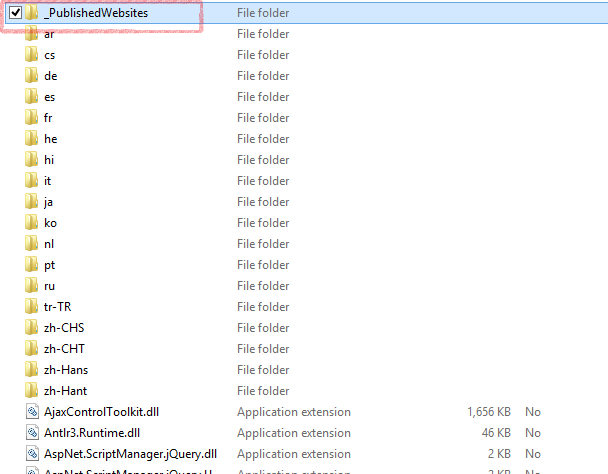
所以我们在这个文件夹里有两个网站:
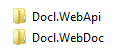
我想在这个文件夹中发布这两个网站到正确的天蓝色位置。有没有人知道一个很好的方法,以实现一个成功的连续交付与2个网站?
回答 1
Stack Overflow用户
回答已采纳
发布于 2013-04-26 19:08:44
在TFS构建期间,我们使用。我们将此示例代码Windows样品作为命令行工具,用于在构建任务中运行。
HostedServiceList hostedServices = new HostedServiceList();
Dictionary<string, IServiceManagement> servicesOperations = new Dictionary<string, IServiceManagement>();

ParseArguments(args);
ProcessCheckServerCertificate();

// upload the package created during the build to Azure BLOB
var packageUrl = UploadFileToBlob(package);
var services = new ListHostedServicesCommand();
services.Run();
hostedServices = services.HostedServices;
.
.
.
foreach (var hostedService in hostedServices)
{
    Console.WriteLine("updating: " + hostedService.ServiceName);
    // get the deployment unique name - required for upgrade
    AzureCommand.HostedServiceName = hostedService.ServiceName;
    AzureCommand.DeploymentName = null;
    var getDeployment = new GetDeploymentCommand();
    getDeployment.Run();
    AzureCommand.DeploymentName = getDeployment.Deployment.Name;

    // upgrade the existing deployment
    var upgradeDeployment = new UpgradeDeploymentCommand();
    upgradeDeployment.Run();
    servicesOperations.Add(upgradeDeployment.TrackingId, upgradeDeployment.ServiceManagement);
}
.
.
.
// check status of all operations submitted
foreach (var servicesOperation in servicesOperations)
{
    // check status of operations
    AzureCommand.WaitForAsyncOperation(servicesOperation.Value, servicesOperation.Key);
}
这是UploadFileToBlob代码..。
private string UploadFileToBlob(string file)
{
    // Retrieve storage account from connection string
    CloudStorageAccount storageAccount = CloudStorageAccount.Parse(CloudConfigurationManager.GetSetting("StorageConnectionString"));

    // Create the blob client
    CloudBlobClient blobClient = storageAccount.CreateCloudBlobClient();

    // Retrieve reference to a previously created container
    CloudBlobContainer container = blobClient.GetContainerReference("mydeployments");

    // Retrieve reference to a blob
    var date = DateTime.UtcNow.ToString("yyyyMMdd-hhmmss-");
    var fileinfo = new FileInfo(file);
    if (fileinfo.Exists)
    {
        var fileToUpload = new FileInfo(file).Name;
        var filename = date + fileToUpload;
        try
        {
            CloudBlob blob = container.GetBlobReference(filename);

            // Create or overwrite the blob with contents from a local file
            using (var fileStream = System.IO.File.OpenRead(file))
            {
                blob.UploadFromStream(fileStream);
            }

            return blob.Uri.AbsoluteUri;
        }
        catch (Exception ex)
        {
            LogError("Error uploading file to blog: ", ex.Message);
            return "";
        }
    }

    LogError("Error - specified file does not exist: ", file);
    return "";
}
并在云服务的.proj文件中添加构建任务,指向"YourCommandLineTool.exe":
  <Import Project="$(CloudExtensionsDir)Microsoft.WindowsAzure.targets" />
  <Target Name="AzureDeploy" AfterTargets="CorePublish" DependsOnTargets="CorePublish" Condition="$(DeployToAzure) == 'true'">
    <Exec WorkingDirectory="$(MSBuildProjectDirectory)" Command="C:\WindowsAzure\Deploy\YourCommandLineTool.exe /log:$(MSBuildProjectDirectory)\AzureDeploy.log /package:$(MSBuildProjectDirectory)\$(PublishDir)$(AssemblyName).cspkg /config:$(MSBuildProjectDirectory)\$(PublishDir)ServiceConfiguration.$(Configuration).cscfg" />
</Target>页面原文内容由Stack Overflow提供。腾讯云小微IT领域专用引擎提供翻译支持
原文链接:
https://stackoverflow.com/questions/16233298
复制相关文章
相似问题
腾讯云开发者

Copyright © 2013 - 2026 Tencent Cloud. All Rights Reserved. 腾讯云 版权所有
深圳市腾讯计算机系统有限公司 ICP备案/许可证号:粤B2-20090059  粤公网安备44030502008569号
腾讯云计算(北京)有限责任公司 京ICP证150476号 | 京ICP备11018762号