
高级图表-隐藏图表不能正确调整大小
我目前有一个3标签页。每个选项卡都是一个div,在未选中时设置为display: hidden。在这些选项卡中,我使用Susy (指南针插件)创建了一个网格系统。另外,每个选项卡页都有一组高级图表。当我加载页面时,取决于URl中的哪个选项卡,其中一个选项卡将被加载。所有的图表看起来都很好,但是当我切换到不同的选项卡时,有些图表并不适合它们的div。如果我只是重新调整窗口的大小,图表就会重新计算,然后它们就完全吻合了。或者,如果我重新加载相同的标签,图表也适合。我可以调用一个函数,当我进行选项卡切换时,它可以调整页面上所有图表的大小?
看起来是这样的:
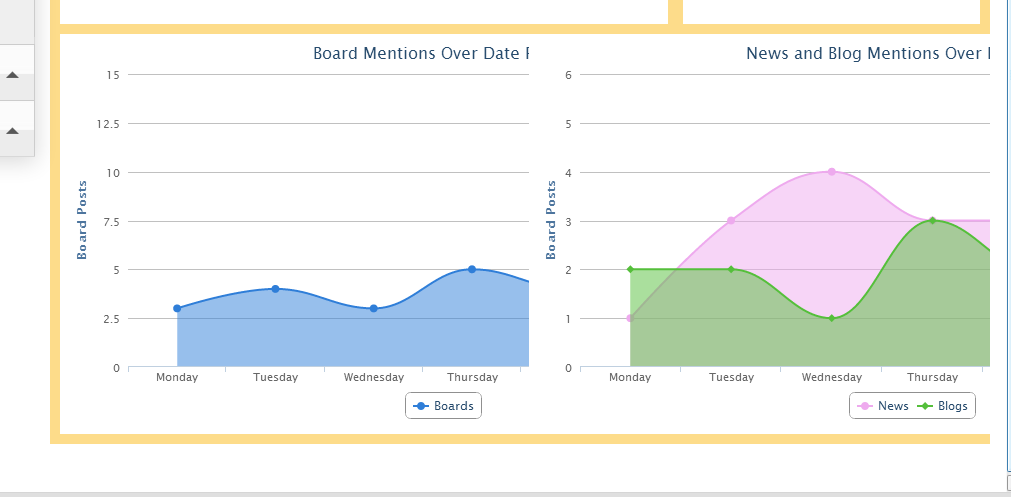
当它看起来像这样:
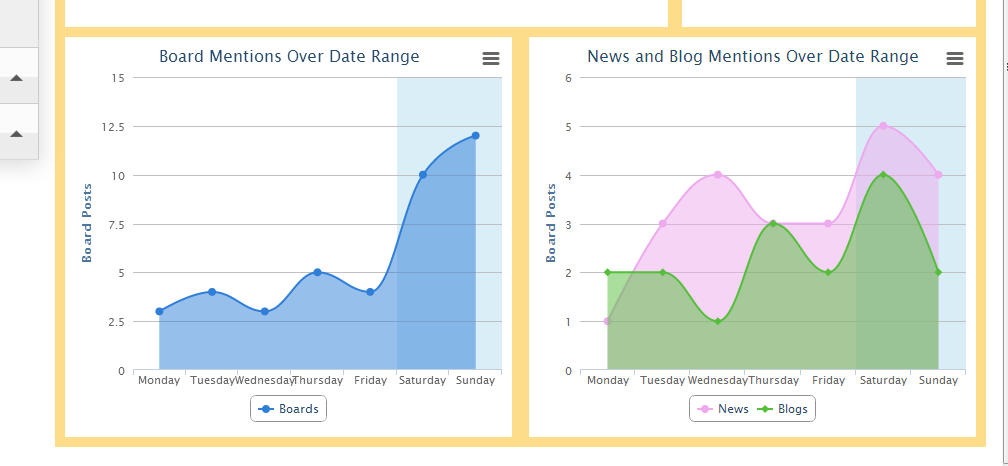
编辑:看起来这并不是一个与高图表直接相关的问题,例如,我的谷歌地图如下所示:
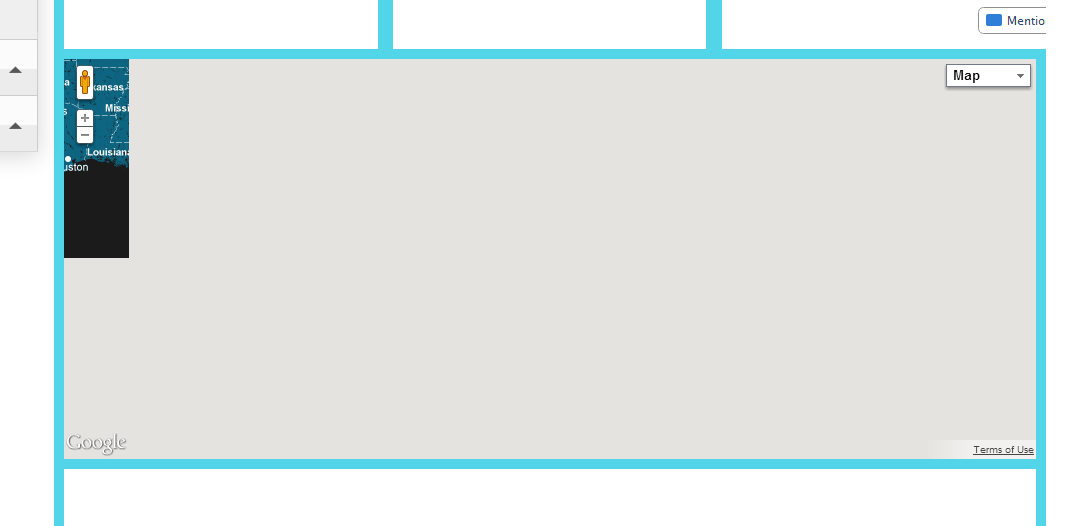
但是,当我调整窗口的大小时,它会正确地调整:
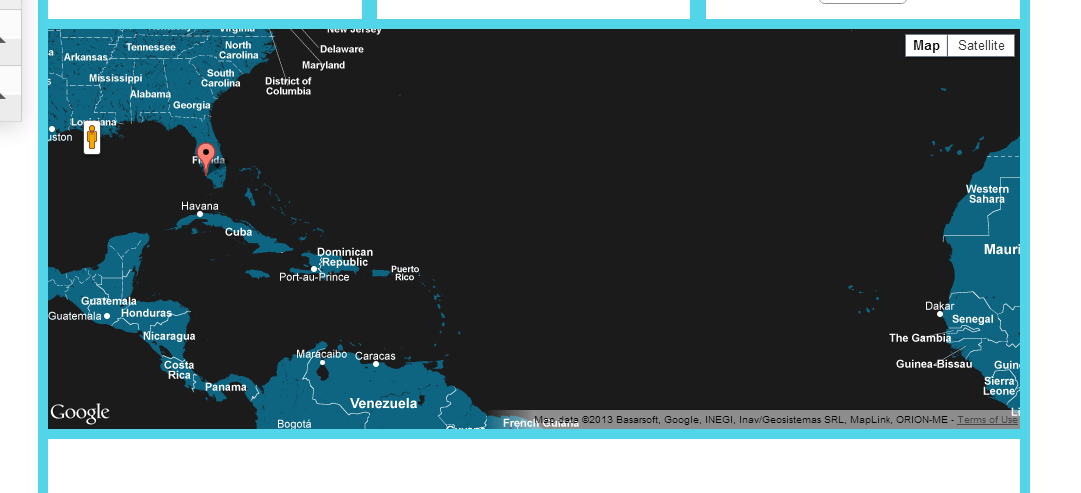
当选项卡被切换时,我可以通过JS中的函数调用来刷新/调整我的网格吗?
回答 3
Stack Overflow用户
发布于 2013-04-25 18:01:28
对我有用的是打电话:
$(window).resize();当我加载一个新标签时。Google仍然存在问题,但是它能很好地应用于高级图表。
Stack Overflow用户
发布于 2015-06-14 22:58:24
当您尝试呈现开始使用"display: none“的东西时,您会发现很多问题。虽然$(window).resize()在许多情况下可能有效,但我建议在显示之前先呈现页面:没有生效。一个可能的解决方案是设置透明度:0或可见性:隐藏。
display属性控制元素的呈现方式,例如块(100%宽度)或内联(适合内容)。当一个元素显示: none时,它会覆盖它,最终删除它的有效宽度和高度,直到该元素接收到块类型为止。
下面是一个要演示的示例:http://jsfiddle.net/m2f3scmm/3/
<div id="log1" style="display: none;">
</div>
<div id="log2" style="visibility: hidden;">
</div>
<div id="log3" style="opacity: 0">
</div>
当您使用“调整大小”黑客时,您假设使用的插件或脚本绑定到窗口的调整大小事件,但情况并不总是这样。触发window.resize也可能会减慢渲染速度或造成不必要的效果(例如,当第一次呈现时,小动画高图集就会出现--当每次更改选项卡时,这种效果看起来都很糟糕)。
Stack Overflow用户
发布于 2014-08-01 15:05:55
/**
 * Adjust size for hidden charts
 * @param chart highcharts
 */
function adjustGraph(chart) {
    try {
        if (typeof (chart === 'undefined' || chart === null) && this instanceof jQuery) { // if no obj chart and the context is set
            this.find('.chart-container:visible').each(function () { // for only visible charts container in the curent context
                $container = $(this); // context container
                $container.find('div[id^="chart-"]').each(function () { // for only chart
                    $chart = $(this).highcharts(); // cast from JQuery to highcharts obj
                    $chart.setSize($container.width(), $chart.chartHeight, doAnimation = true); // adjust chart size with animation transition
                });
            });
        } else {
            chart.setSize($('.chart-container:visible').width(), chart.chartHeight, doAnimation = true); // if chart is set, adjust
        }
    }
    catch (err) {
        // do nothing
    }
}
使用
$(window).resize(function () {
        if (this.resizeTO) clearTimeout(this.resizeTO);
        this.resizeTO = setTimeout(function () {
            // resizeEnd call function with pass context body
            adjustGraph.call($('body'));

        }, 500);
    });
用于引导选项卡的
$('a[data-toggle="tab"]').on('shown.bs.tab', function (e) {
            var isChart = $(this).attr('data-chart');
            var target = $(this).attr('href');
            if (isChart) {
                // call functio inside context target
                adjustGraph.call($(target));
            }
        });


  <ul id="tabs" class="nav nav-tabs" data-tabs="tabs">
        <li class="active">
            <a href="#anagrafica" data-toggle="tab"><h5>Anagrafica</h5></a>
        </li>
        <li>
            <a href="#consumi" data-toggle="tab" data-chart="1"><h5>Consumi</h5></a>
        </li>
    </ul>
图表上的
new Highcharts.Chart({
            chart: {
                renderTo: 'chart-bar',
                defaultSeriesType: 'column',
                zoomType: 'xy',
                backgroundColor: null,
                events: {
                    load: function (event) {
                        adjustGraph(this);
                    }
                }
            },
html代码
div class="tab-pane" id="charts">
    <div class="row-fluid">
        <div class="span6 offset3">
            <div id="myCarousel" class="carousel slide">
                <!-- Carousel items -->
                <div class="carousel-inner chart-container">
                    <div class="active item">
                        <h3>Chart 1/h3>
                        <div id="bar-pod-annuale">
                           <div id="chart-bar" style="width:100%;margin: 0 auto"></div>
                        </div>
                    </div>
                    <div class="item">
                        <h3>Char 2</h3>
                        /** chart **/
                    </div>
                    <div class="item">
                        <h3>Char 3</h3>
                        /** chart **/
                    </div>
                </div>
                <!-- Carousel nav -->
                <a class="carousel-control left" href="#myCarousel" data-slide="prev">‹</a>
                <a class="carousel-control right" href="#myCarousel" data-slide="next">›</a>
            </div>
        </div>
</div>https://stackoverflow.com/questions/16216722
复制相似问题
腾讯云开发者

Copyright © 2013 - 2026 Tencent Cloud. All Rights Reserved. 腾讯云 版权所有
深圳市腾讯计算机系统有限公司 ICP备案/许可证号:粤B2-20090059  粤公网安备44030502008569号
腾讯云计算(北京)有限责任公司 京ICP证150476号 | 京ICP备11018762号