
如何在eclipse中将消息过滤为Logcat?
我只想从我当前运行的应用程序中向logcat显示system.out.println消息。我已经检查了堆栈溢出和其他方面的许多建议。但我得到的建议只有“add adb -d logcat com.example.example:I :s”.等等,但我不知道该把这个加到哪里去。我知道如何打开logcat过滤器设置窗口。它显示了名为“filter name”、“by log标记”、“by log message”、“by PID”、“by application name”和“by log level”的项。
_One more thing. I have added a filter with "^(?!._(nativeGetEnabledTags)).\*$" in the 'by log message' item and managed to avoid the flooding of logcat window by a message like "unexpected value from nativegetenabledtags". But the problem was, I have to add this all the time whenever I run an application(even if it is the same program) in eclipse. Is there any way to add filters for permanently? 提前谢谢..。
回答 3
Stack Overflow用户
发布于 2013-01-27 10:54:05
我认为最简单的方法是使用标签。
当您从安卓应用程序(如Log.d )登录时,第一个参数是标记字符串。因此,如果您将其设置为一个唯一的字符串(如您的应用程序名),那么您以后可以在Eclipse中通过它进行筛选。
Stack Overflow用户
发布于 2013-01-27 11:08:31
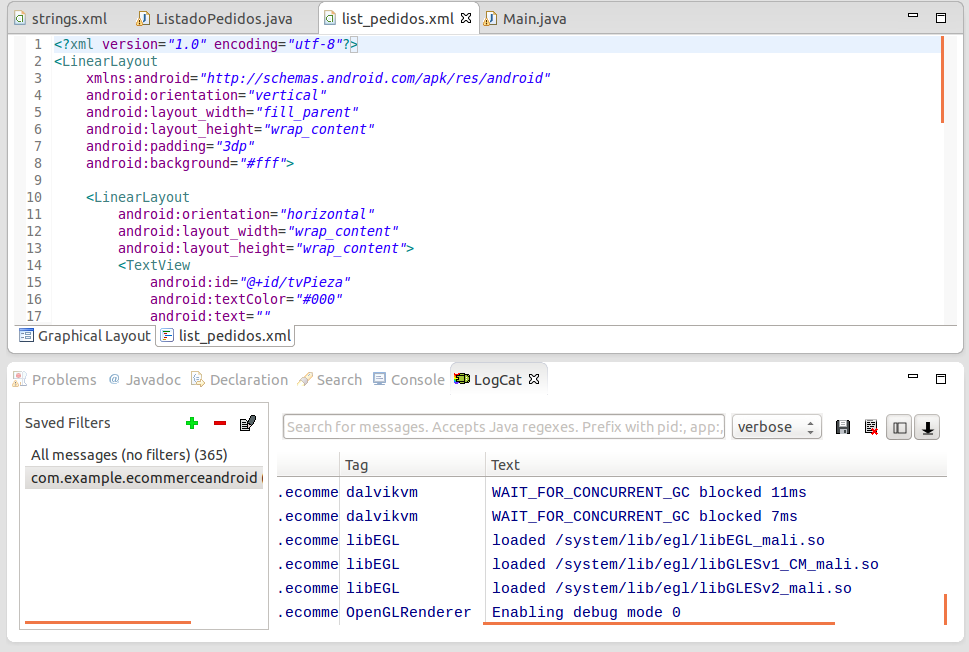
据我所知,Logcat是来自Eclipse的视图,在这里您可以看到独占的消息,这要归功于Log.d方法。要检查应用程序中的日志消息,只需在Logcat视图的左侧进行选择(因为右侧是您看到Log.d消息的地方)。
如果您愿意,可以从您的应用程序中过滤Log.d消息,只查看您需要的消息。例如,要查看所有具有具体内容的消息,您需要在上面的文本框(消息列表上方)写下要包含在消息中的单词。不要忘记以前选择你的应用程序在左边,否则你会得到所有的信息,从所有的应用程序,包括你过滤的文本。
在安卓设备上不可能直接看到"System.out.println“,您需要使用"Log.d”方法。例如:
Log.d("IOException", "IOException error");编辑:这里有一张图片显示了我对你说的话(Logcat的应用程序选择器)
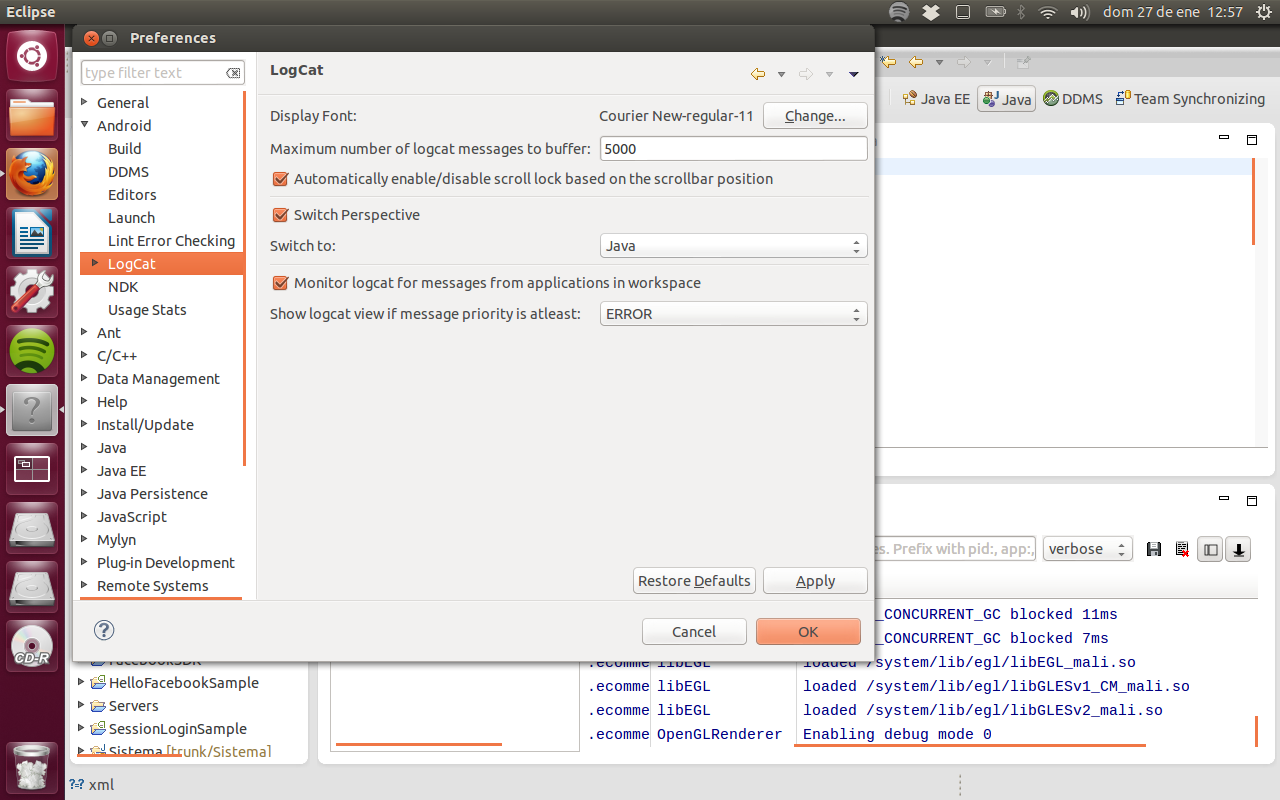
EDIT2:要显示您在工作空间中拥有的应用程序,您必须在Eclipse上这样做:
- 窗口->首选项-> Android -> Logcat
- 监视Logcat中来自工作区中应用程序的消息
Stack Overflow用户
发布于 2013-01-27 11:19:44
Log.I (标记、消息)类似于system.out.println()。
https://stackoverflow.com/questions/14546529
复制相似问题
腾讯云开发者

Copyright © 2013 - 2026 Tencent Cloud. All Rights Reserved. 腾讯云 版权所有
深圳市腾讯计算机系统有限公司 ICP备案/许可证号:粤B2-20090059  粤公网安备44030502008569号
腾讯云计算(北京)有限责任公司 京ICP证150476号 | 京ICP备11018762号