
当单击wpf中的RepeatButton时,如何调整文本框中的光标?
当单击wpf中的RepeatButton时,如何调整文本框中的光标?
提问于 2012-08-01 11:41:40
 <Grid x:Name="BackSpaceButton">
    <TextBox x:Name="txt_remove" Height="46" Margin="234,119,225,0" TextWrapping="Wrap" VerticalAlignment="Top" GotFocus="txt_remove_GotFocus" TabIndex="2"/>
    <RepeatButton x:Name="rbtn_remove" Content="Backspace" Delay="400" Interval="200" Margin="415,124,0,0" RenderTransformOrigin="0.667,0.854" Click="rbtn_remove_Click" LostMouseCapture="rbtn_remove_LostMouseCapture" HorizontalAlignment="Left" Height="41" VerticalAlignment="Top" Width="66" TabIndex="2" />
</Grid>
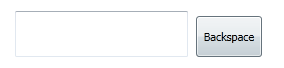
这个设计如下所示
public partial class Repeate : Window
{
    Control GetTextbox;
    TextBox GetInstance;
    public Repeate()
    {
        this.InitializeComponent();
    }

    private void rbtn_remove_Click(object sender, RoutedEventArgs e)
    {

        GetInstance = GetTextbox as TextBox;
        if (GetTextbox != null)
        {

            string _CurrentValue = GetInstance.Text;
            var _CareIndex = GetInstance.CaretIndex;

            if (_CareIndex > 0)
            {
                string _Backspace = _CurrentValue.Remove(_CareIndex - 1, 1);
                GetInstance.Text = _Backspace;
                GetInstance.CaretIndex = _CareIndex - 1;
            }
        }
    }

    private void txt_remove_GotFocus(object sender, RoutedEventArgs e)
    {
        GetTextbox = (Control)sender;
    }

    private void rbtn_remove_LostMouseCapture(object sender, MouseEventArgs e)
    {
        GetInstance.Focus();
    }


}
输出如下所示
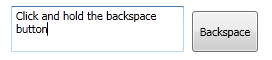
当我单击Backspace按钮时,textbox将被移除,光标将在textbox.What中聚焦,问题是,当我单击并按住Backspace按钮时,textbox值会反复移除,但光标不会显示。
对于Ex:,在文本框中输入值,然后单击并按住系统键盘上的backspace键,然后收取差额。
回答 1
Stack Overflow用户
回答已采纳
发布于 2012-08-02 09:07:58
使用下面的代码,它将帮助您well.why,因为有一天,我面临同样的问题。
<Grid x:Name="BackSpaceButton">
    <TextBox x:Name="txt_remove" Height="46" Margin="234,119,225,0" TextWrapping="Wrap" VerticalAlignment="Top" GotFocus="txt_remove_GotFocus" TabIndex="2"/>
    <RepeatButton x:Name="rbtn_remove" Focusable="False"  Content="Backspace" Delay="400" Interval="100" Margin="415,123,0,0" RenderTransformOrigin="0.667,0.854" Click="rbtn_remove_Click" LostMouseCapture="rbtn_remove_LostMouseCapture" HorizontalAlignment="Left" Height="41" VerticalAlignment="Top" Width="66"/>
</Grid>在上面的代码中,我只添加了一个属性Focusable="False"
 private void rbtn_remove_Click(object sender, RoutedEventArgs e)
    {
        GetInstance = GetTextbox as TextBox;
        if (GetTextbox != null)
        {

            string _CurrentValue = GetInstance.Text;
            var _CareIndex = GetInstance.CaretIndex;

            if (_CareIndex > 0)
            {
                string _Backspace = _CurrentValue.Remove(_CareIndex - 1, 1);
                GetInstance.Text = _Backspace;
                GetInstance.Focus();
                GetInstance.CaretIndex = _CareIndex - 1;

            }
        }
    }
    void txt_remove_GotFocus(object sender, RoutedEventArgs e)
    {
        GetTextbox = (Control)sender;
    }
    private void rbtn_remove_LostMouseCapture(object sender, MouseEventArgs e)
    {
        GetInstance.Focus();
}在上面的代码中,我刚刚添加了一个代码GetInstance.Focus();
页面原文内容由Stack Overflow提供。腾讯云小微IT领域专用引擎提供翻译支持
原文链接:
https://stackoverflow.com/questions/11758455
复制相关文章
相似问题
腾讯云开发者

Copyright © 2013 - 2026 Tencent Cloud. All Rights Reserved. 腾讯云 版权所有
深圳市腾讯计算机系统有限公司 ICP备案/许可证号:粤B2-20090059  粤公网安备44030502008569号
腾讯云计算(北京)有限责任公司 京ICP证150476号 | 京ICP备11018762号