
使用UIImage SDK打印ePOS
使用UIImage SDK打印ePOS
提问于 2012-07-20 11:02:31
我使用爱普生公司的ePOS SDK,它允许通过wifi连接到打印机(TM-T88V)。sdk的链接(http://pos.epson.com/mobilesdks/index.htm)
我使用这段代码从url加载一个UIImage。
NSData* data = [[NSData alloc] initWithContentsOfUrl:_url];
UIImage* image = [UIImage imageWithData:data];
然后打印图像(使用ePOS) 注意:我将跳过连接部分,因为它不包含在我的问题中。
EposBuilder* builder = [EposBuilder alloc]  initWithPrinterModel:@"TM-T88V" lang:EPOS_OC_MODEL_ANK];

EposPrint* printer = [[EposPrint alloc] init];

int retVal = EPOS_OC_SUCCESS;
unsigned long status = 0;

retVal = [builder addImage:image X:0 Y:0 Width:image.size.width Height:image.size.Height Color: EPOS_OC_COLOR_1];

retVal = [printer sendData:builder Timeout:10000 Status:&status];
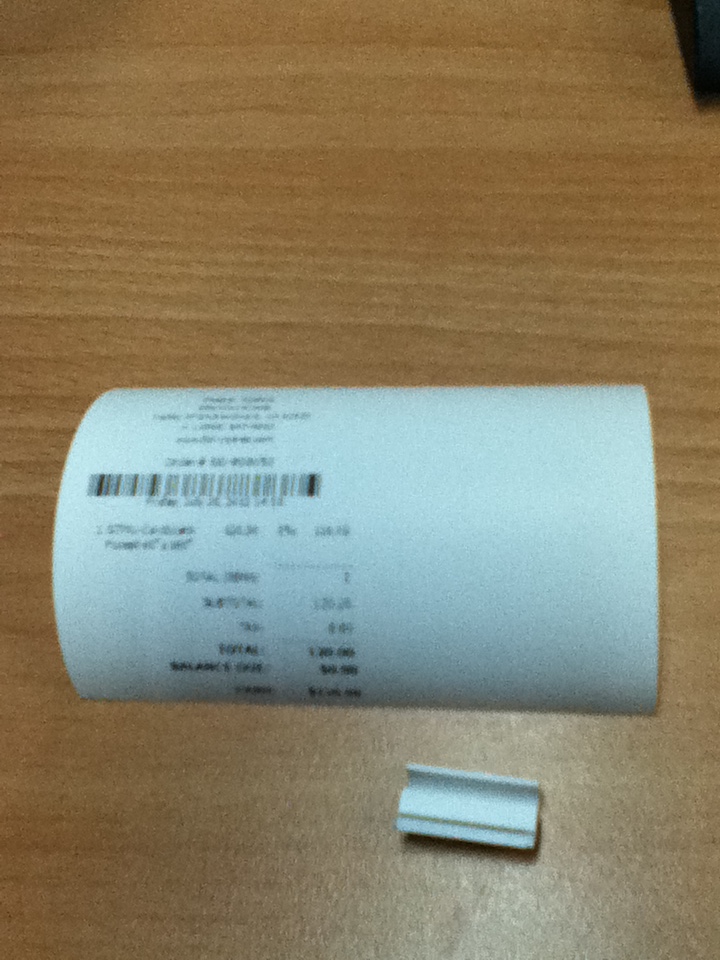
现在我的问题是打印的结果要小得多,看到图像的大小是271x368px。有关示例,请参见下图
关于如何使它正确印刷有什么想法吗?另外,我找到了这个Printing UIImage using AirPrint causes cut-off content,它提供了一个缩放图像的链接,但是它不起作用。有什么想法吗?谢谢。
回答 1
Stack Overflow用户
发布于 2013-02-09 14:23:25
我得到了解决方案,不要我的你已经解决了它,我所做的就是,通过NSFileManager保存文档文件夹中的图像,并从Documents文件夹中获得相同的空间,然后在图像中添加一个空格,然后添加,对不起,我的英语。您需要实现自己的代码,以便通过文件管理器保存和检索图像。
NSData *dataFromUrl=[[NSData alloc] initWithContentsOfURL:url];
    UIImage *image1 = [UIImage imageWithData:dataFromUrl];
    if(image1)
    {
        [Filemanager saveReceiptLogoImage:image1];
    }
//在打印机类中,
    UIImage *image1 = [Filemanager receiptLogo];
                if(image1)
                {
  result = [builder addText:@"    "];
   UIImage *resizedImage = [image1 resizedImageWithContentMode:UIViewContentModeScaleAspectFit bounds:CGSizeMake(512, 350) interpolationQuality:kCGInterpolationHigh];
                    result = [builder addImage:resizedImage X:0 Y:0 Width:MIN(512, resizedImage.size.width) Height:resizedImage.size.height Color:EPOS_OC_COLOR_1];
}页面原文内容由Stack Overflow提供。腾讯云小微IT领域专用引擎提供翻译支持
原文链接:
https://stackoverflow.com/questions/11578013
复制相关文章
相似问题
腾讯云开发者

Copyright © 2013 - 2026 Tencent Cloud. All Rights Reserved. 腾讯云 版权所有
深圳市腾讯计算机系统有限公司 ICP备案/许可证号:粤B2-20090059  粤公网安备44030502008569号
腾讯云计算(北京)有限责任公司 京ICP证150476号 | 京ICP备11018762号