
隐藏CRM 2011中的SSRS参数
隐藏CRM 2011中的SSRS参数
提问于 2012-05-02 13:49:43
我以不同的方式描述我的问题,我可以用下面的代码打开报告
var url="/"+orgname+"/crmreports/viewer/viewer.aspx?action=run&helpID=OppClients.rdl&id=%7bC7D34446-7F90-E111-A8F3-080027EA7FF9%7d&p:nomclient=aziza boulabyar";

window.open(url, "", "height=" + (screen.availHeight * .75)
     + ",width=" + (screen.availWidth * .75)
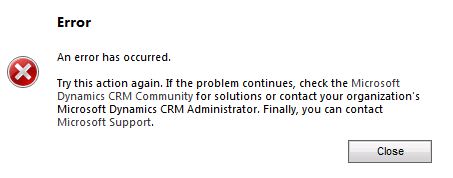
+ ",toolbar=no,menubar=no,scrollbars=no,resizable=yes,location=0");现在,我想在报表中隐藏参数,当我将&rc:parameters=false添加到url时,我会得到一个错误,如下图所示
有人能告诉我如何解决这个问题吗?
在日志文件的内容下面:
at ErrorInformation.LogError()
at ErrorInformation..ctor(Exception exception, Uri requestUrl, Boolean logError)
at MainApplication.Application_Error(Object sender, EventArgs eventArguments)
at EventHandler.Invoke(Object sender, EventArgs e)
at HttpApplication.RaiseOnError()
at ApplicationStepManager.ResumeSteps(Exception error)
at HttpApplication.System.Web.IHttpAsyncHandler.BeginProcessRequest(HttpContext context, AsyncCallback cb, Object extraData)
at HttpRuntime.ProcessRequestInternal(HttpWorkerRequest wr)
at ISAPIRuntime.ProcessRequest(IntPtr ecb, Int32 iWRType)
>MSCRM Error Report:
--------------------------------------------------------------------------------------------------------
Error: Une exception de type 'System.Web.HttpUnhandledException' a été levée.
Error Message: CRM Parameter Filter - Invalid parameter 'rc:parameters=false' in Request.QueryString on page /Manhattan/crmreports/viewer/viewer.aspx
The raw request was 'GET /Manhattan/crmreports/viewer/viewer.aspx?action=run&helpID=OppClients.rdl&id=%7bC7D34446-7F90-E111-A8F3-080027EA7FF9%7d&rc:parameters=false&p:nomclient=aziza%20boulabyar' called from .
Error Details: Une exception de type 'System.Web.HttpUnhandledException' a été levée.
Source File: Not available
Line Number: Not available
Request URL: http://localhost:5555/Manhattan/crmreports/viewer/viewer.aspx?action=run&helpID=OppClients.rdl&id=%7bC7D34446-7F90-E111-A8F3-080027EA7FF9%7d&rc:parameters=false&p:nomclient=aziza%20boulabyar
Stack Trace Info: [InvalidOperationException: CRM Parameter Filter - Invalid parameter 'rc:parameters=false' in Request.QueryString on page /Manhattan/crmreports/viewer/viewer.aspx
The raw request was 'GET /Manhattan/crmreports/viewer/viewer.aspx?action=run&helpID=OppClients.rdl&id=%7bC7D34446-7F90-E111-A8F3-080027EA7FF9%7d&rc:parameters=false&p:nomclient=aziza%20boulabyar' called from .]
à Microsoft.Crm.Application.ParameterFilter.ValidateParameter(HttpRequest request, ArrayList parameterCollection, String key, String value, ParameterSources source, EntityType pageEntityType, FormAdditionalAllowedParameters additionalAllowedParameters)
à Microsoft.Crm.Application.ParameterFilter.ValidateParameters(Page page, EntityType pageEntityType, Boolean alwaysEnableParameterChecking, FormAdditionalAllowedParameters formAdditionalAllowedParametersTemp)
à Microsoft.Crm.Application.ParameterFilter.ValidateParameters(Page page, EntityType pageEntityType, Boolean alwaysEnableParameterChecking)
à Microsoft.Crm.Application.Controls.AppPage.ValidatePageParameters()
à Microsoft.Crm.Application.Controls.AppPage.OnInit(EventArgs e)
à System.Web.UI.Control.InitRecursive(Control namingContainer)
à System.Web.UI.Page.ProcessRequestMain(Boolean includeStagesBeforeAsyncPoint, Boolean includeStagesAfterAsyncPoint)
[HttpUnhandledException: Une exception de type 'System.Web.HttpUnhandledException' a été levée.]
à System.Web.UI.Page.HandleError(Exception e)
à System.Web.UI.Page.ProcessRequestMain(Boolean includeStagesBeforeAsyncPoint, Boolean includeStagesAfterAsyncPoint)
à System.Web.UI.Page.ProcessRequest(Boolean includeStagesBeforeAsyncPoint, Boolean includeStagesAfterAsyncPoint)
à System.Web.UI.Page.ProcessRequest()
à System.Web.UI.Page.ProcessRequest(HttpContext context)
à System.Web.HttpApplication.CallHandlerExecutionStep.System.Web.HttpApplication.IExecutionStep.Execute()
à System.Web.HttpApplication.ExecuteStep(IExecutionStep step, Boolean& completedSynchronously)回答 2
Stack Overflow用户
发布于 2012-07-27 04:09:43
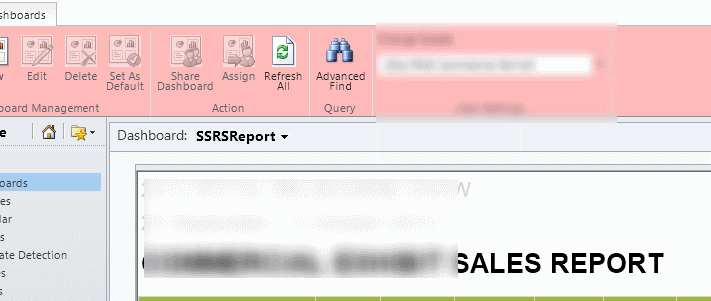
我的解决方案涉及几个步骤,大部分是不受支持的--但它有效。
- 将现有的C:\Program \Microsoft CRM\CRMWeb\CRMReports\viewer\viewer.aspx克隆到.\viewerNoToolbar.aspx
- 在viewerNoToolbar.aspx中更新以下代码以从SSRS中删除工具栏: 函数reportLoaded() { if (oFrame.readyState === "complete") { addToRecent();} 至 函数reportLoaded() { if (oFrame.readyState === "complete") { addToRecent();var frameDoc = oFrame.contentDocument可比oFrame.contentWindow.document;var reportViewerToolbar =oFrame.readyState reportViewerToolbar.style.display = "none";}
- 插入DIV以隐藏现有的CRM工具栏,并将现有的resultFrame IFrame移出DIV。
- 将查询更改为 var url="/"+orgname+"/crmreports/viewer/viewerNoToolBar.aspx? 别担心rc:工具栏
祝你好运格伦
Stack Overflow用户
发布于 2012-05-04 11:51:21
根据这篇文章,在中传递带有URL的参数和选项做得很好。
但是,当我试图做同样的事情时,我发现这个错误完全没有任何意义。
为了了解发生了什么,我建议您使用跟踪,查看这个帖子CrmDiagTool 2011,这个工具将使使用它更加容易。我的猜测是,你需要以某种方式使这些参数可选。
抱歉,没时间投入进去。如果你几天后不解决的话,让我知道我们会解决的。
页面原文内容由Stack Overflow提供。腾讯云小微IT领域专用引擎提供翻译支持
原文链接:
https://stackoverflow.com/questions/10415119
复制相关文章
相似问题
腾讯云开发者

Copyright © 2013 - 2026 Tencent Cloud. All Rights Reserved. 腾讯云 版权所有
深圳市腾讯计算机系统有限公司 ICP备案/许可证号:粤B2-20090059  粤公网安备44030502008569号
腾讯云计算(北京)有限责任公司 京ICP证150476号 | 京ICP备11018762号