
XMLRPC & MetaWeblog,我如何创建一个页面,创建一个帖子,并将页面附加到这个帖子
XMLRPC & MetaWeblog,我如何创建一个页面,创建一个帖子,并将页面附加到这个帖子
提问于 2011-12-23 10:10:01
我想为我的Wordpress博客创建我自己的自定义发布界面,我之所以这么做是因为我发布了多篇文章,有时每天有100到150篇文章,我想简化文章的发布过程,比如批量发布文章。
我做了我的研究,我发现Wordpress,XMLRPC和MetaWeblog API是我需要的。
因此,我尝试了一下,并成功地使用以下代码在我的博客上发表了一篇文章:
<?php
    include("../wp-includes/class-IXR.php");
    $client = new IXR_Client('http://www.example.com/xmlrpc.php');

    $content['title'] = 'Test Draft Entry using MetaWeblog API';
    $content['description'] = '<p>Hello World!</p>';
    if (!$client->query('metaWeblog.newPost','', 'admin',’password’, $content, false)) {
        die('An error occurred - '.$client->getErrorCode().":".$client->getErrorMessage());
    }
    echo $client->getResponse();
?>
但是,我在Wordpress博客中创建的每一篇文章都需要几个步骤:
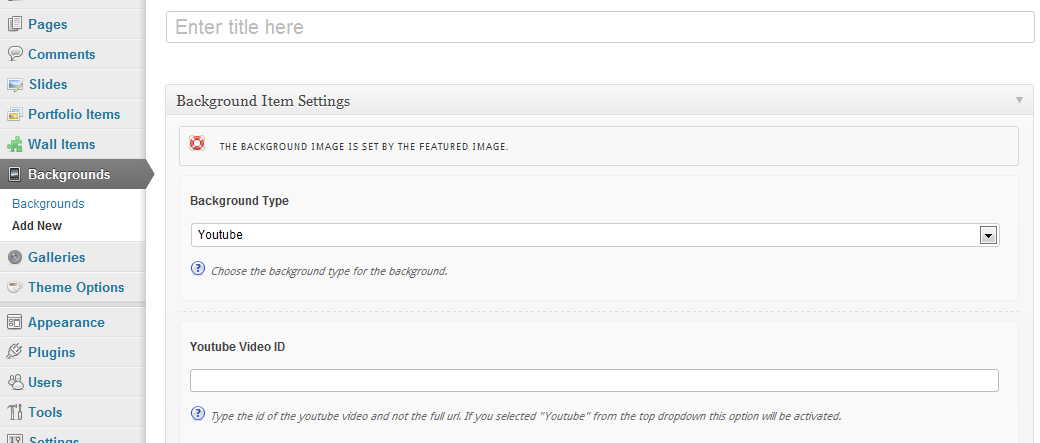
步骤1:使用背景类型Youtube创建一个新的背景,并输入该背景的Youtube ID。
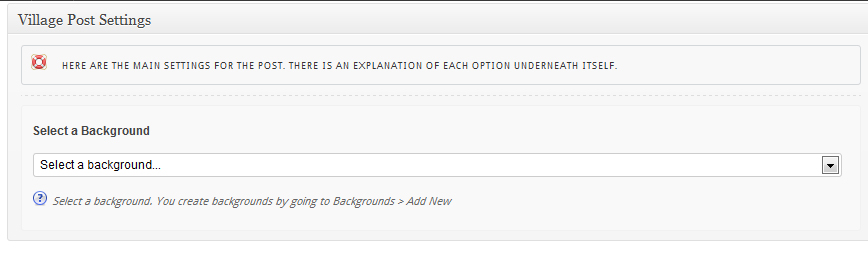
步骤2:添加一个新的帖子并将先前发布的背景附加到这个帖子中。
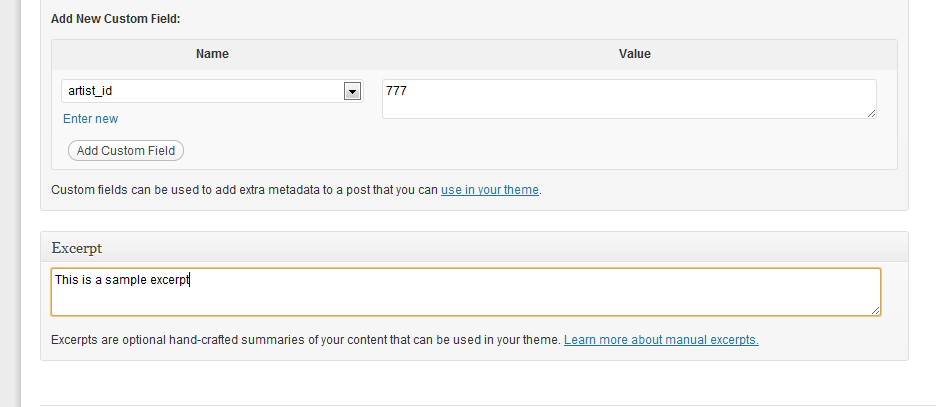
步骤3:在自定义字段部分输入一个名为artist_id的自定义字段,并为这个帖子添加一个摘录,发布文章。
因此,每一篇文章都需要3个步骤。因此,我的问题是,如何使用XMLRPC来执行这些操作?
回答 1
Stack Overflow用户
发布于 2011-12-23 15:31:15
用于添加节选
$content['mt_excerpt'] = 'Your post excerpt';对于自定义字段,请使用
$content['custom_fields'] = array(
    array( 'key' => 'artist_id', 'value' => '777' ),
    array( 'key' => 'background', 'value' => 'background_value' )
  );
背景和youtube的元数据很可能会添加自定义的post元数据。您可以从db或源代码中找到它们的密钥,并在上面的代码中使用它。
页面原文内容由Stack Overflow提供。腾讯云小微IT领域专用引擎提供翻译支持
原文链接:
https://stackoverflow.com/questions/8614740
复制相关文章
相似问题
腾讯云开发者

Copyright © 2013 - 2026 Tencent Cloud. All Rights Reserved. 腾讯云 版权所有
深圳市腾讯计算机系统有限公司 ICP备案/许可证号:粤B2-20090059  粤公网安备44030502008569号
腾讯云计算(北京)有限责任公司 京ICP证150476号 | 京ICP备11018762号