
错误Domain=SKErrorDomain Code=3“无法连接到iTunes存储”UserInfo=0x1aaf40 {NSLocalizedDescription=Cannot连接到iTunes Store}
错误Domain=SKErrorDomain Code=3“无法连接到iTunes存储”UserInfo=0x1aaf40 {NSLocalizedDescription=Cannot连接到iTunes Store}
提问于 2011-12-19 06:09:31
目前,我正在开发应用程序中的购买功能,并且正在了解下面的错误。
"Error Domain=SKErrorDomain Code=3“无法连接到iTunes存储”UserInfo=0x1aaf40 {NSLocalizedDescription=Cannot连接到iTunes Store}"
这是第一步。
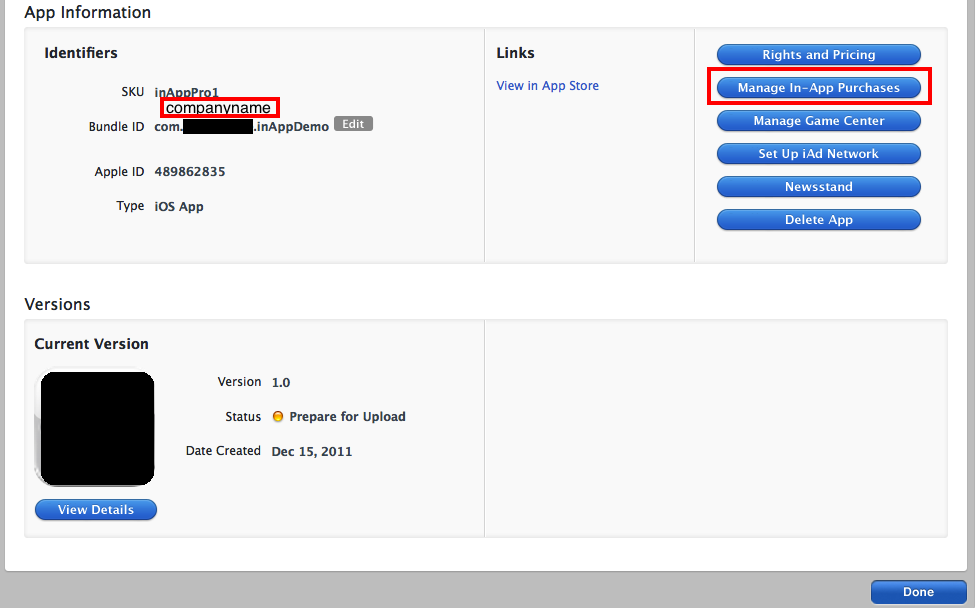
1)首先,我创建了一个应用程序"inAppPro“,它位于(Status):”准备上传“下面
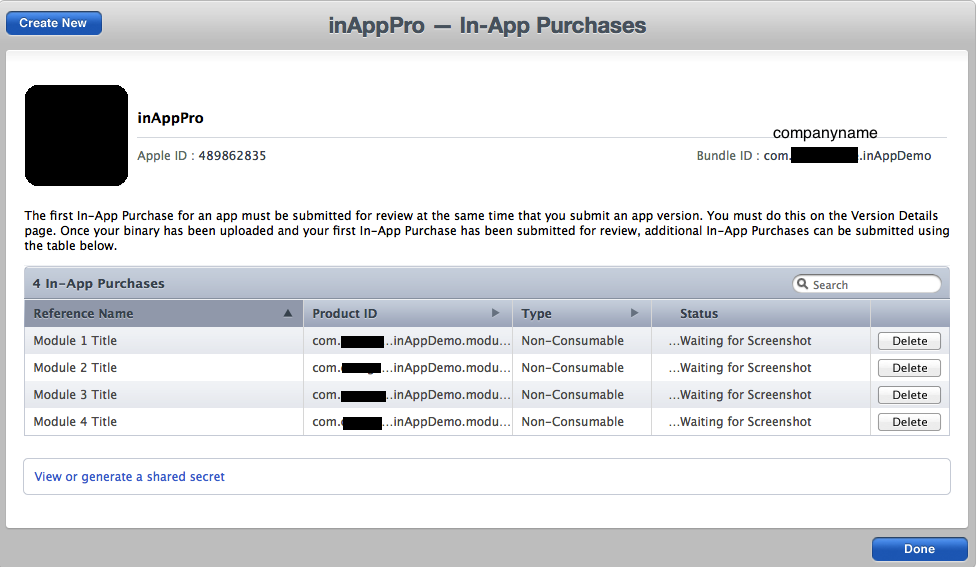
2)我增加了4件非消费品。并填写相关细节。
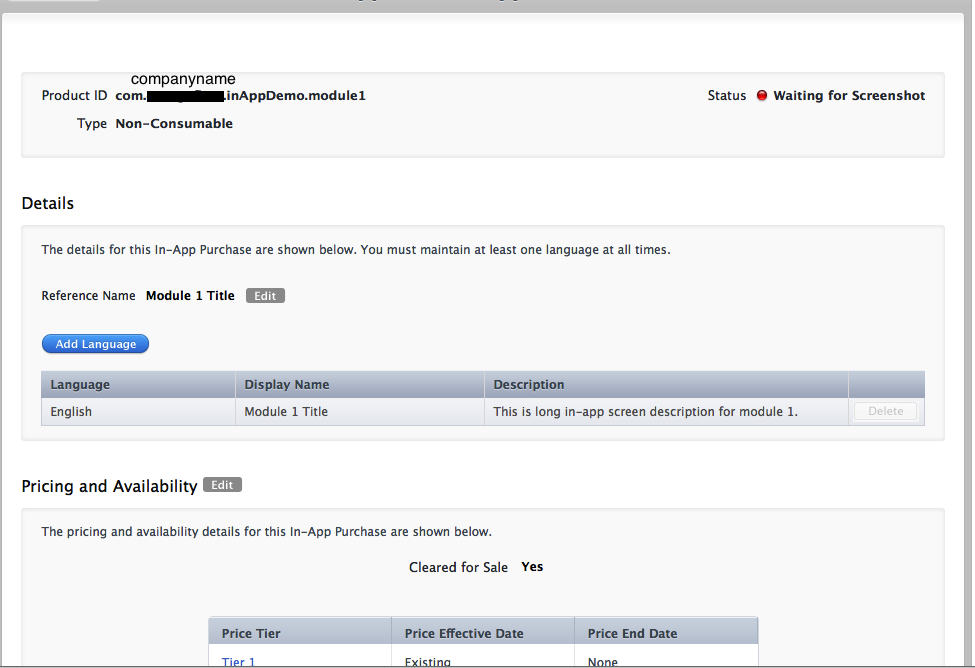
3)我还创建了测试用户(沙箱)的测试应用程序购买产品。
4)我还创建了支持inApp购买的供应配置文件。
5)我还创建了没有(*)外卡的应用程序ID。
这是我目前正在使用的代码。
- (void)viewDidLoad
{
   Detail1 *observer = [[Detail1 alloc] init];

   [[SKPaymentQueue defaultQueue] addTransactionObserver:observer];

   [[SKPaymentQueue defaultQueue] restoreCompletedTransactions];

    [super viewDidLoad];
    // Do any additional setup after loading the view from its nib.
}


- (void)productsRequest:(SKProductsRequest *)request didReceiveResponse:(SKProductsResponse *)response
{

    if ([SKPaymentQueue canMakePayments])
    {
        NSString *product = [NSString stringWithFormat:@"com.companyname.inAppDemo.module%d",ApplicationDelegate.objectID];
        NSLog(@"In-App product for request = %@", product);

        SKPayment *payment = [SKPayment paymentWithProductIdentifier:product];
        [[SKPaymentQueue defaultQueue] addPayment:payment];


    }
    else
    {
        UIAlertView *alert = [[UIAlertView alloc] initWithTitle:@"MyApp" message:@"You are not authorized to purchase from AppStore"
                                                       delegate:self cancelButtonTitle:@"OK" otherButtonTitles: nil];
        [alert show];
        [alert release];
    }
}
- (void)paymentQueue:(SKPaymentQueue *)queue updatedTransactions:(NSArray *)transactions
{
    for (SKPaymentTransaction *transaction in transactions)
    {
        switch (transaction.transactionState)
        {
            case SKPaymentTransactionStatePurchased:

                [self completeTransaction:transaction];

                break;

            case SKPaymentTransactionStateFailed:

                [self failedTransaction:transaction];

                break;

            case SKPaymentTransactionStateRestored:

                [self restoreTransaction:transaction];

            default:

                break;
        }
    }
}
- (void) failedTransaction: (SKPaymentTransaction *)transaction
{
    if (transaction.error.code != SKErrorPaymentCancelled)
    {
        // Optionally, display an error here.
        NSLog(@"%@",transaction.error);

    }
    [[SKPaymentQueue defaultQueue] finishTransaction: transaction];
}

- (void) completeTransaction: (SKPaymentTransaction *)transaction
{
    //[[MKStoreManager sharedManager] provideContent: transaction.payment.productIdentifier];
    [[SKPaymentQueue defaultQueue] finishTransaction: transaction];
}

- (void) restoreTransaction: (SKPaymentTransaction *)transaction
{
    //[[MKStoreManager sharedManager] provideContent: transaction.originalTransaction.payment.productIdentifier];
    [[SKPaymentQueue defaultQueue] finishTransaction: transaction];
}
-(IBAction)btnpurchase:(id)sender
{
    NSLog(@"ProductStatus = %@", ApplicationDelegate.productStatus);

    if ([ApplicationDelegate.productStatus isEqualToString:@"FREE"])
    {
        UIAlertView *alert = [[UIAlertView alloc]initWithTitle:nil message:@"This is free for you so ENJOY it!!!" delegate:self cancelButtonTitle:@"OK" otherButtonTitles:nil,nil];
        [alert show];
        [alert release];
    }
    else if ([ApplicationDelegate.productStatus isEqualToString:@"PAID"])
    {
        UIAlertView *alert = [[UIAlertView alloc]initWithTitle:nil message:@"You have already purchase it!!!" delegate:self cancelButtonTitle:@"OK" otherButtonTitles:nil,nil];
        [alert show];
        [alert release];
    }
    else
    {
        NSLog(@"Detail1 id for product = %d", ApplicationDelegate.objectID);
        NSString *product = [NSString stringWithFormat:@"com.companyname.inAppDemo.module%d",ApplicationDelegate.objectID];
        NSLog(@"In-App product-id = %@", product);


        SKProductsRequest *request= [[SKProductsRequest alloc] initWithProductIdentifiers:[NSSet setWithObjects:product,nil]];
        request.delegate = self;
        [request start];

    }
}
请大家帮帮我。
提前谢谢。
回答 1
Stack Overflow用户
回答已采纳
发布于 2012-07-09 14:08:35
您必须有有效的合同,在“合同,税收和银行业务”部分。当然,确保您使用了正确的配置文件,并且您已经在App中启用了该ID,并且(最后)您在iTunes连接中添加了可购买的项目(正如屏幕截图所示)。
页面原文内容由Stack Overflow提供。腾讯云小微IT领域专用引擎提供翻译支持
原文链接:
https://stackoverflow.com/questions/8557735
复制相关文章
相似问题
腾讯云开发者

Copyright © 2013 - 2026 Tencent Cloud. All Rights Reserved. 腾讯云 版权所有
深圳市腾讯计算机系统有限公司 ICP备案/许可证号:粤B2-20090059  粤公网安备44030502008569号
腾讯云计算(北京)有限责任公司 京ICP证150476号 | 京ICP备11018762号