
如何使用OpenGL ES 2.0着色器完成这些图像处理任务?
如何使用OpenGL ES 2.0着色器执行下列图像处理任务?
- 色彩空间变换( RGB/YUV/HSL/Lab )
- 图像的旋转
- 转换成草图
- 转换为油画
回答 2
Stack Overflow用户
发布于 2012-02-22 20:00:31
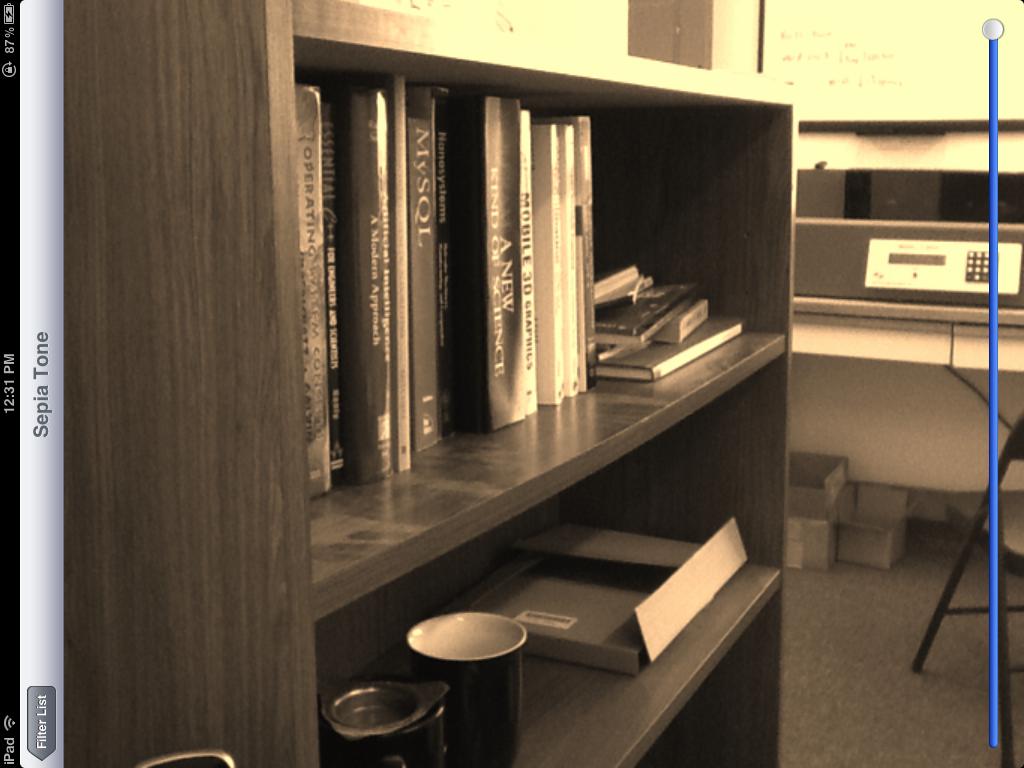
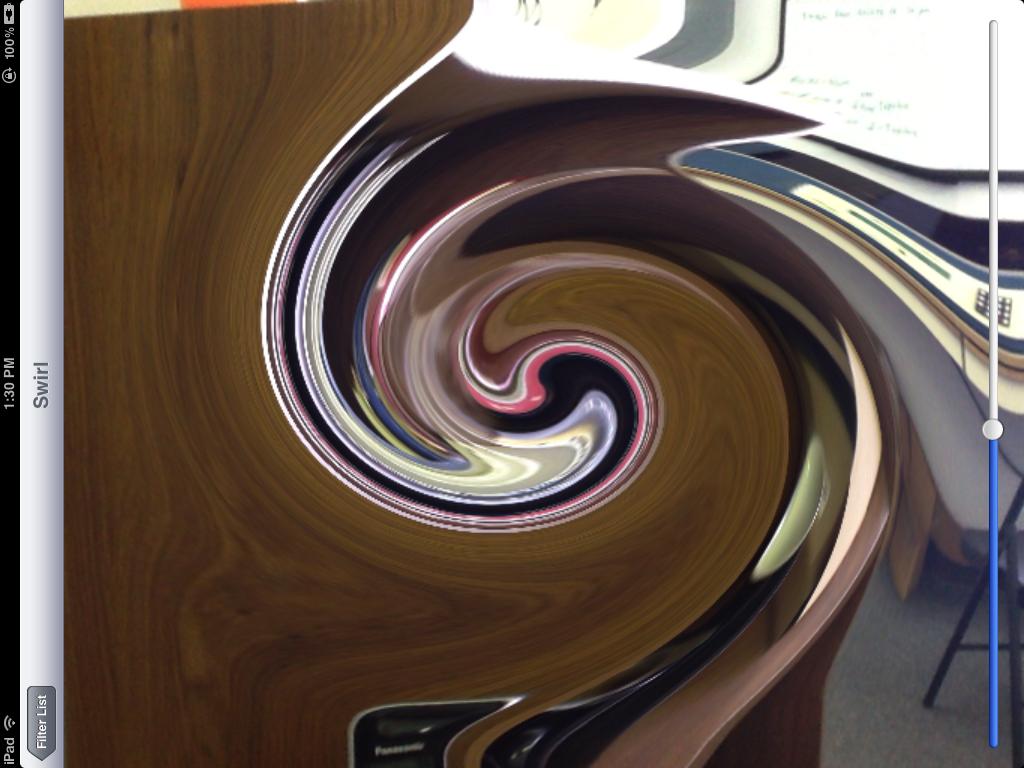
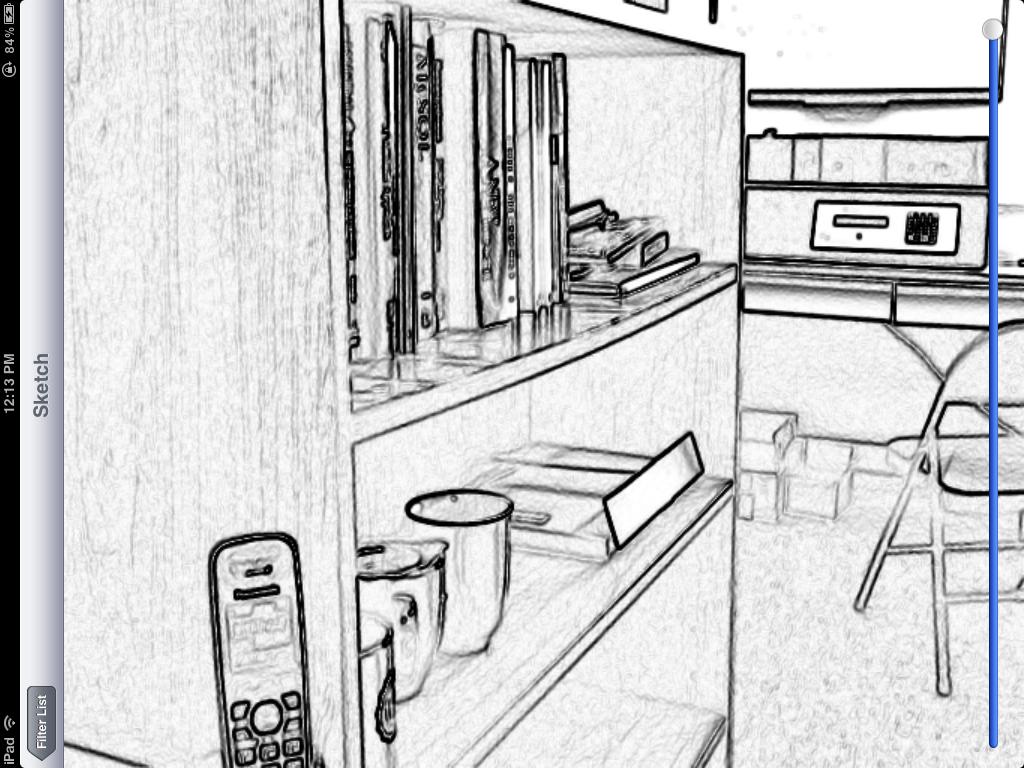
我刚刚在开源GPUImage框架中添加了过滤器,它执行您描述的四项处理任务中的三项(旋转、草图过滤和转换为油画)。虽然我还没有颜色空间转换作为过滤器,但我确实有能力应用矩阵来转换颜色。
作为这些过滤器的示例,下面是一个紫色色调的转换:
漩涡扭曲:
草图过滤器:
最后,油画的转换:
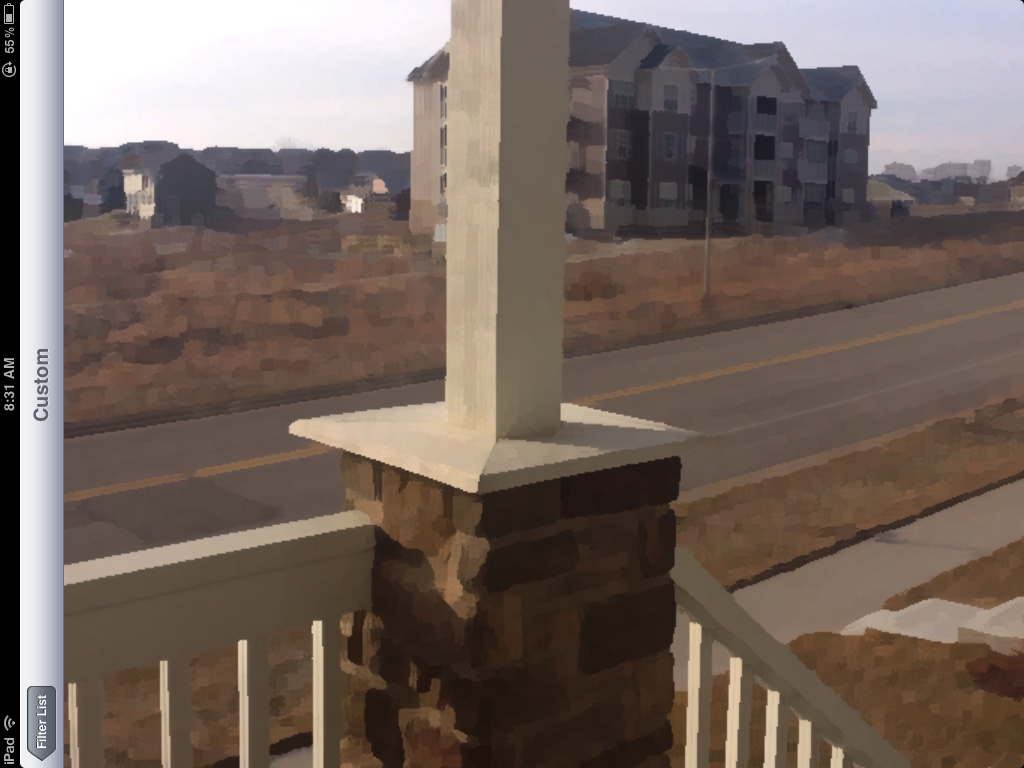
请注意,所有这些过滤器都是在实时视频帧上完成的,除了最后一个过滤器之外,所有过滤器都可以在来自iOS设备摄像机的视频上实时运行。最后一个过滤器在计算上非常密集,所以即使作为一个着色器,在iPad 2上渲染也需要1秒左右的时间。
紫色调滤光器基于以下颜色矩阵片段着色器:
 varying highp vec2 textureCoordinate;

 uniform sampler2D inputImageTexture;

 uniform lowp mat4 colorMatrix;
 uniform lowp float intensity;

 void main()
 {
     lowp vec4 textureColor = texture2D(inputImageTexture, textureCoordinate);
     lowp vec4 outputColor = textureColor * colorMatrix;

     gl_FragColor = (intensity * outputColor) + ((1.0 - intensity) * textureColor);
 }
有一个矩阵
self.colorMatrix = (GPUMatrix4x4){
        {0.3588, 0.7044, 0.1368, 0},
        {0.2990, 0.5870, 0.1140, 0},
        {0.2392, 0.4696, 0.0912 ,0},
        {0,0,0,0},
};漩涡片段着色器基于这个极客3D例子,有以下代码:
 varying highp vec2 textureCoordinate;

 uniform sampler2D inputImageTexture;

 uniform highp vec2 center;
 uniform highp float radius;
 uniform highp float angle;

 void main()
 {
     highp vec2 textureCoordinateToUse = textureCoordinate;
     highp float dist = distance(center, textureCoordinate);
     textureCoordinateToUse -= center;
     if (dist < radius)
     {
         highp float percent = (radius - dist) / radius;
         highp float theta = percent * percent * angle * 8.0;
         highp float s = sin(theta);
         highp float c = cos(theta);
         textureCoordinateToUse = vec2(dot(textureCoordinateToUse, vec2(c, -s)), dot(textureCoordinateToUse, vec2(s, c)));
     }
     textureCoordinateToUse += center;

     gl_FragColor = texture2D(inputImageTexture, textureCoordinateToUse );

 }
利用Sobel边缘检测生成素描滤波器,边缘以不同的灰度表示。这方面的着色器如下:
 varying highp vec2 textureCoordinate;

 uniform sampler2D inputImageTexture;

 uniform mediump float intensity;
 uniform mediump float imageWidthFactor;
 uniform mediump float imageHeightFactor;

 const mediump vec3 W = vec3(0.2125, 0.7154, 0.0721);

 void main()
 {
    mediump vec3 textureColor = texture2D(inputImageTexture, textureCoordinate).rgb;

    mediump vec2 stp0 = vec2(1.0 / imageWidthFactor, 0.0);
    mediump vec2 st0p = vec2(0.0, 1.0 / imageHeightFactor);
    mediump vec2 stpp = vec2(1.0 / imageWidthFactor, 1.0 / imageHeightFactor);
    mediump vec2 stpm = vec2(1.0 / imageWidthFactor, -1.0 / imageHeightFactor);

    mediump float i00   = dot( textureColor, W);
    mediump float im1m1 = dot( texture2D(inputImageTexture, textureCoordinate - stpp).rgb, W);
    mediump float ip1p1 = dot( texture2D(inputImageTexture, textureCoordinate + stpp).rgb, W);
    mediump float im1p1 = dot( texture2D(inputImageTexture, textureCoordinate - stpm).rgb, W);
    mediump float ip1m1 = dot( texture2D(inputImageTexture, textureCoordinate + stpm).rgb, W);
    mediump float im10 = dot( texture2D(inputImageTexture, textureCoordinate - stp0).rgb, W);
    mediump float ip10 = dot( texture2D(inputImageTexture, textureCoordinate + stp0).rgb, W);
    mediump float i0m1 = dot( texture2D(inputImageTexture, textureCoordinate - st0p).rgb, W);
    mediump float i0p1 = dot( texture2D(inputImageTexture, textureCoordinate + st0p).rgb, W);
    mediump float h = -im1p1 - 2.0 * i0p1 - ip1p1 + im1m1 + 2.0 * i0m1 + ip1m1;
    mediump float v = -im1m1 - 2.0 * im10 - im1p1 + ip1m1 + 2.0 * ip10 + ip1p1;

    mediump float mag = 1.0 - length(vec2(h, v));
    mediump vec3 target = vec3(mag);

    gl_FragColor = vec4(mix(textureColor, target, intensity), 1.0);
}最后,油画的外观是用科威特过滤器生成的。这个特殊的滤波器来自于扬·埃里克·基普里亚尼迪斯和他的其他研究人员的杰出工作,正如在GPU专业书籍中的文章“GPU上的各向异性科威特滤波”中描述的那样。该代码的着色器代码如下:
 varying highp vec2 textureCoordinate;
 uniform sampler2D inputImageTexture;
 uniform int radius;

 precision highp float;

 const vec2 src_size = vec2 (768.0, 1024.0);

 void main (void)
 {
    vec2 uv = textureCoordinate;
    float n = float((radius + 1) * (radius + 1));

    vec3 m[4];
    vec3 s[4];
    for (int k = 0; k < 4; ++k) {
        m[k] = vec3(0.0);
        s[k] = vec3(0.0);
    }

    for (int j = -radius; j <= 0; ++j)  {
        for (int i = -radius; i <= 0; ++i)  {
            vec3 c = texture2D(inputImageTexture, uv + vec2(i,j) / src_size).rgb;
            m[0] += c;
            s[0] += c * c;
        }
    }

    for (int j = -radius; j <= 0; ++j)  {
        for (int i = 0; i <= radius; ++i)  {
            vec3 c = texture2D(inputImageTexture, uv + vec2(i,j) / src_size).rgb;
            m[1] += c;
            s[1] += c * c;
        }
    }

    for (int j = 0; j <= radius; ++j)  {
        for (int i = 0; i <= radius; ++i)  {
            vec3 c = texture2D(inputImageTexture, uv + vec2(i,j) / src_size).rgb;
            m[2] += c;
            s[2] += c * c;
        }
    }

    for (int j = 0; j <= radius; ++j)  {
        for (int i = -radius; i <= 0; ++i)  {
            vec3 c = texture2D(inputImageTexture, uv + vec2(i,j) / src_size).rgb;
            m[3] += c;
            s[3] += c * c;
        }
    }


    float min_sigma2 = 1e+2;
    for (int k = 0; k < 4; ++k) {
        m[k] /= n;
        s[k] = abs(s[k] / n - m[k] * m[k]);

        float sigma2 = s[k].r + s[k].g + s[k].b;
        if (sigma2 < min_sigma2) {
            min_sigma2 = sigma2;
            gl_FragColor = vec4(m[k], 1.0);
        }
    }
}同样,这些都是GPUImage中的内置过滤器,因此您可以将该框架放到应用程序中,并开始在图像、视频和电影中使用它们,而不必触摸任何OpenGL ES。框架的所有代码都是在BSD许可下可用的,如果您想看看它是如何工作的或修改它的话。
Stack Overflow用户
发布于 2011-07-27 13:06:11
您可以从查看此着色器列表这里开始。如果你想再深入一点,我建议你去看看“找到这里”那本橙色的书。
https://stackoverflow.com/questions/5830139
复制相似问题
腾讯云开发者

Copyright © 2013 - 2026 Tencent Cloud. All Rights Reserved. 腾讯云 版权所有
深圳市腾讯计算机系统有限公司 ICP备案/许可证号:粤B2-20090059  粤公网安备44030502008569号
腾讯云计算(北京)有限责任公司 京ICP证150476号 | 京ICP备11018762号