
Three20刚刚给了一个黑屏幕?
Three20刚刚给了一个黑屏幕?
提问于 2011-03-09 05:19:27
我目前正在使用Three20 (v1.0.4)构建一个项目。它构建并运行时没有错误或警告。它只是一个AppDelegate和一个TTLauncher类。
AppDelegate.h
#import <Three20/Three20.h>

@interface AppDelegate : NSObject <UIApplicationDelegate>
{
}

@end
AppDelegate.m
#import "AppDelegate.h"
#import "LauncherController.h"

@implementation AppDelegate

//=============================================================
// UIApplicationDelegate

- (void)applicationDidFinishLaunching:(UIApplication*)application
{
    TTNavigator* navigator = [TTNavigator navigator];
    navigator.persistenceMode = TTNavigatorPersistenceModeAll;
    TTURLMap* map = navigator.URLMap;
    [map from:@"*" toViewController:[TTWebController class]];
    [map from:@"tt://launcher" toViewController:[LauncherController class]];
    [navigator openURLAction:[TTURLAction actionWithURLPath:@"tt://launcher"]];
}

- (BOOL)application:(UIApplication*)application handleOpenURL:(NSURL*)URL
{
    [[TTNavigator navigator] openURLAction:[TTURLAction actionWithURLPath:URL.absoluteString]];
    return YES;
}

@end
LauncherController.h
#import <Three20/Three20.h>


@interface LauncherController : TTViewController <TTLauncherViewDelegate>
{
    TTLauncherView* _launcherView;
}

@end
LauncherController.m
#import "LauncherController.h"


@implementation LauncherController

- (id)initWithNibName:(NSString *)nibNameOrNil bundle:(NSBundle *)nibBundleOrNil
{
    if (self = [super initWithNibName:nibNameOrNil bundle:nibBundleOrNil])
    {
        self.title = @"Launcher Screen";
    }
    return self;
}

- (void)dealloc
{
    [super dealloc];
}

- (void)loadView
{
    [super loadView];

    _launcherView = [[TTLauncherView alloc] initWithFrame:self.view.bounds];
    _launcherView.backgroundColor = [UIColor whiteColor];
    _launcherView.delegate = self;
    _launcherView.columnCount = 2;
    _launcherView.pages =
    [NSArray arrayWithObjects:
     [[[TTLauncherItem alloc] initWithTitle:@"New Position" image:@"bundle://ic_positions2.png" URL:nil] autorelease], nil];
    [self.view addSubview:_launcherView];
}

- (void)launcherView:(TTLauncherView*)launcher didSelectItem:(TTLauncherItem*)item {
}

- (void)launcherViewDidBeginEditing:(TTLauncherView*)launcher {
    [self.navigationItem setRightBarButtonItem:[[[UIBarButtonItem alloc]
                                                 initWithBarButtonSystemItem:UIBarButtonSystemItemDone
                                                 target:_launcherView action:@selector(endEditing)] autorelease] animated:YES];
}

- (void)launcherViewDidEndEditing:(TTLauncherView*)launcher {
    [self.navigationItem setRightBarButtonItem:nil animated:YES];
}

@end
对为什么我会看到下面的屏幕有什么想法吗?
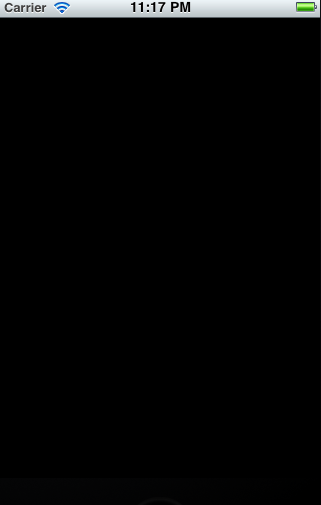
回答 2
Stack Overflow用户
回答已采纳
发布于 2011-03-09 06:31:21
请查看您的main.m文件中的以下一行:
int retVal = UIApplicationMain(argc, argv, nil, nil);您需要将最后一个参数更改为包含应用程序委托名称的字符串。在你的例子中,你会写:
int retVal = UIApplicationMain(argc, argv, nil, @"AppDelegate");Stack Overflow用户
发布于 2011-03-09 05:24:43
请检查应用程序委托的主窗口是否可见,并将必要的视图添加到主窗口。
[self.window makeKeyAndVisible];
[self.window addSubview:startingview];页面原文内容由Stack Overflow提供。腾讯云小微IT领域专用引擎提供翻译支持
原文链接:
https://stackoverflow.com/questions/5241678
复制相关文章
相似问题
腾讯云开发者

Copyright © 2013 - 2026 Tencent Cloud. All Rights Reserved. 腾讯云 版权所有
深圳市腾讯计算机系统有限公司 ICP备案/许可证号:粤B2-20090059  粤公网安备44030502008569号
腾讯云计算(北京)有限责任公司 京ICP证150476号 | 京ICP备11018762号