
cellForRowAtIndexPath和NSBundle mainBundle的问题
有办法解决这个问题吗?
这是正确和错误的方式,分别是:
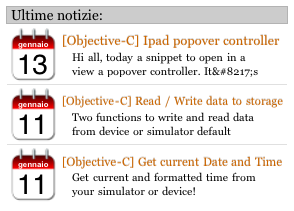
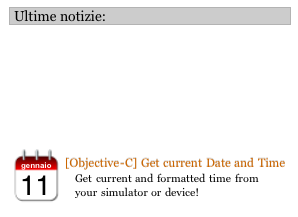
这是工作代码:
- (UITableViewCell *)[...] cellForRowAtIndexPath:(NSIndexPath *)indexPath {
    @try {
        newsRow = ((NewsRowController *)[tableView dequeueReusableCellWithIdentifier:@"cell"]);
        if (newsRow == nil) {
            if ( [[Device GetModel] isEqualToString:@"iPad Simulator"] ||
                 [[Device GetModel] isEqualToString:@"iPad"])
                [[NSBundle mainBundle] loadNibNamed:@"NewsRow_ipad" owner:self options:nil];
            else [[NSBundle mainBundle] loadNibNamed:@"NewsRow" owner:self options:nil];

            if ([tableArray count] > 0)
                [newsRow setData:[tableArray objectAtIndex:indexPath.row]];
        }
    }
    @catch (NSException * e) {
        NSLog(@"a!!!!!");
    }
    return newsRow;
}...but,因为在我的3g设备中,它是慢慢的,当我向上滚动/向下滚动表时,我用这种方式更改了代码,插入设备签入viewDidLoad并在cellForRowAtIndexPath中传递它
NSArray *cRow;
@property (nonatomic, retain) NSArray *cRow;
[...]
@syntetize cRow;

- (void)viewDidLoad {
[...]
    if ( [[Device GetModel] isEqualToString:@"iPad Simulator"]
        ||
        [[Device GetModel] isEqualToString:@"iPad"])
        cRow  = [[[NSBundle mainBundle] loadNibNamed:@"NewsRow_ipad" owner:self options:nil] retain];
        else cRow = [[[NSBundle mainBundle] loadNibNamed:@"NewsRow" owner:self options:nil] retain];
[...]
}

- (UITableViewCell *)[...] cellForRowAtIndexPath:(NSIndexPath *)indexPath {
    @try {
        newsRow = ((NewsRowController *)[tableView dequeueReusableCellWithIdentifier:@"cell"]);
        if (newsRow == nil) {

            //
            // ADDED CODE.
            //
            newsRow = [cRow objectAtIndex:0];
            //

            if ([tableArray count] > 0)
                [newsRow setData:[tableArray objectAtIndex:indexPath.row]];
        }
    }
    @catch (NSException * e) {
        NSLog(@"a!!!!!");
    }
    return newsRow;
}
现在这张桌子只显示了一排。如果我滚动,行会改变,但它只显示一行.
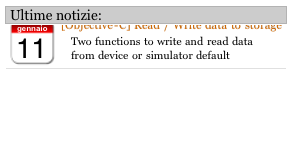
有什么问题吗?
有什么帮助吗?
谢谢,
一个
回答 1
Stack Overflow用户
发布于 2011-01-21 22:15:43
在这种情况下,当您调用dequeueReusableCellWithIdentifier时:您将得到零返回,因为没有任何单元可以去排队。每次返回零单元格时,都需要加载nib,否则在第一个单元格之后不会向表中添加任何单元格。
如果调用GetModel是减慢速度的原因,您可以在viewDidLoad中调用它,并将其存储起来供以后使用。
更有可能的是,由于您在每个单元格中所绘制的视图数量,您的表无法顺利滚动。如果您的背景将始终是一个坚实的颜色,您应该确保所有的视图,您要添加到该单元格或不透明。如果需要图像或渐变背景,则应该在一个视图中绘制单元格。苹果在这里有一个很好的例子来说明如何做到这一点:TableViewSuite。特别是签出TimeZoneView文件。
https://stackoverflow.com/questions/4764179
复制相似问题
腾讯云开发者

Copyright © 2013 - 2026 Tencent Cloud. All Rights Reserved. 腾讯云 版权所有
深圳市腾讯计算机系统有限公司 ICP备案/许可证号:粤B2-20090059  粤公网安备44030502008569号
腾讯云计算(北京)有限责任公司 京ICP证150476号 | 京ICP备11018762号