
Visual 2019 - Docker 4.1.1 - Web应用程序在添加容器编排后停止工作
这有点奇怪。一旦我在VisualStudio2019中添加了docker编排,我的Web应用程序就会停止工作。以下是我正在采取的具体步骤:
- 推出Visual 2019 (16.11.3)
- 创建新项目
- 选择"ASP.NET核心网络应用程序“,然后单击Next
- 接受默认项目名称和位置,然后单击Next
- 指定目标框架为HTTPS 5.0 (当前),Auth:.NET个人帐户,选中用于HTTPS配置的框。此时,我不检查启用码头和启用剃刀运行时。单击Create
- 在欢迎屏幕上单击已连接的服务,并在Secrets.json (本地)上进行配置(完成,关闭)
- 右键单击我的项目,添加,容器编排支持
- 选择"Docker“作为编排器,选择linux作为目标os。
- Visual似乎为解决方案创建了一个停靠-组合项目,并为该项目创建了一些dockerfile。输出结果还显示,容器正在建造中,并最终表示已经准备好了。
但是,我的停靠桌面显示了它们处于这种状态。
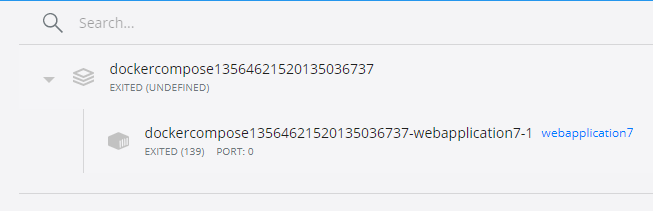
此错误如下所示
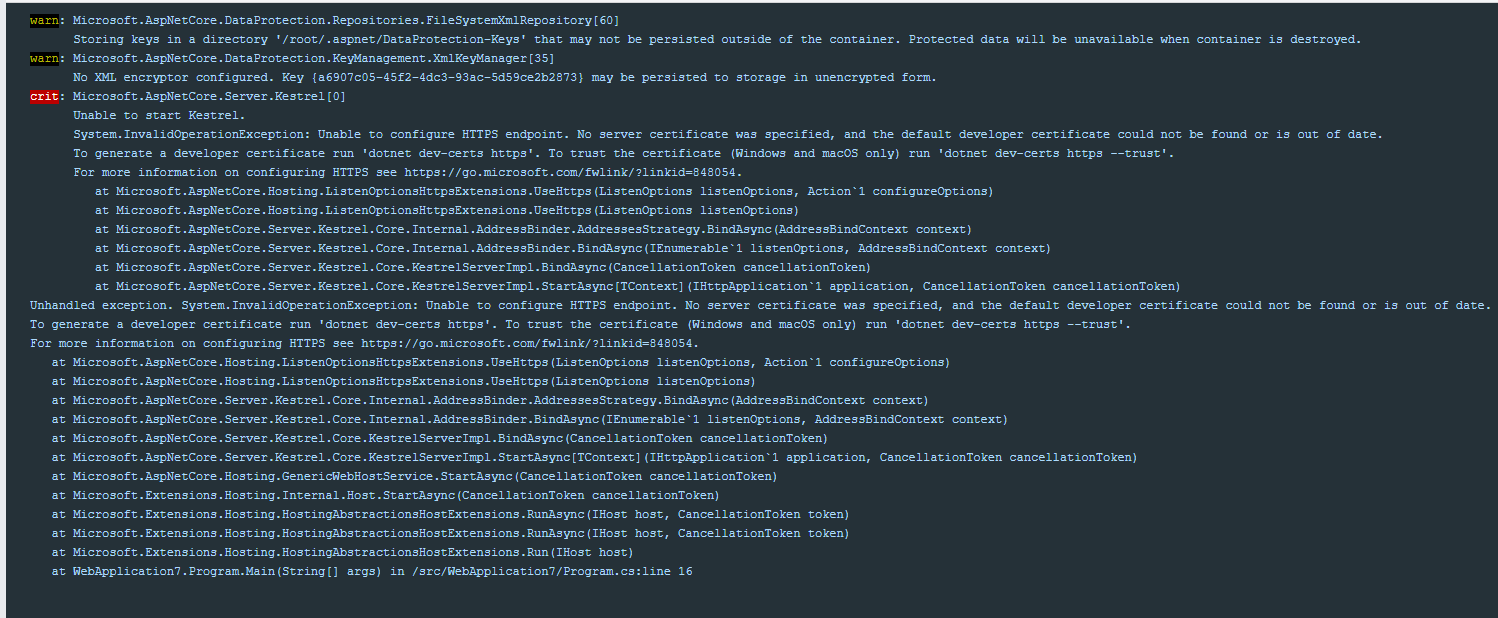
该错误的文本显示:
warn: Microsoft.AspNetCore.DataProtection.Repositories.FileSystemXmlRepository[60]

      Storing keys in a directory '/root/.aspnet/DataProtection-Keys' that may not be persisted outside of the container. Protected data will be unavailable when container is destroyed.

warn: Microsoft.AspNetCore.DataProtection.KeyManagement.XmlKeyManager[35]

      No XML encryptor configured. Key {a6907c05-45f2-4dc3-93ac-5d59ce2b2873} may be persisted to storage in unencrypted form.

crit: Microsoft.AspNetCore.Server.Kestrel[0]

      Unable to start Kestrel.

      System.InvalidOperationException: Unable to configure HTTPS endpoint. No server certificate was specified, and the default developer certificate could not be found or is out of date.

      To generate a developer certificate run 'dotnet dev-certs https'. To trust the certificate (Windows and macOS only) run 'dotnet dev-certs https --trust'.

      For more information on configuring HTTPS see https://go.microsoft.com/fwlink/?linkid=848054.

         at Microsoft.AspNetCore.Hosting.ListenOptionsHttpsExtensions.UseHttps(ListenOptions listenOptions, Action`1 configureOptions)

         at Microsoft.AspNetCore.Hosting.ListenOptionsHttpsExtensions.UseHttps(ListenOptions listenOptions)

         at Microsoft.AspNetCore.Server.Kestrel.Core.Internal.AddressBinder.AddressesStrategy.BindAsync(AddressBindContext context)

         at Microsoft.AspNetCore.Server.Kestrel.Core.Internal.AddressBinder.BindAsync(IEnumerable`1 listenOptions, AddressBindContext context)

         at Microsoft.AspNetCore.Server.Kestrel.Core.KestrelServerImpl.BindAsync(CancellationToken cancellationToken)

         at Microsoft.AspNetCore.Server.Kestrel.Core.KestrelServerImpl.StartAsync[TContext](IHttpApplication`1 application, CancellationToken cancellationToken)

Unhandled exception. System.InvalidOperationException: Unable to configure HTTPS endpoint. No server certificate was specified, and the default developer certificate could not be found or is out of date.

To generate a developer certificate run 'dotnet dev-certs https'. To trust the certificate (Windows and macOS only) run 'dotnet dev-certs https --trust'.

For more information on configuring HTTPS see https://go.microsoft.com/fwlink/?linkid=848054.

   at Microsoft.AspNetCore.Hosting.ListenOptionsHttpsExtensions.UseHttps(ListenOptions listenOptions, Action`1 configureOptions)

   at Microsoft.AspNetCore.Hosting.ListenOptionsHttpsExtensions.UseHttps(ListenOptions listenOptions)

   at Microsoft.AspNetCore.Server.Kestrel.Core.Internal.AddressBinder.AddressesStrategy.BindAsync(AddressBindContext context)

   at Microsoft.AspNetCore.Server.Kestrel.Core.Internal.AddressBinder.BindAsync(IEnumerable`1 listenOptions, AddressBindContext context)

   at Microsoft.AspNetCore.Server.Kestrel.Core.KestrelServerImpl.BindAsync(CancellationToken cancellationToken)

   at Microsoft.AspNetCore.Server.Kestrel.Core.KestrelServerImpl.StartAsync[TContext](IHttpApplication`1 application, CancellationToken cancellationToken)

   at Microsoft.AspNetCore.Hosting.GenericWebHostService.StartAsync(CancellationToken cancellationToken)

   at Microsoft.Extensions.Hosting.Internal.Host.StartAsync(CancellationToken cancellationToken)

   at Microsoft.Extensions.Hosting.HostingAbstractionsHostExtensions.RunAsync(IHost host, CancellationToken token)

   at Microsoft.Extensions.Hosting.HostingAbstractionsHostExtensions.RunAsync(IHost host, CancellationToken token)

   at Microsoft.Extensions.Hosting.HostingAbstractionsHostExtensions.Run(IHost host)

   at WebApplication7.Program.Main(String[] args) in /src/WebApplication7/Program.cs:line 16
我期待着,因为我还没有做任何自定义,在这一点上,策划师只是简单地“工作”,但它没有。
我注意到我的信任ASP.NET核心SSL证书是“提示我”,但我从来没有收到提示
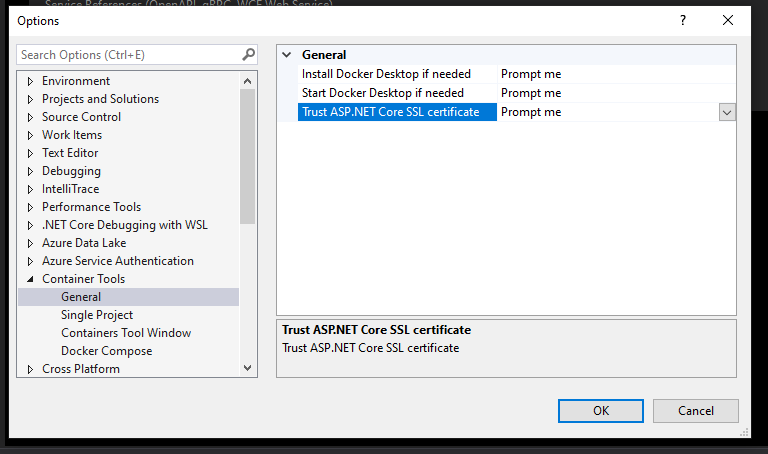
我也试着做错误中建议的事情。因此,我按下垃圾桶图标,在我的码头桌面编制。然后,按照下面的方式修改项目内部的Dockerfile,注意我在入口点之前添加的额外运行。
#See https://aka.ms/containerfastmode to understand how Visual Studio uses this Dockerfile to build your images for faster debugging.

FROM mcr.microsoft.com/dotnet/aspnet:5.0 AS base
WORKDIR /app
EXPOSE 80
EXPOSE 443

FROM mcr.microsoft.com/dotnet/sdk:5.0 AS build
WORKDIR /src
COPY ["WebApplication7/WebApplication7.csproj", "WebApplication7/"]
RUN dotnet restore "WebApplication7/WebApplication7.csproj"
COPY . .
WORKDIR "/src/WebApplication7"
RUN dotnet build "WebApplication7.csproj" -c Release -o /app/build

FROM build AS publish
RUN dotnet publish "WebApplication7.csproj" -c Release -o /app/publish

FROM base AS final
WORKDIR /app
COPY --from=publish /app/publish .
RUN dotnet dev-certs https
ENTRYPOINT ["dotnet", "WebApplication7.dll"]
我保存文件并重新构建解决方案,并按“调试/启动”按钮(F5)进行对接。它说容器又准备好了,但是现在没有公开的端口,因此没有浏览到的位置,也没有日志。我可以访问容器的cli,但仅此而已。
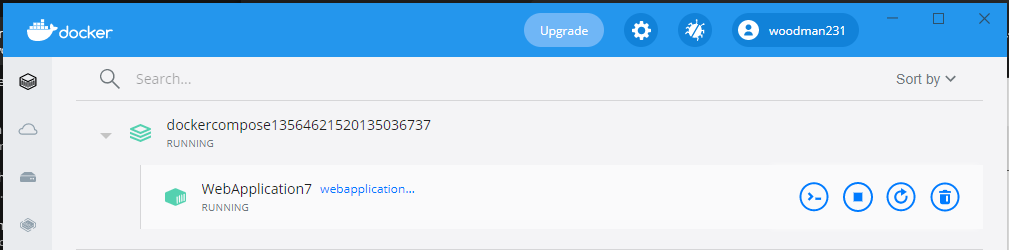
我做错了什么?为什么这不只是简单地与Visual一起使用OOB?
但是,如果我从我添加的Dockerfile中取出额外的运行行,然后将我的web项目设置为启动项目,我就可以调试并运行它。但再次,一旦我设置的码头-撰写项目作为启动项目,并试图调试,我又死在水里。
回答 1
Stack Overflow用户
发布于 2022-02-19 19:55:28
在项目内部,转到解决方案资源管理器>解决方案>属性> launchsettings.json。

如果不添加下面的Docker启动设置,则应该有Visual自动添加的Docker部分。你可以选择你想让你的应用程序监听的端口。
    "Docker": {
      "commandName": "Docker",
      "launchUrl": "{Scheme}://{ServiceHost}:{ServicePort}",
      "publishAllPorts": true,
      "useSSL": true,
      "DockerfileRunArguments": "add custom arguments here such as --network my-network",
      "httpPort": 5000,
      "sslPort": 5001
    }
  }
https://stackoverflow.com/questions/69678578
复制相似问题
腾讯云开发者

Copyright © 2013 - 2026 Tencent Cloud. All Rights Reserved. 腾讯云 版权所有
深圳市腾讯计算机系统有限公司 ICP备案/许可证号:粤B2-20090059  粤公网安备44030502008569号
腾讯云计算(北京)有限责任公司 京ICP证150476号 | 京ICP备11018762号