
如何在网站内编写to测试以提交表单( to,ruby -jmeter)
如何在网站内编写to测试以提交表单( to,ruby -jmeter)
提问于 2021-10-04 13:28:25
我正在为我的应用程序编写一个负载测试。
我想模拟以下步骤:
- 登录
- 访问几页
- 在网站内提交一份表格
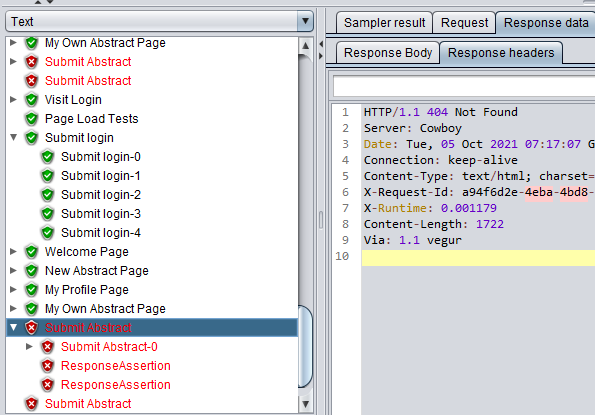
我首先编写了登录并访问了几个页面,并成功地运行了它们(没有错误)。当我添加提交表单的代码时,我得到了submit抽象事务'404/Not‘。
我感谢任何能为我提供解决这个问题的方向的人。
我使用ruby编写了这个测试脚本,然后执行将它转换为.jmx文件,我用它在cli中运行无头测试。
用于登录和访问几个页面的代码:
require 'ruby-jmeter'

test do
  threads count: 100, rampup: 60, loops: 10, duration: 120 do
    defaults domain: 'myapp.herokuapp.com', protocol: 'https'
    cookies policy: 'rfc2109', clear_each_iteration: true

    transaction 'Page Load Tests' do
      user_defined_variables [{name: 'email', value: 'example@example.com'}, {name: 'password', value: 'Pass_w0rd'}]
      visit name: 'Visit Login', url: '/users/sign_in' do
        extract name: 'csrf-token', xpath: "//meta[@name='csrf-token']/@content", tolerant: true
        extract name: 'csrf-param', xpath: "//meta[@name='csrf-param']/@content", tolerant: true
        extract name: 'authenticity_token', regex: 'name="authenticity_token" value="(.+?)"'
      end
    end

    http_header_manager name: 'X-CSRF-Token', value: '${csrf-token}'
    submit name: 'Submit login', url: '/users/sign_in',
     fill_in: {
       '${csrf-param}' => '${csrf-token}',
       'user[email]' => '${email}',
       'user[password]' => '${password}',
       'authenticity_token' => '${authenticity_token}'
      }
    visit name: 'Welcome Page', url: '/static_pages/welcome'
    visit name: 'New Abstract Page', url: '/users/2/abstracts/new'
    visit name: 'My Profile Page', url:'/users/2/participations/1/profile'
    visit name: 'My Own Abstract Page', url:'/users/2/participations/1/abstracts/1'

  view_results_in_table
  aggregate_report
end.jmx登录、访问页面和提交表单的代码:
require 'ruby-jmeter'

test do
  threads count: 100, rampup: 60, loops: 10, duration: 120 do
    defaults domain: 'myapp.herokuapp.com', protocol: 'https'
    cookies policy: 'rfc2109', clear_each_iteration: true

    transaction 'Page Load Tests' do
      user_defined_variables [{name: 'email', value: 'example@example.com'}, {name: 'password', value: 'Pass_w0rd'}]
      visit name: 'Visit Login', url: '/users/sign_in' do
        extract name: 'csrf-token', xpath: "//meta[@name='csrf-token']/@content", tolerant: true
        extract name: 'csrf-param', xpath: "//meta[@name='csrf-param']/@content", tolerant: true
        extract name: 'authenticity_token', regex: 'name="authenticity_token" value="(.+?)"'
      end
    end

    http_header_manager name: 'X-CSRF-Token', value: '${csrf-token}'
    submit name: 'Submit login', url: '/users/sign_in',
     fill_in: {
       '${csrf-param}' => '${csrf-token}',
       'user[email]' => '${email}',
       'user[password]' => '${password}',
       'authenticity_token' => '${authenticity_token}'
      }
    visit name: 'Welcome Page', url: '/static_pages/welcome'
    visit name: 'New Abstract Page', url: '/users/2/abstracts/new'
    visit name: 'My Profile Page', url:'/users/2/participations/1/profile'
    visit name: 'My Own Abstract Page', url:'/users/2/participations/1/abstracts/1'

    transaction 'Submit Abstract' do
      visit name: 'New Abstract Page', url: '/users/2/abstracts/new' do
        extract name: 'csrf-token', xpath: "//meta[@name='csrf-token']/@content", tolerant: true
        extract name: 'csrf-param', xpath: "//meta[@name='csrf-param']/@content", tolerant: true
        extract name: 'authenticity_token', regex: 'name="authenticity_token" value="(.+?)"'
      end

      http_header_manager name: 'X-CSRF-Token', value: '${csrf-token}'
      submit name: 'Submit Abstract', url: '/users/2/abstracts/new',
        fill_in: {
          '${csrf-param}' => '${csrf-token}',
          'abstract[title]' => 'Lorem Ipsum',
          'abstract[main_author]' => '2',
          'abstract[co_authors][]' => ["", "1", "3"],
          'abstract[corresponding_author_email]' => '${email}',
          'abstract[keywords]' => 'word, words',
          'abstract[body]' => 'The test directive is a root point, where all the magic starts. Then, using threads method we are telling JMeter what number of users we want to use. The defaults command allows us to specify default options for all our http requests. And, finally,cookies indicates that we need to store cookies and send them with each request.',
          'abstract[references]' => '1\r\n2\r\n3',
          'authenticity_token' => '${authenticity_token}'
        } do
          assert 'contains' => 'Abstract submission completed.'
          assert 'contains' => 'Lorem Ipsum'
      end
    end
  end

  view_results_in_table
  aggregate_report
end.jmx
UPDATE @DMITRI建议:
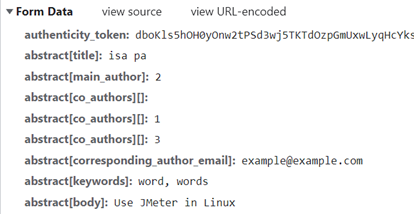
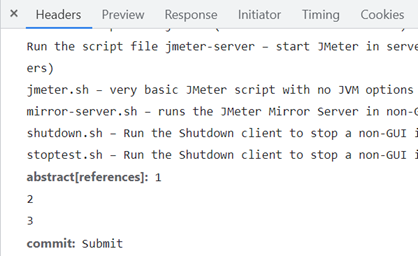
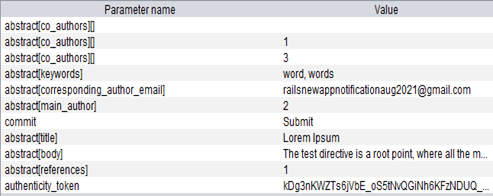
编辑测试
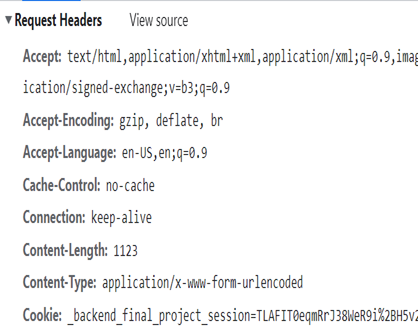
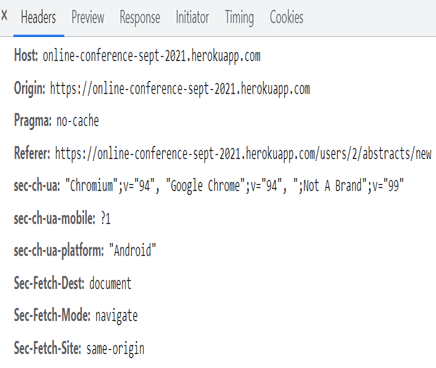
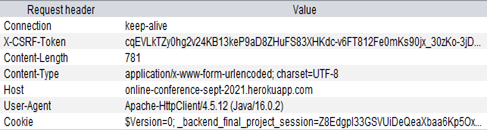
请求头:
浏览器:
Jmeter:
请求主体:
浏览器:
Jmeter:
结果:提交抽象事务的仍然是404错误
回答 1
Stack Overflow用户
回答已采纳
发布于 2021-10-04 14:22:18
HTTP状态404意味着服务器找不到所请求的资源,所以很可能您的URL是错误的。
因此,再次检查https://myapp.herokuapp.com/users/2/abstracts/new的URL返回登录用户的有效响应,如果返回,则捕获使用浏览器开发工具创建新“抽象”的请求。
然后在JMeter GUI中:
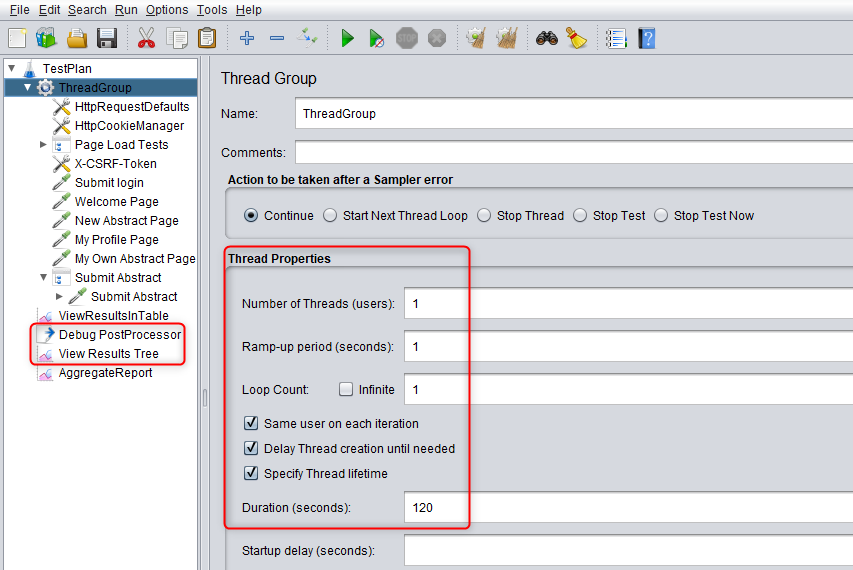
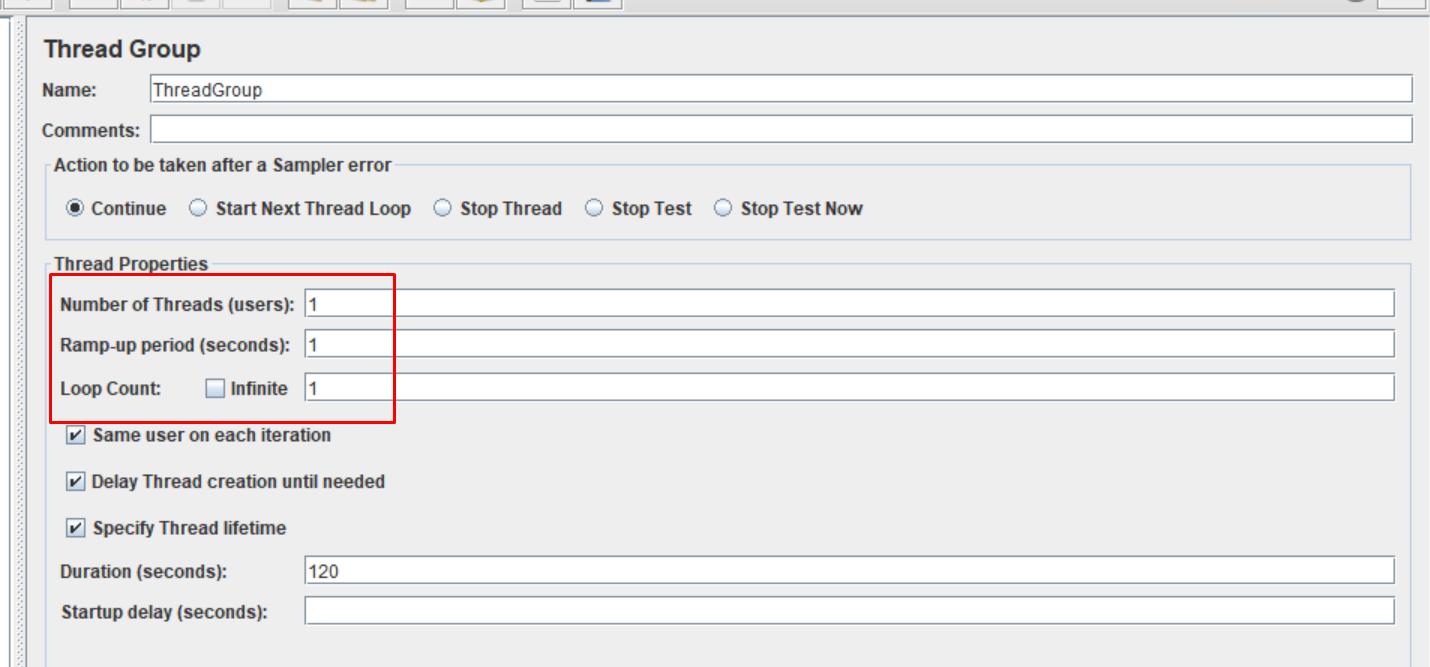
- 将组中的线程数、提升周期和循环计数更改为1。
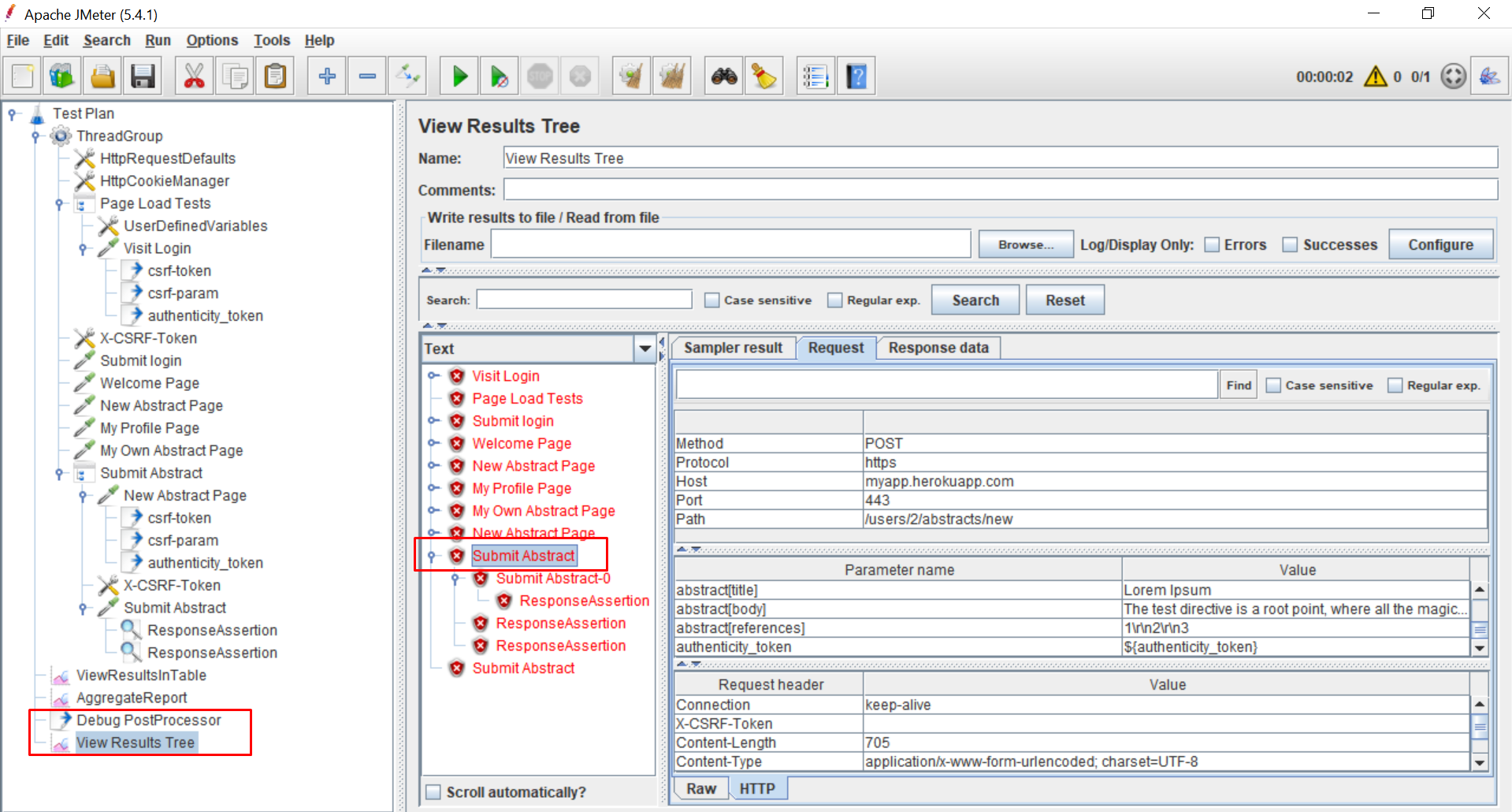
- 将调试后处理器添加到测试计划中(它将允许您查看JMeter变量的值)
- 将查看结果树侦听器添加到测试计划中(它将允许查看请求和响应详细信息)
- 在JMeter GUI中运行您的测试,检查
Submit Abstract请求的详细信息,并与您在浏览器开发工具中看到的内容进行交叉检查--请求必须完全相同(除动态参数外)。
- 修复您的JMeter配置,这样它将发送完全相同的请求,并且应该解决您的问题。
页面原文内容由Stack Overflow提供。腾讯云小微IT领域专用引擎提供翻译支持
原文链接:
https://stackoverflow.com/questions/69436832
复制相关文章
相似问题
腾讯云开发者

Copyright © 2013 - 2026 Tencent Cloud. All Rights Reserved. 腾讯云 版权所有
深圳市腾讯计算机系统有限公司 ICP备案/许可证号:粤B2-20090059  粤公网安备44030502008569号
腾讯云计算(北京)有限责任公司 京ICP证150476号 | 京ICP备11018762号