
如何用脚本模拟触摸/单击
如何用脚本模拟触摸/单击
提问于 2021-09-23 05:09:12
我试着用Unity做光标,它用键盘输入移动。它将用WSAD键移动,用Q键发送触摸事件。所以我想做的是:
if (Input.GetKeyDown(KeyCode.Q)
{
    // Is identical to touch/click the given position of screen for this frame.
    SendTouchEvent(currentCursorPos);
}
检测触摸是非常容易的,但是我如何人为地让触摸事件发生呢?
复制粘贴我已经存在的输入处理程序(例如,在触摸位置上使用raycast )也是一个解决方案,但我认为会有更清晰的解决方案。
回答 1
Stack Overflow用户
回答已采纳
发布于 2021-09-23 06:18:29
这远不是完美的,但这里是一个起点,你可以用旧的输入系统做什么。
using UnityEngine;
using UnityEngine.EventSystems;

public class TestScript : StandaloneInputModule
{
    [SerializeField] private KeyCode left, right, up, down, click;
    [SerializeField] private RectTransform fakeCursor = null;

    private float moveSpeed = 5f;

    public void ClickAt(Vector2 pos, bool pressed)
    {
        Input.simulateMouseWithTouches = true;
        var pointerData = GetTouchPointerEventData(new Touch()
        {
            position = pos,
        }, out bool b, out bool bb);

        ProcessTouchPress(pointerData, pressed, !pressed);
    }

    void Update()
    {
        // instead of the specific input checks, you can use Input.GetAxis("Horizontal") and Input.GetAxis("Vertical")
        if (Input.GetKey(left))
        {
            fakeCursor.anchoredPosition += new Vector2(-1 * moveSpeed, 0f);
        }

        if (Input.GetKey(right))
        {
            fakeCursor.anchoredPosition += new Vector2(moveSpeed, 0f);
        }

        if (Input.GetKey(down))
        {
            fakeCursor.anchoredPosition += new Vector2(0f, -1 * moveSpeed);
        }

        if (Input.GetKey(up))
        {
            fakeCursor.anchoredPosition += new Vector2(0f, moveSpeed);
        }

        if (Input.GetKeyDown(click))
        {
            ClickAt(fakeCursor.position, true);
        }

        if (Input.GetKeyUp(click))
        {
            ClickAt(fakeCursor.position, false);
        }
    }
}将KeyCode值设置为您喜欢的任何值。在我的示例中,我将UI图像设置为游标,并将画布呈现器设置为Overlay,因此坐标已经在屏幕空间中。我用这个脚本替换了场景中的InputModule,EventSystem。
下面是脚本的一个gif:
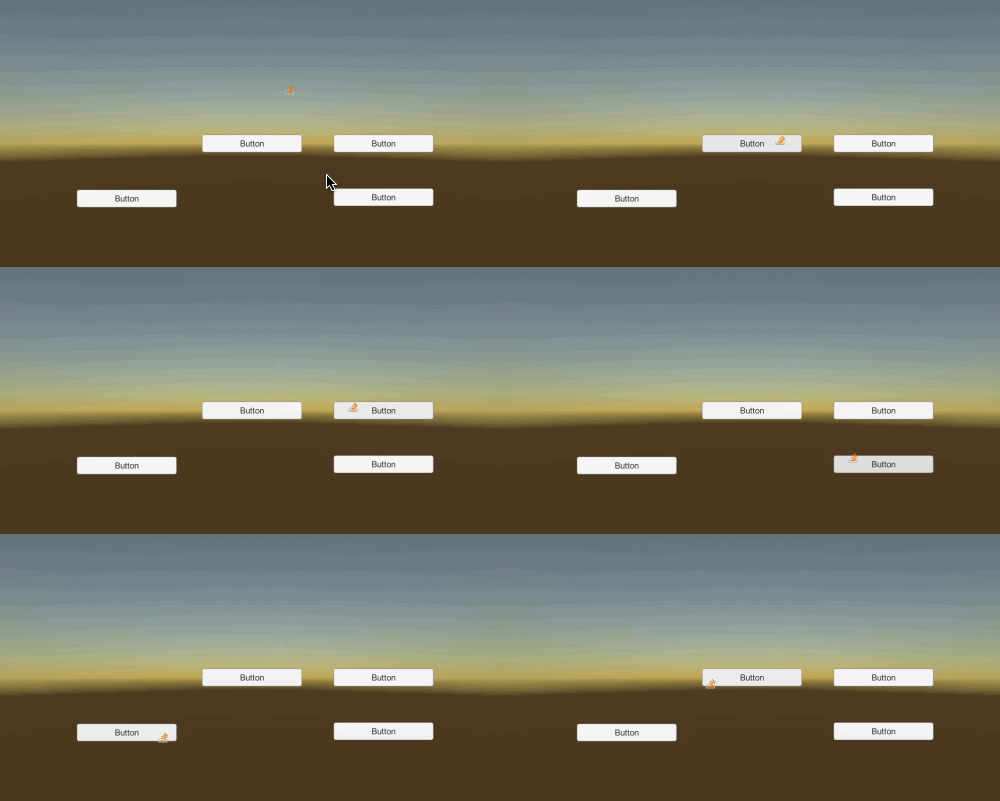
我使用wasd在屏幕上移动假光标,当我点击space时,它模拟假光标位置上的单击事件。
页面原文内容由Stack Overflow提供。腾讯云小微IT领域专用引擎提供翻译支持
原文链接:
https://stackoverflow.com/questions/69294323
复制相关文章
相似问题
腾讯云开发者

Copyright © 2013 - 2026 Tencent Cloud. All Rights Reserved. 腾讯云 版权所有
深圳市腾讯计算机系统有限公司 ICP备案/许可证号:粤B2-20090059  粤公网安备44030502008569号
腾讯云计算(北京)有限责任公司 京ICP证150476号 | 京ICP备11018762号