
如何将TabItem头绑定到FrameworkElementFactory中的TextBox?
如何将TabItem头绑定到FrameworkElementFactory中的TextBox?
提问于 2021-08-26 09:11:07
我尝试创建一个TabItem,其中包含一个来自这篇文章的TextBox。
我发现TabItem头没有绑定到TextBox。
private void MenuItem_Click(object sender, RoutedEventArgs e)
{
    TabItem ti = new TabItem();
    DataTemplate tabItemTemplate = new DataTemplate();

    tabItemTemplate.DataType = typeof(TabItem);
    FrameworkElementFactory textBoxFactory = new FrameworkElementFactory(typeof(TextBox));
    textBoxFactory.SetBinding(TextBox.TextProperty, new Binding("."));
    textBoxFactory.SetValue(NameProperty, "textBox");
    textBoxFactory.SetValue(BorderThicknessProperty, new Thickness(0));
    //textBoxFactory.SetValue(IsEnabledProperty, false);
    tabItemTemplate.VisualTree = textBoxFactory;
    ti.Header = "Test!";
    ti.HeaderTemplate = tabItemTemplate;
    ti.MouseDoubleClick += TabItem_MouseDoubleClick;
    tabControl.Items.Add(ti);
}

private void TabItem_MouseDoubleClick(object sender, MouseButtonEventArgs e)
{
    MessageBox.Show((sender as TabItem).Header.ToString());
}
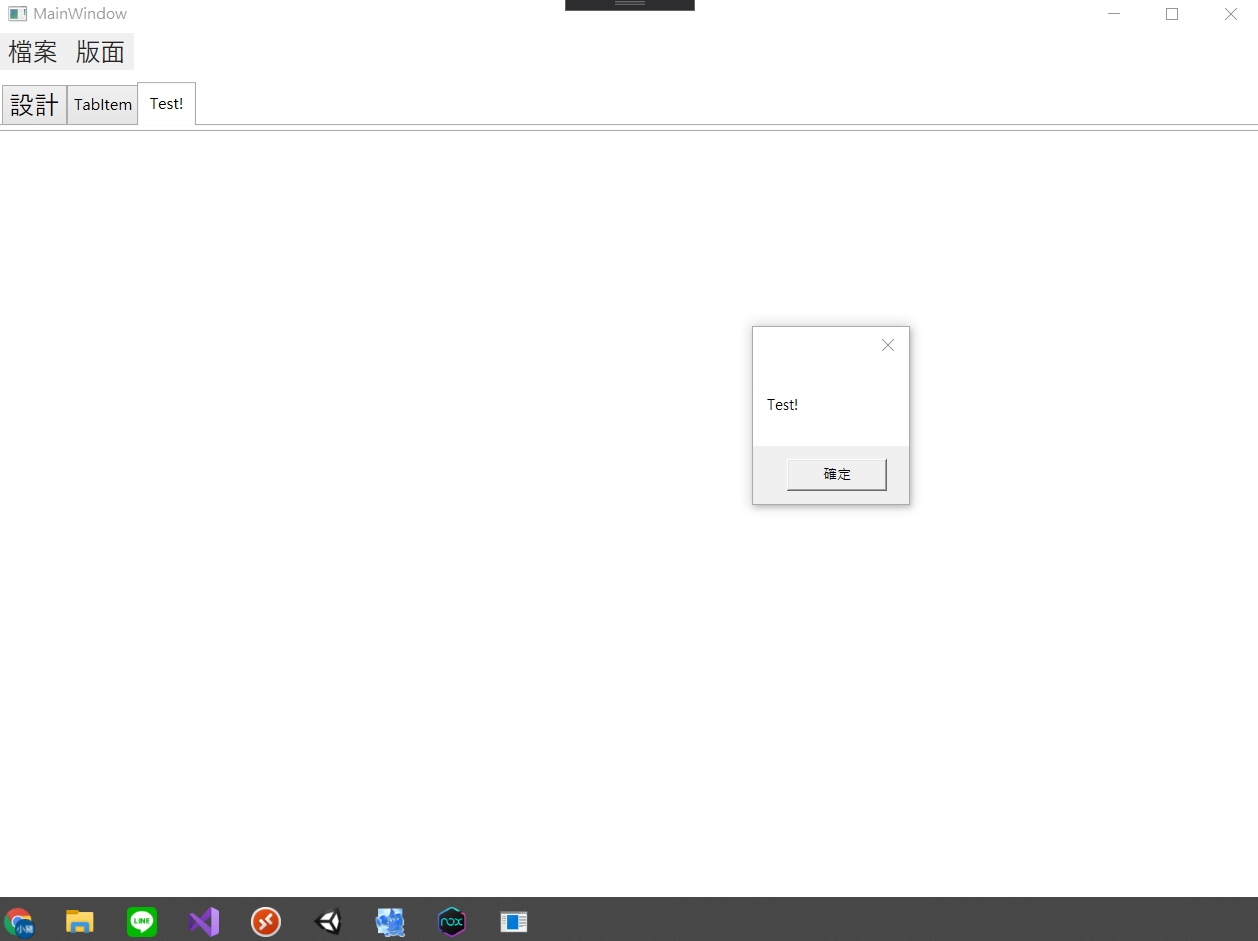
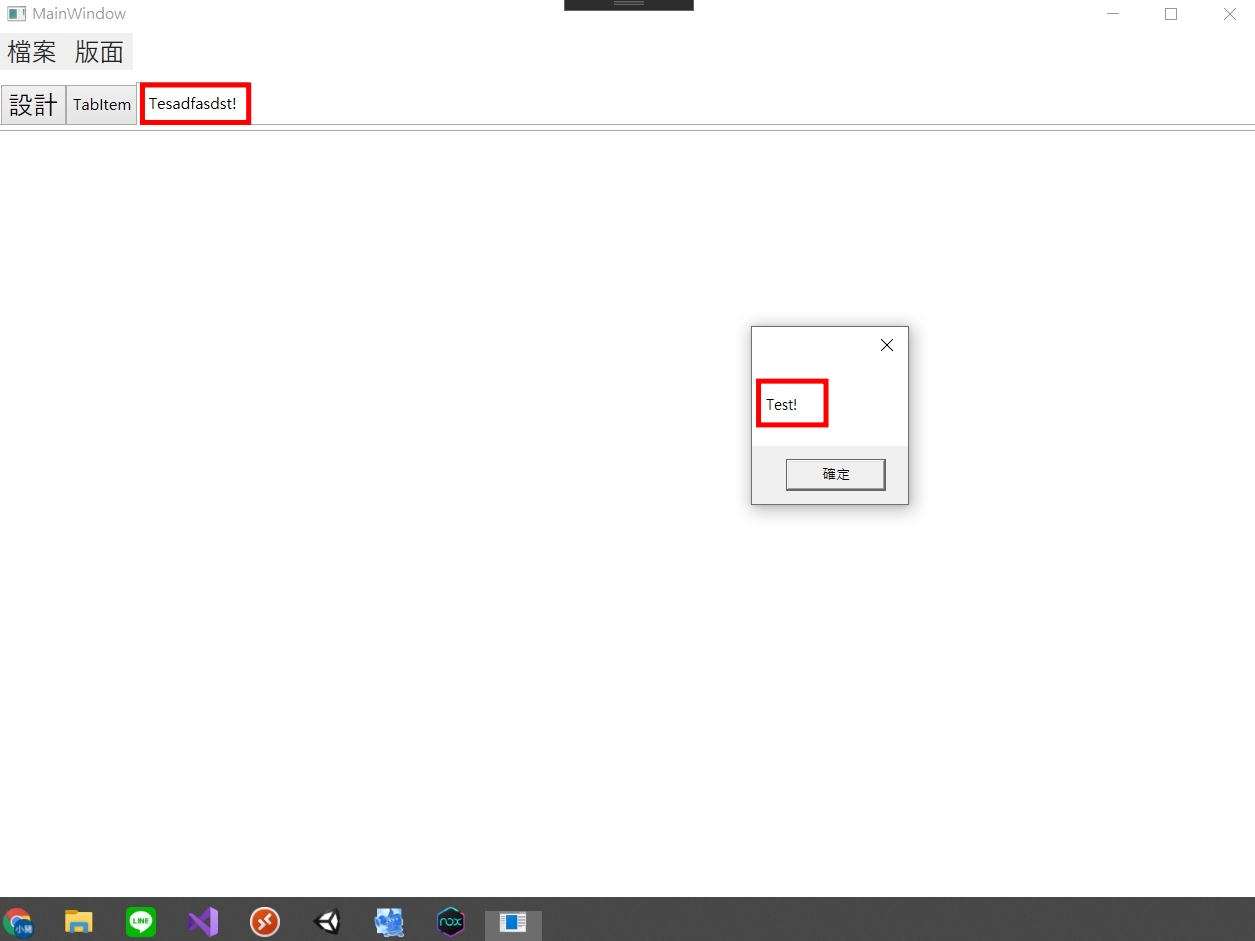
有人能不能好心点,教我如何正确地把它绑起来?
非常感谢!
回答 2
Stack Overflow用户
回答已采纳
发布于 2021-08-26 09:50:05
您的Binding配置错误。
new Binding(".")错过了Binding.Source。
它应该是:
var binding = new Binding("Header") { Source = ti };使用XAML的示例
下面的示例复制C#代码
<TabControl>
  <TabItem Header="Test" MouseDoubleClick="TabItem_MouseDoubleClick" >
    <TabItem.HeaderTemplate>
      <DataTemplate>
        <TextBox x:Name="textBox"
                 Text="{Binding RelativeSource={RelativeSource AncestorType=TabItem}, Path=Header}" />
       </DataTemplate>
     </TabItem.HeaderTemplate>
   </TabItem>
</TabControl>Stack Overflow用户
发布于 2021-08-26 10:47:23
补充@BionicCode的答案
原始绑定的问题是指向当前数据上下文。
您的绑定相当于一个空绑定"new ();“。
因此,您得到的绑定不是指向属性,而是绑定到源(默认源是当前数据上下文)。
但是绑定只能改变源的属性,而不能更改源本身。
标头模板应用于TabItem的Header属性的内容。
因此,要获得相同的值,但不是作为绑定的源,而是作为绑定路径中的属性,您需要提升到TabItem级别。
@BionicCode在他的回答中给出了这种绑定的例子。
我将为您的代码集成提供另一个选项:
        private static readonly DataTemplate headerTemplate = (DataTemplate)XamlReader.Parse
            (@"
<DataTemplate xmlns='http://schemas.microsoft.com/winfx/2006/xaml/presentation'
              xmlns:x='http://schemas.microsoft.com/winfx/2006/xaml'>
    <TextBox x:Name='textBox'
             Text='{Binding Header,
                            RelativeSource={RelativeSource FindAncestor, AncestorType={x:Type TabItem}},
                            UpdateSourceTrigger=PropertyChanged}'
             BorderThickness='0'/>
</DataTemplate>
            ");

        private void MenuItem_Click(object sender, RoutedEventArgs e)
        {
            TabItem ti = new TabItem();
            ti.Header = "Test!";
            ti.HeaderTemplate = headerTemplate;
            ti.MouseDoubleClick += TabItem_MouseDoubleClick;
            tabControl.Items.Add(ti);
}页面原文内容由Stack Overflow提供。腾讯云小微IT领域专用引擎提供翻译支持
原文链接:
https://stackoverflow.com/questions/68935722
复制相关文章
相似问题
腾讯云开发者

Copyright © 2013 - 2026 Tencent Cloud. All Rights Reserved. 腾讯云 版权所有
深圳市腾讯计算机系统有限公司 ICP备案/许可证号:粤B2-20090059  粤公网安备44030502008569号
腾讯云计算(北京)有限责任公司 京ICP证150476号 | 京ICP备11018762号