
使用自定义字体的本机
使用自定义字体的本机
提问于 2021-08-21 05:46:48
我使用的是react本机自定义字体,这有一个问题。默认情况下,文本位于中间,当我使用字体时,文本不在中心。这是密码。
<TextInput
    style={{
       height:40,
       width:width-10,
       margin:5,
       backgroundColor:"#eee",
       borderRadius:5,
       paddingLeft:20,
       fontFamily:FONTS.medium  // if I comment this line then placeholder and text input is on center.
     }}
     placeholder="Search Here"
/>
默认字体的图像
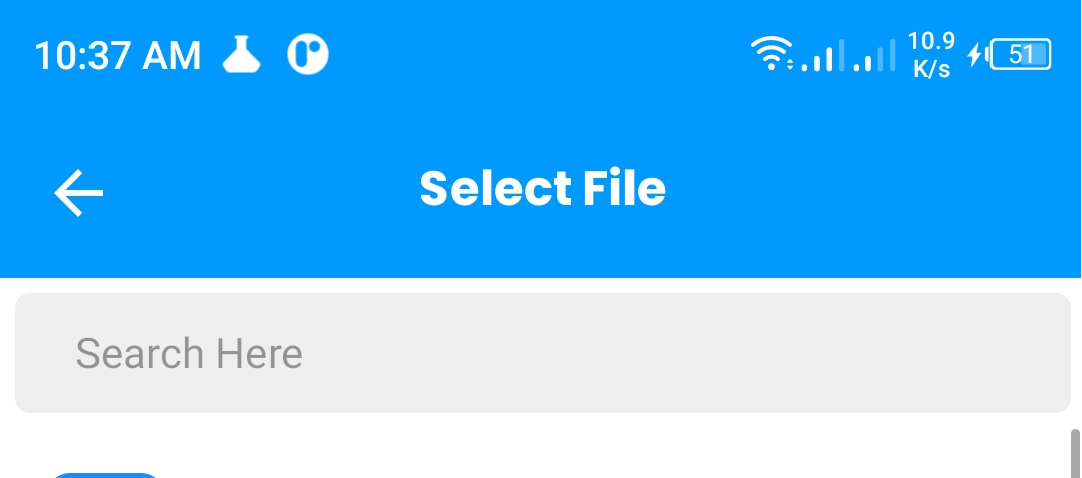
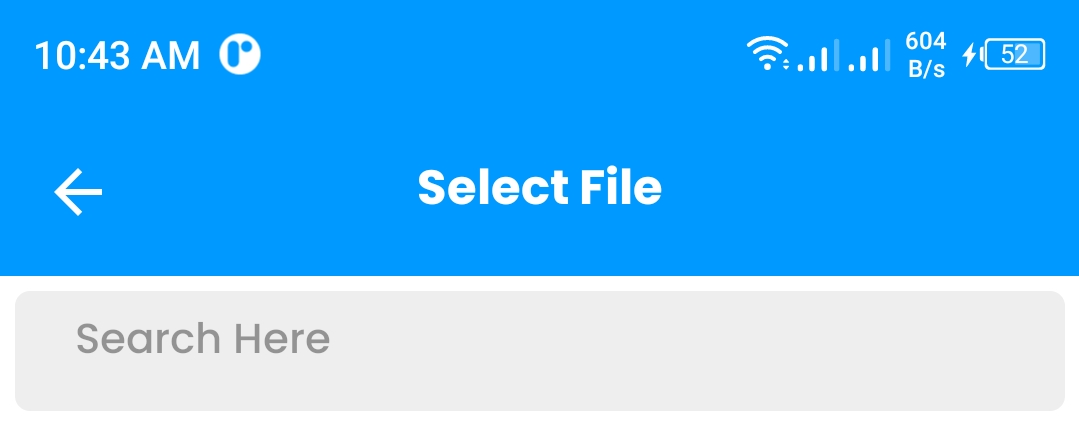
注意:,我用多个字体检查了它,并且有相同的问题.
回答 2
Stack Overflow用户
回答已采纳
发布于 2022-04-01 06:17:19
使用includeFontPadding属性,它将删除默认空间
<Text  style={{
     includeFontPadding: false
   }}>
     Search Here
</Text>Stack Overflow用户
发布于 2021-08-21 06:58:27
如果支柱includeFontPadding或lineHeight移除间距,请尝试。
<Text
  style={{
        backgroundColor: 'red',
        //lineHeight: 92,
        fontSize: 24,
        color: '#000000',
        fontFamily: 'Roboto-Regular',
        includeFontPadding: false}}>
        Search Here
</Text>
如果这不起作用,检查字体本身有一个间距。打开字体文件*.ttf并检查文本是否有很大的间距。
页面原文内容由Stack Overflow提供。腾讯云小微IT领域专用引擎提供翻译支持
原文链接:
https://stackoverflow.com/questions/68870473
复制相关文章
相似问题
腾讯云开发者

Copyright © 2013 - 2026 Tencent Cloud. All Rights Reserved. 腾讯云 版权所有
深圳市腾讯计算机系统有限公司 ICP备案/许可证号:粤B2-20090059  粤公网安备44030502008569号
腾讯云计算(北京)有限责任公司 京ICP证150476号 | 京ICP备11018762号