
如何确定长胶乳的宽度
如何确定长胶乳的宽度
提问于 2021-05-12 16:13:57
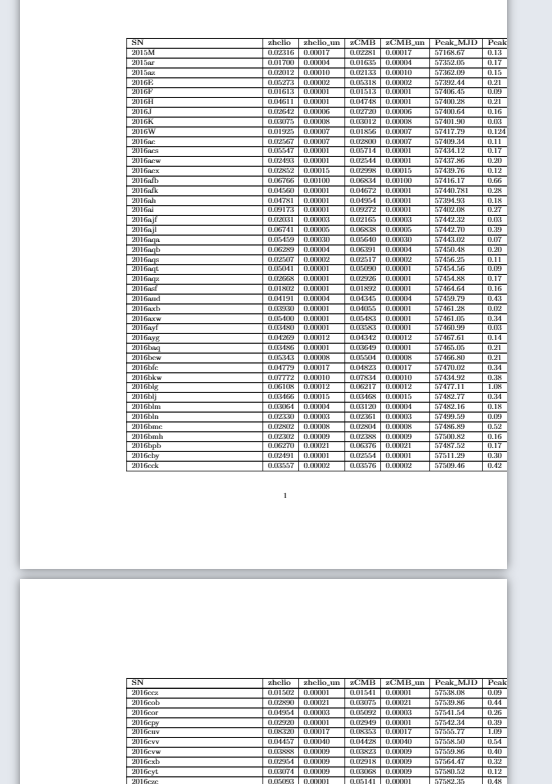
我想设置我的longtable的宽度,使它适合在页面中,而不是出现。我有206列17行。
我使用tablesgenerator.com来获取longtable,但是“缩放表到文本宽度”的选项不适用于longtable,可能需要一些帮助。(这里的乳胶初学者)。
\documentclass{article}
\usepackage{longtable}
\usepackage{booktabs}

\begin{document}

\begin{longtable}{@{}lllllllllllllllll@{}}
\toprule
\textbf{SN} & \textbf{zhelio} & \textbf{zhelio\_un} & \textbf{zCMB} &
\textbf{zCMB\_un} & \textbf{Peak\_MJD} & \textbf{Peak\_MJD\_un} & \textbf{x1}
& \textbf{x1\_un} & \textbf{c} & \textbf{c\_un} & \textbf{mB} &
\textbf{mB\_un} & \textbf{t} & \textbf{t\_un} & \textbf{Host\_logmass} &
\textbf{Host\_logmass\_un} \\* \midrule
\endhead

%table stuff here...

\caption{}
\label{tab:my-table}\\
\end{longtable}

\end{document}
这就是它看起来的样子
回答 1
Stack Overflow用户
发布于 2021-05-12 21:48:08
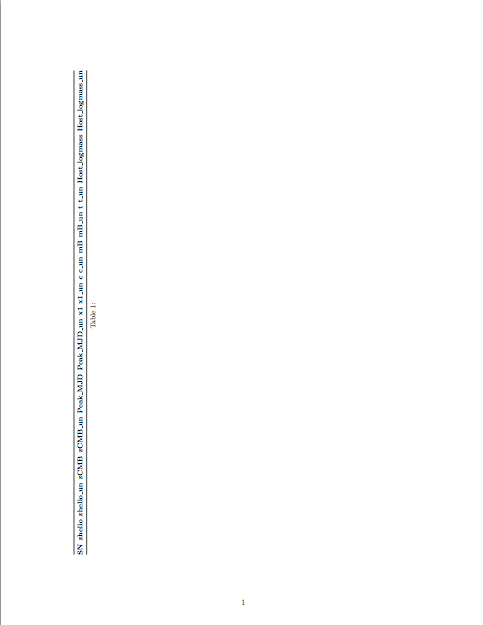
假设您指的是206行而不是列,那么您可以尝试以下策略:
- 把桌子放在景观页面
上
- 使用较小的字体
- 减少文档的边距,使其具有更多的空间(
)。
- 减少了列
之间的空间
\documentclass{article}
\usepackage{longtable}
\usepackage{booktabs}
\usepackage[vmargin=2cm]{geometry}
\usepackage{lscape}

\begin{document}

\begin{landscape}
\small
\setlength{\tabcolsep}{2pt}
\begin{longtable}{@{}lllllllllllllllll@{}}
\toprule
\textbf{SN} & \textbf{zhelio} & \textbf{zhelio\_un} & \textbf{zCMB} &
\textbf{zCMB\_un} & \textbf{Peak\_MJD} & \textbf{Peak\_MJD\_un} & \textbf{x1}
& \textbf{x1\_un} & \textbf{c} & \textbf{c\_un} & \textbf{mB} &
\textbf{mB\_un} & \textbf{t} & \textbf{t\_un} & \textbf{Host\_logmass} &
\textbf{Host\_logmass\_un} \\* \midrule
\endhead

%table stuff here...

\caption{}
\label{tab:my-table}\\
\end{longtable}
\end{landscape}
\end{document}
页面原文内容由Stack Overflow提供。腾讯云小微IT领域专用引擎提供翻译支持
原文链接:
https://stackoverflow.com/questions/67507322
复制相关文章
相似问题
腾讯云开发者

Copyright © 2013 - 2026 Tencent Cloud. All Rights Reserved. 腾讯云 版权所有
深圳市腾讯计算机系统有限公司 ICP备案/许可证号:粤B2-20090059  粤公网安备44030502008569号
腾讯云计算(北京)有限责任公司 京ICP证150476号 | 京ICP备11018762号