
引导按钮大纲和单击大纲后
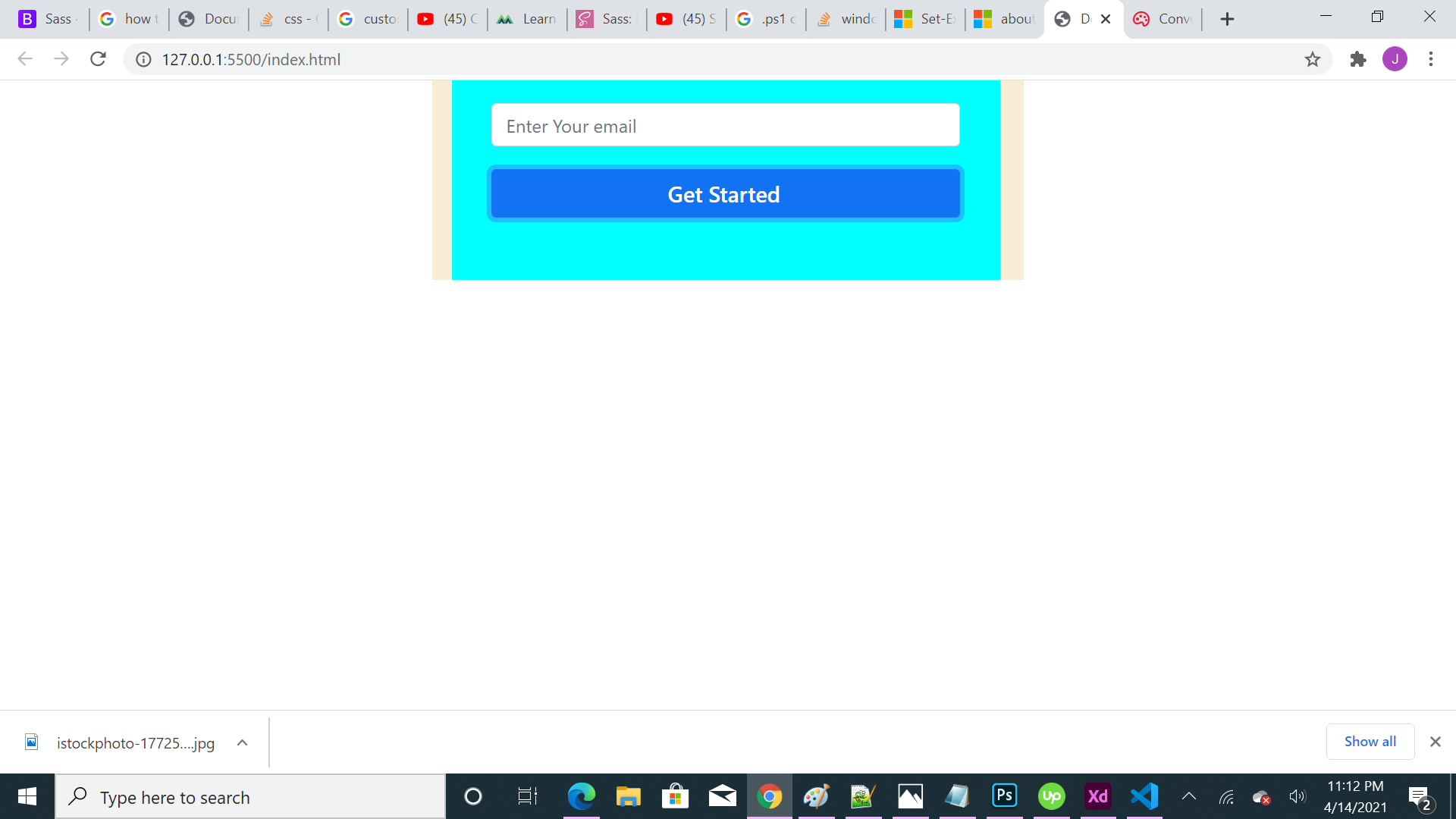
你好,我试图完成的边界周围的按钮btn-主要和点击后,它显示浅蓝边框调整轮廓:0,但它是无用的。我怎样才能从这个按钮中移除边框。
<!DOCTYPE html>
<html lang="en">

<head>
  <meta charset="UTF-8">
  <meta http-equiv="X-UA-Compatible" content="IE=edge">
  <meta name="viewport" content="width=device-width, initial-scale=1.0">
  <link href="https://cdn.jsdelivr.net/npm/bootstrap@5.0.0-beta3/dist/css/bootstrap.min.css" rel="stylesheet" integrity="sha384-eOJMYsd53ii+scO/bJGFsiCZc+5NDVN2yr8+0RDqr0Ql0h+rP48ckxlpbzKgwra6" crossorigin="anonymous">
  <script src="https://cdn.jsdelivr.net/npm/bootstrap@5.0.0-beta3/dist/js/bootstrap.bundle.min.js" integrity="sha384-JEW9xMcG8R+pH31jmWH6WWP0WintQrMb4s7ZOdauHnUtxwoG2vI5DkLtS3qm9Ekf" crossorigin="anonymous"></script>
  <title>Document</title>

  <style>
    * {
      box-sizing: border-box;
    }

    .container {
      max-width: 520px;
      max-height: 180px;
      background-color: antiquewhite;
    }

    fieldset {
      max-width: 518px;
      max-height: 178px;
      padding-right: 15px;
      padding-left: 15px;
    }
    .btn{
        font-weight:600;
        color:#fff;
        text-align:center;
        vertical-align:middle;
        border:1px solid transparent;
        font-size:1.2rem;
        line-height:1.5;
    }
    .btn-primary {
  color: #fff;
  background-color: #1172f4;
  border-color: #000000;
}
.btn-primary: hover {
  color: #fff;
  background-color:#1172f4;
  border-color: black;
}
.btn-primary: focus, .btn-primary. Focus {
  color: #fff;
  background-color:#1172f4;
  border-color: #1875f6;
  box-shadow: 0 0 0 0.2rem rgba(38, 38, 38, 0.5);
}

.btn: focus, .btn. Focus {
  outline: 0;

}
button: focus{
    outline:0;
}


    /*.form-group{
        max-width:518px;

    }*/
  </style>

</head>

<body>
  <div class="container">
    <div class="row">

      <div class="col-sm-6 col-sm-offset-3 form-box">

        <form role="form" action method="post" class="registration-form" style="width:482px;height:175px;background-color:aqua;margin-left:5px;margin-right:5px;padding-left: 20px;padding-right: 20px;">

          <fieldset>
            <!--Start 2nd form field set-->
            <div class="form-bottom">
              <div class="form-group" style="margin-top:20px;width:100%;">

                <input type="text" name="form-email" placeholder="Enter Your email" class="form-email form-control" id="form-email">
              </div>
              <!--End of 2nd form groupdiv-->

              <button type="button" class="btn btn-primary btn-next" style="margin-top:20px;margin-bottom:20px;padding-right:15px;width:100%;">Get Started</button>
            </div>
            <!--End of bottom div-->

          </fieldset>
          <!--End of second form fieldset-->
        </form>

</body>

</html>
我的容器和元素也没有显示响应行为。请帮我解决这两个问题。引导btn中的哪个属性-主按钮处理这两个边框。
回答 3
Stack Overflow用户
发布于 2021-04-14 18:43:17
你为什么要在这里两次声明按钮的样式?
.btn: focus, .btn. Focus {
  outline: 0;

}
button: focus{
    outline:0;
}
此外,在网页设计中,使用html组件进行样式设计也是一种糟糕的做法。在大多数情况下,您应该使用类。对于更改特定元素,您应该使用id。
在回答您的问题时,单击按钮周围的属性不是大纲,这可能是Bootstrap button - remove outline on Chrome OS X的重复,它是一个框影属性。删除按钮样式定义并使用以下代码替换它们:
.btn:focus{
  box-shadow: none!important;

}
点击后的阴影就会消失。
在另一个注意事项上,您似乎已经在使用引导5并从它继承样式。但是,您正在手动重新定义主按钮样式。为什么?导入的CSS文件应自动更新主按钮样式。另外,不要在焦点和。
至于您的响应问题,请使用引导库使表单响应,因为您已经在使用它了。https://getbootstrap.com/docs/4.0/components/forms/
Stack Overflow用户
发布于 2021-04-14 18:34:52
当单击按钮时,出现在按钮周围的大纲类型东西实际上不是outline属性,而是box-shadow属性。
因此,要解决这个问题,只需将这个box-shadow: none !important添加到该按钮的css中即可。
Stack Overflow用户
发布于 2021-04-14 18:35:17
试试看,这是主动类抛出您的代码。
.btn-primary:active:focus {
  box-shadow:none;
}
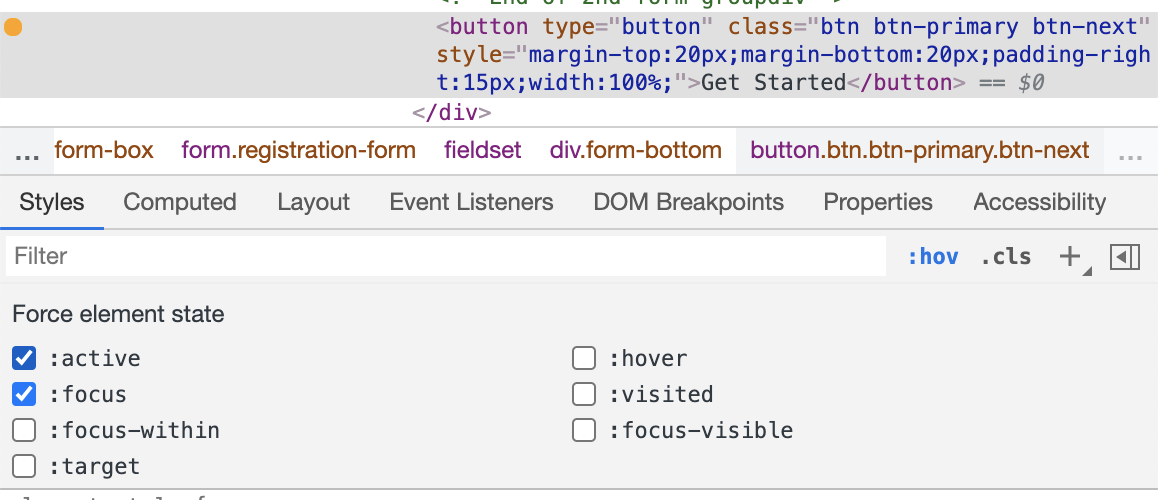
在Chrome检查器中,您可以切换按钮状态以进行调试。本文使用了两种方法的组合:active:focus
Codepen https://codepen.io/rickyhaswifi/pen/LYZMeoN?editors=1010
https://stackoverflow.com/questions/67097092
复制相似问题
腾讯云开发者

Copyright © 2013 - 2026 Tencent Cloud. All Rights Reserved. 腾讯云 版权所有
深圳市腾讯计算机系统有限公司 ICP备案/许可证号:粤B2-20090059  粤公网安备44030502008569号
腾讯云计算(北京)有限责任公司 京ICP证150476号 | 京ICP备11018762号