
django-ckeditor代码没有响应
django-ckeditor代码没有响应
提问于 2021-04-07 21:07:42
我正在使用Django-CKEditor,我遇到的问题是代码区域(codesnippet插件)没有响应性,当我使页面变小时,一些代码从突出显示的区域中移出。另外,我在我的项目中使用了引导程序。
在大屏幕上没问题:
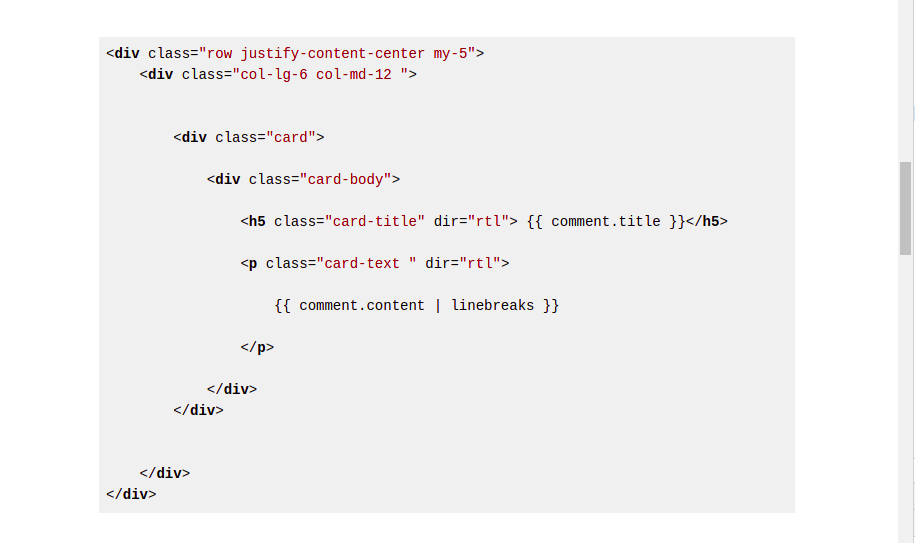
但是,当我使尺寸变小时,问题就会发生:
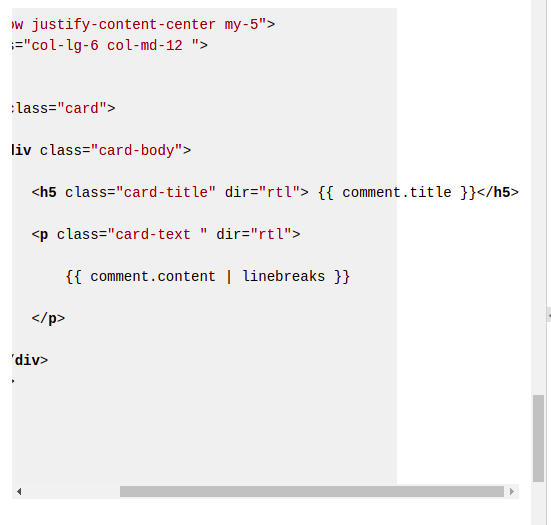
我已经在我的settings.py和HTML page上完成了以下配置
INSTALLED_APPS = [
# other apps

    'ckeditor',
    'ckeditor_uploader',
]
# ckeditor

CKEDITOR_UPLOAD_PATH = "ckeditor_uploads/"

CKEDITOR_CONFIGS = {
    'default': {
        'toolbar': 'full',
        # 'height': 300,
        # 'width': 960,
        'width': 'auto',
        'height': '600',


        'extraPlugins': ','.join([

            'codesnippet',

            'div',
            'autolink',
            'autoembed',
            'embedsemantic',
            'autogrow',

            'widget',
            'lineutils',
            'clipboard',
            'dialog',
            'dialogui',
            'elementspath',

            'mathjax',
        ]),
    },
}
{% load static %}
<script type="text/javascript" src="{% static 'ckeditor/ckeditor-init.js' %}"></script>
<script type="text/javascript" src="{% static  'ckeditor/ckeditor/ckeditor.js' %}"></script>
<link rel="stylesheet" href="{% static 'ckeditor/ckeditor/plugins/codesnippet/lib/highlight/styles/default.css' %}"/>
<script src="{% static 'ckeditor/ckeditor/plugins/codesnippet/lib/highlight/highlight.pack.js' %}"></script>
<script>hljs.initHighlightingOnLoad();</script>
我还收集了静态文件:
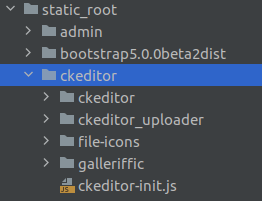
谢谢你能帮上忙。
回答 1
Stack Overflow用户
发布于 2021-10-09 11:40:22
要解决此类问题,需要设置overflow属性。在本例中,以下内容解决了这个问题。
    pre code.hljs {
        overflow: auto;
    }
把它弹到你的CSS文件中。
页面原文内容由Stack Overflow提供。腾讯云小微IT领域专用引擎提供翻译支持
原文链接:
https://stackoverflow.com/questions/66994104
复制相关文章
相似问题
腾讯云开发者

Copyright © 2013 - 2026 Tencent Cloud. All Rights Reserved. 腾讯云 版权所有
深圳市腾讯计算机系统有限公司 ICP备案/许可证号:粤B2-20090059  粤公网安备44030502008569号
腾讯云计算(北京)有限责任公司 京ICP证150476号 | 京ICP备11018762号