
已完成部署,但有错误:在中止部署期间,某些实例可能已部署了新的应用程序版本。
已完成部署,但有错误:在中止部署期间,某些实例可能已部署了新的应用程序版本。
提问于 2021-03-24 10:32:09
这是我第一次接触AWS。我有一个nodejs/类型记录设置,它的源代码来自github。它经历了两个阶段的代码
- Build:--我使用
buildspec.yml文件构建类型记录文件,并将其转储到S3桶中。以下是buildspect.yml.
的内容
version: 0.2

phases:
  install:
    commands:
      - "npm install"
  build:
    commands:
      - "npm run build"
artifacts:
  files:
    - "dist*/*"
discard-paths: yes还有我的package.json
{
  "name": "aws-install",
  "version": "1.0.0",
  "description": "",
  "main": "./dist/app.js",
  "scripts": {
    "build": "tsc",
    "start": "node ./dist/app.js"
  },
  "keywords": [],
  "author": "",
  "license": "ISC",
  "dependencies": {
    "@types/express": "^4.17.11",
    "@types/node": "^14.14.35",
    "express": "^4.17.1",
    "mongodb": "^3.6.5",
    "nodemon": "^2.0.7",
    "typescript": "^4.2.3"
  },
  "devDependencies": {},
  "engines": {
    "node": "14.15.0"
  }
}- Deploy:部署阶段是一个弹性豆柄的东西。我相信它应该获得构建的输出并部署到EC2实例中。我不认为这是正在发生的事。它给出了以下错误。
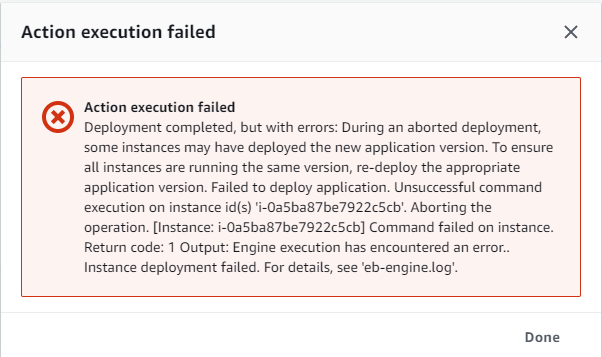
,这是我的一般设置看起来像
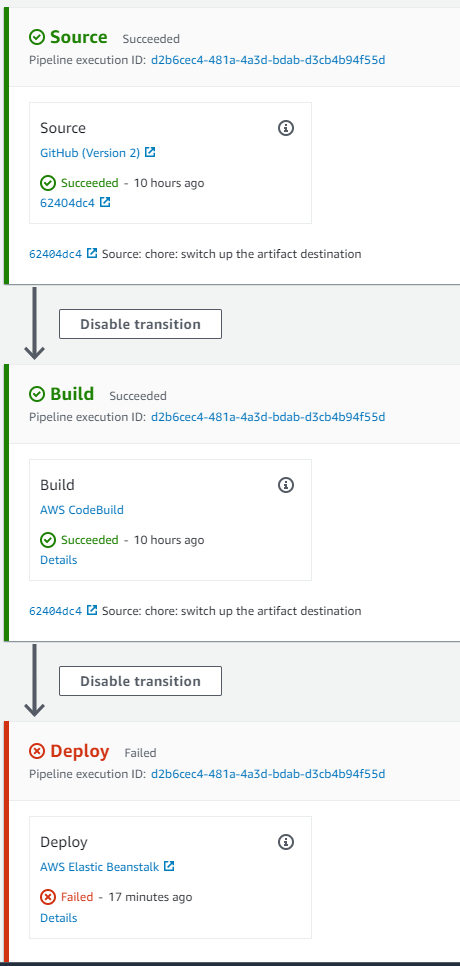
日志我下载了完整的日志,我发现了关于错误的更多细节
\var\log\eb-工程日志
2021/03/24 10:05:10.373225 [ERROR] update processes [web nginx cfn-hup healthd] pid symlinks failed with error Read pid source file /var/pids/web.pid failed with error:open /var/pids/web.pid: no such file or directory
2021/03/24 10:05:10.373235 [ERROR] An error occurred during execution of command [app-deploy] - [Track pids in healthd]. Stop running the command. Error: update processes [web nginx cfn-hup healthd] pid symlinks failed with error Read pid source file /var/pids/web.pid failed with error:open /var/pids/web.pid: no such file or directory
我真的不知道这里还能做什么。谢谢各位
回答 2
Stack Overflow用户
发布于 2022-03-17 15:32:02
它与上一次部署期间使用的旧版本有关。您应该删除应用程序版本并再次重新启动管道。如果它不能工作,删除部署环境并再次创建它。
Stack Overflow用户
发布于 2022-07-11 13:45:25
我也有同样的问题,但我找到了解决问题的办法,你可以试试我采取的步骤,解决你的问题。
,这是我得到的错误响应:
succeeded
- deploy
- 源代码成功
- 和构建
F 215
我不得不转到->日志->请求日志->最后100行,下面是我看到的

我必须在我的项目中使用package.json,并删除一些代码行,如下所示。
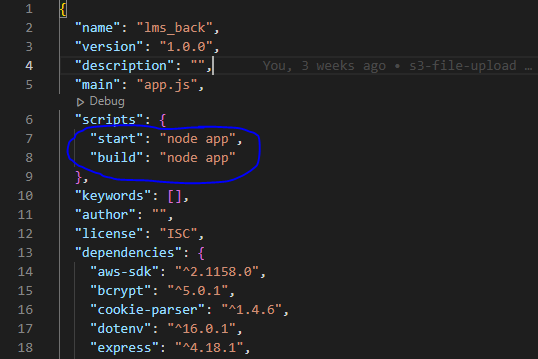
那我就得换掉它
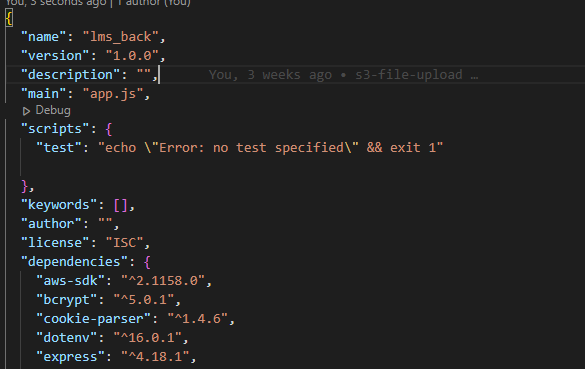
完成后,提交代码并推送到分支,返回到管道并单击。
然后转到你的弹力豆茎,点击actions ->重建环境
页面原文内容由Stack Overflow提供。腾讯云小微IT领域专用引擎提供翻译支持
原文链接:
https://stackoverflow.com/questions/66779168
复制相关文章
相似问题
腾讯云开发者

Copyright © 2013 - 2026 Tencent Cloud. All Rights Reserved. 腾讯云 版权所有
深圳市腾讯计算机系统有限公司 ICP备案/许可证号:粤B2-20090059  粤公网安备44030502008569号
腾讯云计算(北京)有限责任公司 京ICP证150476号 | 京ICP备11018762号