
SwiftUI列表中基于约束的图像布局
SwiftUI列表中基于约束的图像布局
提问于 2021-03-05 00:25:33
我希望在SwiftUI List中实现以下基于约束的图像布局
- 将每个
Image的左右边引脚到列表边距(适合屏幕大小) - 基于高宽比的动态高度(我也可以用固定的高度)
- 保持图像的纵横比,内容应该填满空间。
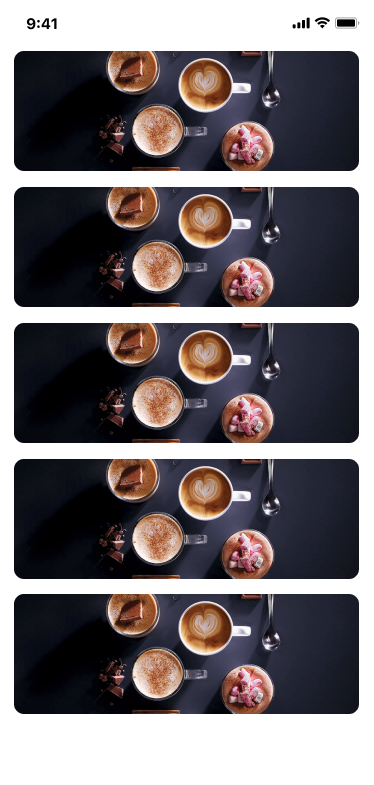
我已经尝试过但不起作用的内容(基于这篇文章):
struct MyView: View {
  @ObservedObject var viewModel: MyViewModel
  let aspectRatio = CGSize(width: 345, height: 120)

  var body: some View {
    List {
      ForEach(viewModel.items) { item in
        GeometryReader { geo in
          Image("test_image")
            .resizable()
            .aspectRatio(aspectRatio, contentMode: .fill)
            .frame(width: geo.size.width)
            .clipped()
        }
      }
    }
  }
}我从geo得到的尺寸在iPhone 11 Pro上是(343,32)。宽度是合理的,但它不让细胞膨胀超过32的高度,出于某种原因。任何技巧欢迎,因为我真的开始想念汽车布局限制。
回答 1
Stack Overflow用户
发布于 2021-03-05 00:39:42
没有必要在这种情况下使用GeometryReader。对于固定高度,您只需向frame提供height。您也不需要创建您自己的let aspectRatio = CGSize(width: 345, height: 120) --如果您保留它为零(默认情况下),它应该是好的。
编辑:用padding代替带间距的VStack
struct MyView: View {
    var body: some View {
        List {
            ForEach(0..<10, id: \.self) { item in
                Image("test_image")
                    .resizable()
                    .aspectRatio(contentMode: .fill) /// no need for custom aspect ratio
                    .frame(height: 120) /// fixed height of image
                    .clipped() /// stop image from overflowing
                    .padding(.vertical, 12) /// extra vertical padding
            }
        }
    }
}结果(与形象“):

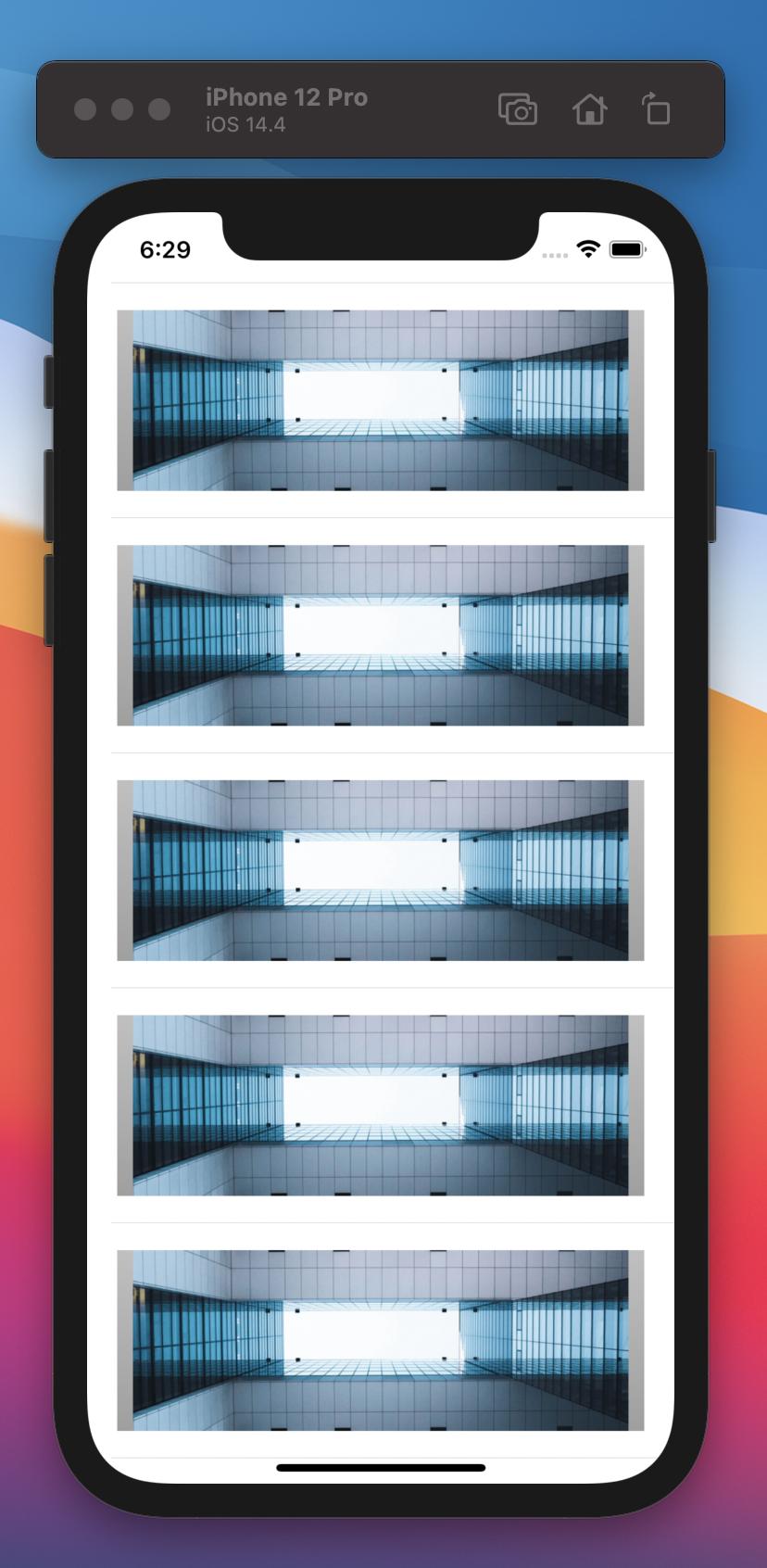
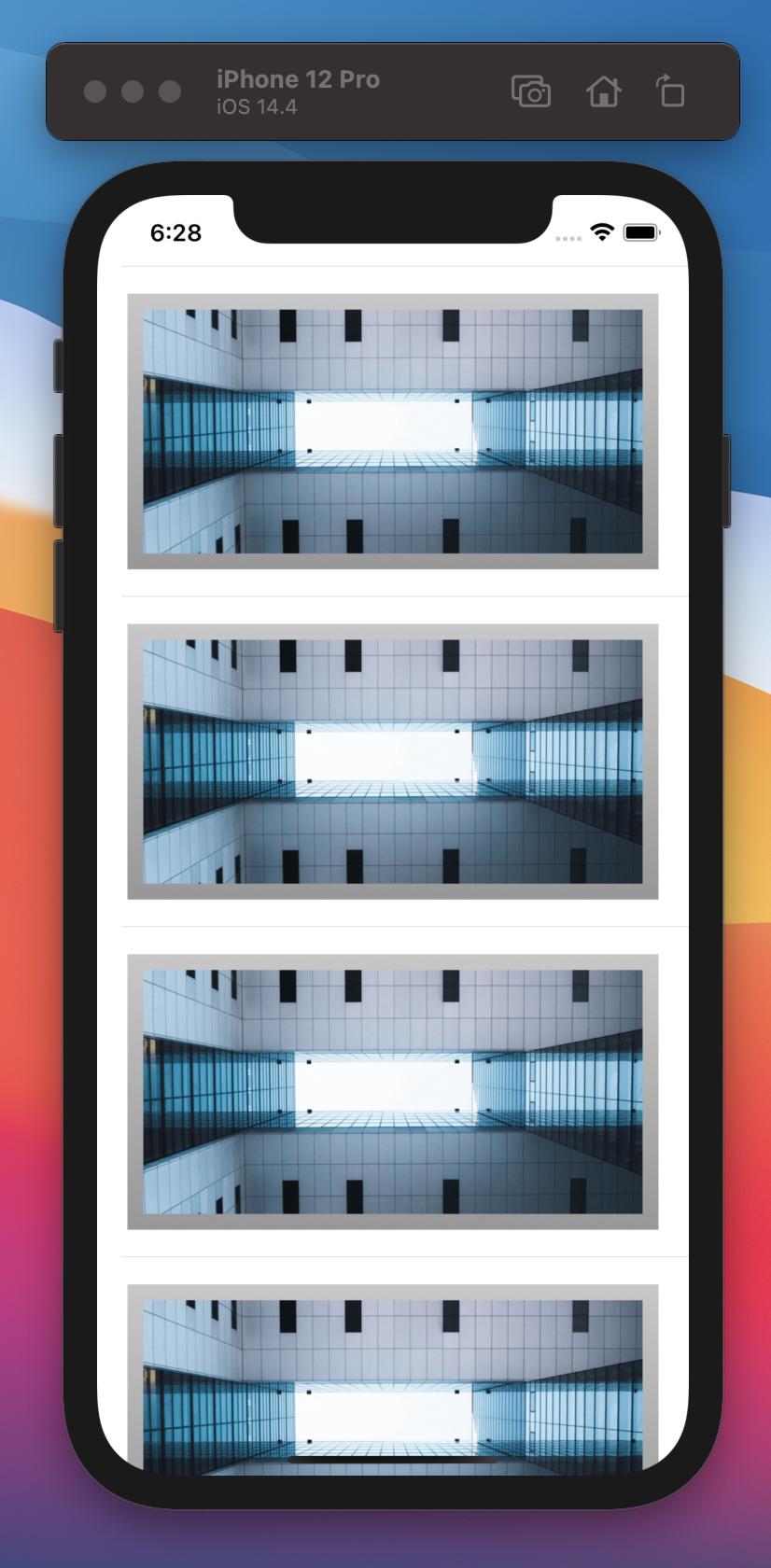
然而,这有一个固定的120高度,所以图像的顶部和底部是裁剪出来的。要解决这个问题,您可以完全避免使用frame和clipped。
struct MyView: View {
    var body: some View {
        List {
            ForEach(0..<10, id: \.self) { item in
                Image("test_image")
                    .resizable()
                    .aspectRatio(contentMode: .fill) /// doesn't matter if it's fit or fill
                    .padding(.vertical, 12) /// extra vertical padding
            }
        }
    }
}
结果:
页面原文内容由Stack Overflow提供。腾讯云小微IT领域专用引擎提供翻译支持
原文链接:
https://stackoverflow.com/questions/66485007
复制相关文章
相似问题
腾讯云开发者

Copyright © 2013 - 2026 Tencent Cloud. All Rights Reserved. 腾讯云 版权所有
深圳市腾讯计算机系统有限公司 ICP备案/许可证号:粤B2-20090059  粤公网安备44030502008569号
腾讯云计算(北京)有限责任公司 京ICP证150476号 | 京ICP备11018762号