
铬DevTools失效- Stetho无法使用
Stetho和Google在macOS更新之后已经无法使用了(我怀疑macOS更新是这个bug的根源,但我更愿意提一下)。
这是DevTools在设备上打开“检查模式”(由Facebook库为Android和OKHttp提供)之后出现的样子。
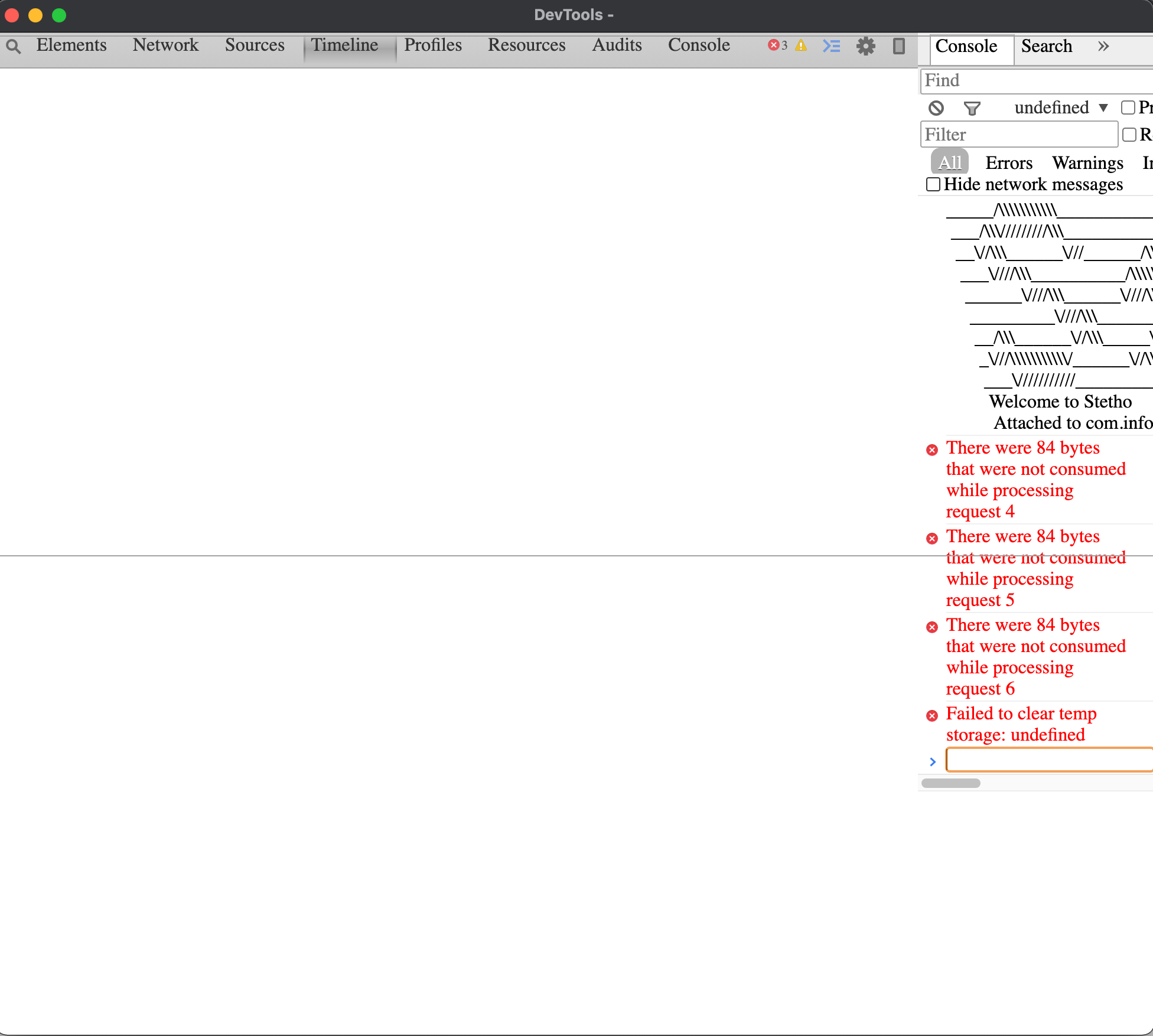
页面上不再有"CSS“样式表,字体也发生了变化。没有显示许多选项卡页(即网络请求),我只能访问一些错误消息:
There were 84 bytes that were not consumed while processing request 4
There were 84 bytes that were not consumed while processing request 5
There were 84 bytes that were not consumed while processing request 6
Failed to clear temp storage: undefined我遵循了关于这个问题的说明:Failed to clear temp storage和这个:Failed to clear temp storage: SecurityError in Chrome,但是我没有能够解决这个问题。
以下是我尝试过的:
用AppCleaner
- Remove铬缓存从磁盘卸载和重新安装Chrome,从
~/Library/Application\ Support/Google/Chrome
- Create中删除铬配置文件,并使用新的chrome
- 尝试在火狐远程调试(unfonctionnal)
- Restart系统
上连接
你们中有人遇到过这个问题吗?谢谢!
回答 4
Stack Overflow用户
发布于 2021-03-05 11:28:21
你应该降低Chrome的等级。最新的Chrome/Chrome发行版https://github.com/facebook/stetho/issues/696的问题
Stack Overflow用户
发布于 2021-05-24 14:55:17
作为一种解决办法,您可以使用其他基于铬的浏览器,例如:
- Microsoft Edge https://www.microsoft.com/edge
- Brave https://brave.com/
您还可以使用chrome://inspect/#devices地址检查数据库内容。
目前最大的缺点是您无法查看共享首选项(这在Chromium88上是可能的)。
Stack Overflow用户
发布于 2021-03-14 18:30:52
在找到更好的解决方案之前,您可以下载可移植的Google版本87.0.4280.88,并将其用于调试。这样你就不需要降级你的主要谷歌Chrome应用-你同时使用这两个应用。
GoogleChromePortable_87.0.4280.88_online.paf.exe
https://sourceforge.net/projects/portableapps/files/Google%20Chrome%20Portable/
https://stackoverflow.com/questions/66461857
复制相似问题
腾讯云开发者

Copyright © 2013 - 2026 Tencent Cloud. All Rights Reserved. 腾讯云 版权所有
深圳市腾讯计算机系统有限公司 ICP备案/许可证号:粤B2-20090059  粤公网安备44030502008569号
腾讯云计算(北京)有限责任公司 京ICP证150476号 | 京ICP备11018762号