
Etherpad Ui认证
我必须实现访问etherpad UI的授权,这样它就不能成为公共url。
为此,当我设置"requireAuthentication":true时,它将抛出web身份验证抛出浏览器如下所示
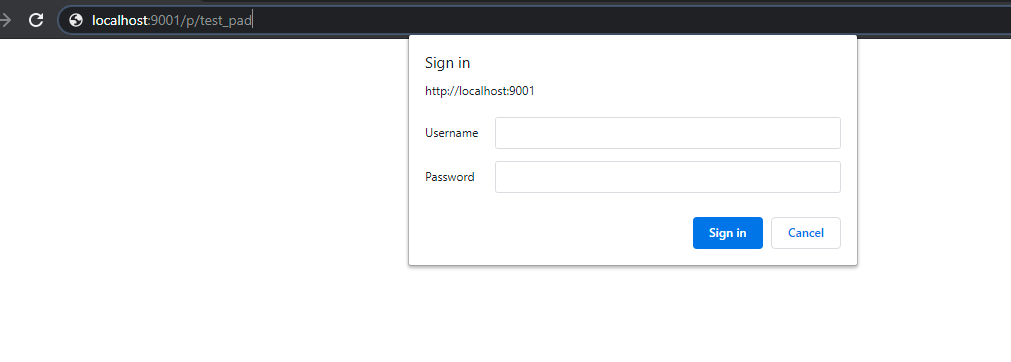
但是在应用程序中,当我通过iframe访问etherpad UI时,它也会显示上面的身份验证弹出。请建议我如何才能突破访问etherpad用户界面,而不需要在应用程序中弹出,但允许auth弹出时,从网络浏览器访问,而不是应用程序?或者任何其他方式也是值得赞赏的。
回答 1
Stack Overflow用户
发布于 2021-12-17 22:18:16
只是张贴在这里,因为谷歌搜索“以太基本身份验证”导致我这里。
本解决方案仅适用于码头上的以太石。
我一直想在不使用LDAP或插件的情况下启用一些基本的身份验证。
- 检查以太石Git项目
git clone https://github.com/ether/etherpad-lite.git
settings.json.docker
- 编辑
-Made 1通过将requireAuthentication设置为true更改为文件
-Took关于这两个变量名的说明(ADMIN_PASSWORD,USER_PASSWORD)
.
.
 "requireAuthentication": true
.
.

"users": {
    "admin": {
      // 1) "password" can be replaced with "hash" if you install ep_hash_auth
      // 2) please note that if password is null, the user will not be created
      "password": "${ADMIN_PASSWORD:null}",
      "is_admin": true
    },
    "user": {
      // 1) "password" can be replaced with "hash" if you install ep_hash_auth
      // 2) please note that if password is null, the user will not be created
      "password": "${USER_PASSWORD:null}",
      "is_admin": false
    }
  },
*所有其他的东西都可以单独留下,所以我把这个片段省去了。
docker build --tag myetherpad .
- 创建一个自定义的以太图像
- 。
- 旋转新的以太垫实例并传入这两个变量
ADMIN_PASSWORD: "someAdminPassword"
USER_PASSWORD: "someUserPassword"
*我使用的是坞-撰写,所以在香草码头或K8中设置这些变量看起来有点不同。
**肯定有更好的方法来提供etherpad的身份验证,但我只需要一个快速的实例。如果您有更多的用户,这个过程将非常繁琐。
https://stackoverflow.com/questions/66223324
复制相似问题
腾讯云开发者

Copyright © 2013 - 2026 Tencent Cloud. All Rights Reserved. 腾讯云 版权所有
深圳市腾讯计算机系统有限公司 ICP备案/许可证号:粤B2-20090059  粤公网安备44030502008569号
腾讯云计算(北京)有限责任公司 京ICP证150476号 | 京ICP备11018762号