
如何检查矩形轮廓内是否包含数字?(OpenCV - Python)
如何检查矩形轮廓内是否包含数字?(OpenCV - Python)
提问于 2021-01-22 04:33:47
我知道质量太差了,但那是最初的形象
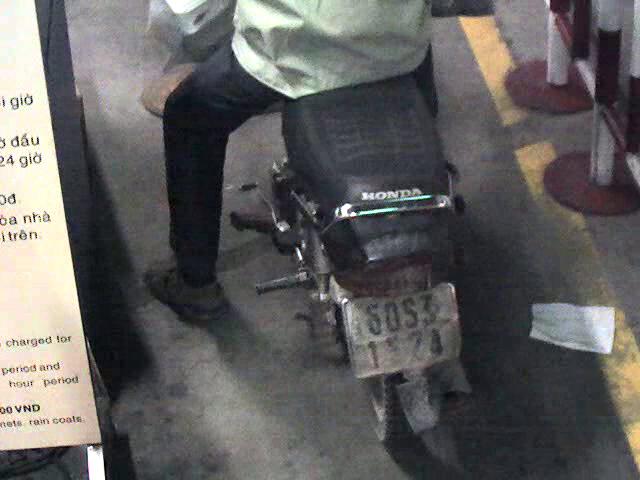
gray = cv2.cvtColor(image, cv2.COLOR_BGR2GRAY)
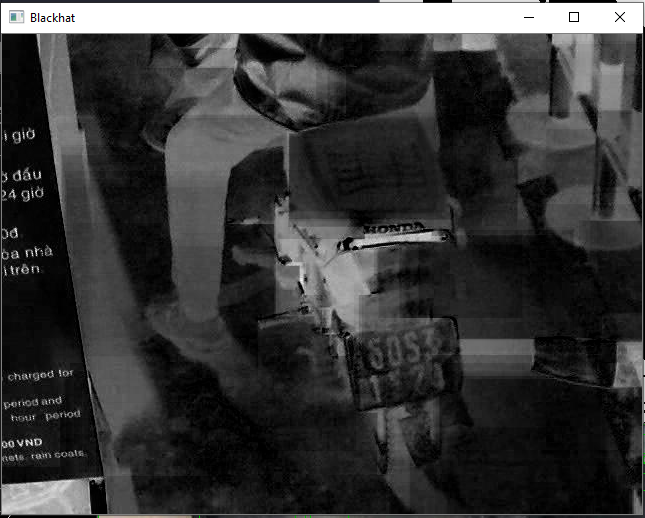
rectKern = cv2.getStructuringElement(cv2.MORPH_RECT, (85, 64))
blackhat = cv2.morphologyEx(gray, cv2.MORPH_BLACKHAT, rectKern)
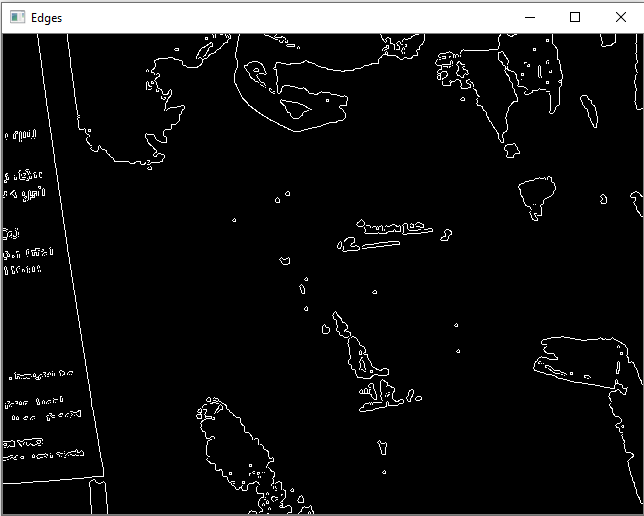
edges = cv2.Canny(light, 120, 255, 1)
squareKern = cv2.getStructuringElement(cv2.MORPH_RECT, (3, 3))
light = cv2.morphologyEx(gray, cv2.MORPH_OPEN, squareKern)
light = cv2.threshold(light, 0, 255, cv2.THRESH_BINARY | cv2.THRESH_OTSU)[1]
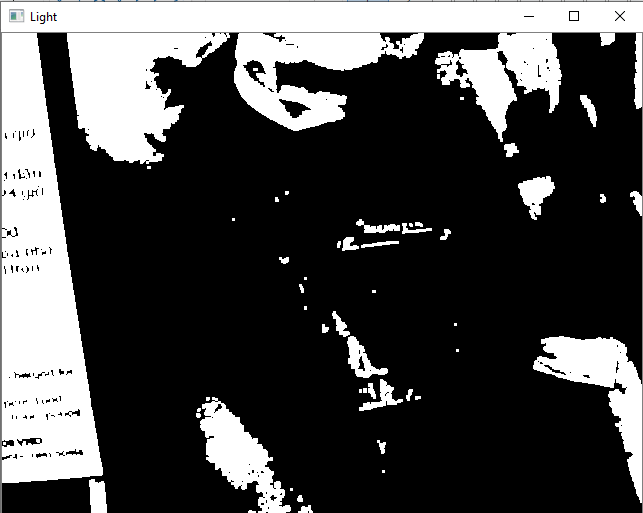
这是结果
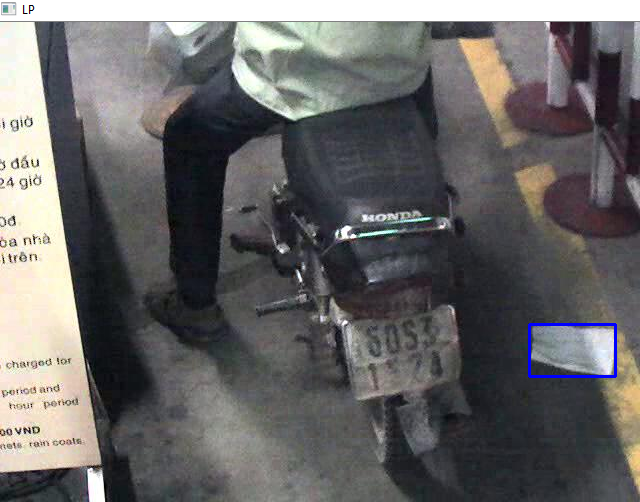
我怎样才能检查那个蓝色的长方形里面是否有数字呢?(如果里面没有数字,我就不会在它周围画一个边框,因为它不是车牌)。
回答 1
Stack Overflow用户
回答已采纳
发布于 2021-01-25 06:58:57
这方面有多种方法。根据您的需求选择。
1-OCR通过pytesseract -裁剪矩形区域,然后将其传递给tesseract,从图像中提取文本。
# Import required packages
import cv2
import pytesseract

# Mention the installed location of Tesseract-OCR in your system
pytesseract.pytesseract.tesseract_cmd = 'System_path_to_tesseract.exe'

# Read image from which text needs to be extracted
img = cv2.imread("sample.jpg")

# Preprocessing the image starts

# Convert the image to gray scale
gray = cv2.cvtColor(img, cv2.COLOR_BGR2GRAY)

# Performing OTSU threshold
ret, thresh1 = cv2.threshold(gray, 0, 255, cv2.THRESH_OTSU | cv2.THRESH_BINARY_INV)

# Specify structure shape and kernel size.
# Kernel size increases or decreases the area
# of the rectangle to be detected.
# A smaller value like (10, 10) will detect
# each word instead of a sentence.
rect_kernel = cv2.getStructuringElement(cv2.MORPH_RECT, (18, 18))

# Appplying dilation on the threshold image
dilation = cv2.dilate(thresh1, rect_kernel, iterations = 1)

# Finding contours
contours, hierarchy = cv2.findContours(dilation, cv2.RETR_EXTERNAL,
                                                 cv2.CHAIN_APPROX_NONE)

# Creating a copy of image
im2 = img.copy()

# A text file is created and flushed
file = open("recognized.txt", "w+")
file.write("")
file.close()

# Looping through the identified contours
# Then rectangular part is cropped and passed on
# to pytesseract for extracting text from it
# Extracted text is then written into the text file
for cnt in contours:
    x, y, w, h = cv2.boundingRect(cnt)

    # Drawing a rectangle on copied image
    rect = cv2.rectangle(im2, (x, y), (x + w, y + h), (0, 255, 0), 2)

    # Cropping the text block for giving input to OCR
    cropped = im2[y:y + h, x:x + w]

    # Open the file in append mode
    file = open("recognized.txt", "a")

    # Apply OCR on the cropped image
    text = pytesseract.image_to_string(cropped)

    # Appending the text into file
    file.write(text)
    file.write("\n")

    # Close the file
file.close 来源:链接
2- opencv的东文本检测器- 教程
另外,查看这个问题以获得更多的方法
还有这
页面原文内容由Stack Overflow提供。腾讯云小微IT领域专用引擎提供翻译支持
原文链接:
https://stackoverflow.com/questions/65839340
复制相关文章
相似问题
腾讯云开发者

Copyright © 2013 - 2026 Tencent Cloud. All Rights Reserved. 腾讯云 版权所有
深圳市腾讯计算机系统有限公司 ICP备案/许可证号:粤B2-20090059  粤公网安备44030502008569号
腾讯云计算(北京)有限责任公司 京ICP证150476号 | 京ICP备11018762号