
JUnit在IntelliJ中未被识别
我试图在我的linux发行版上集成和安装JUnit 5库和IntelliJ。我将JUnit添加到我的gradle中,并使用gradle构建它。但是,我仍然在单元测试中看到一个错误,这促使我“将junit添加到我的类路径”,尽管它已经是这样了。
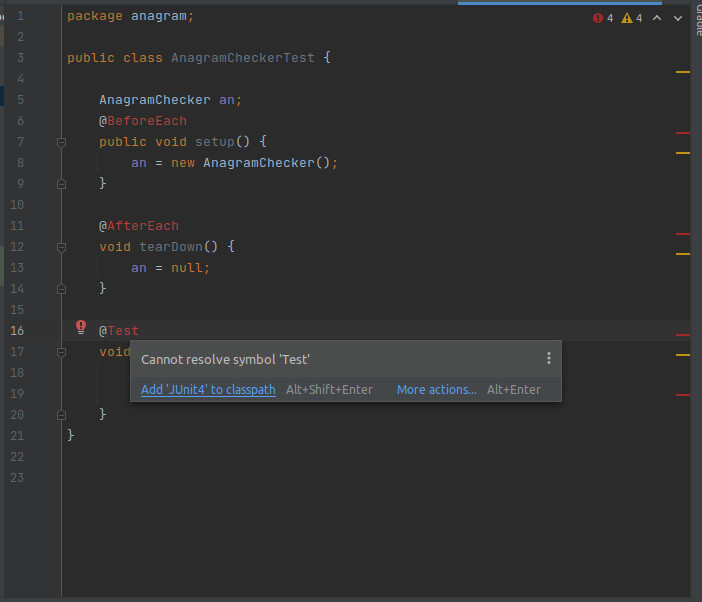
这是我的build.gradle
    id 'java'
    id 'idea'
}

group 'com.techchallenge'
version '1.0-SNAPSHOT'

repositories {
    mavenCentral()
}

dependencies {
    implementation 'org.junit.jupiter:junit-jupiter:5.4.2'
    testCompile('org.junit.jupiter:junit-jupiter-api:5.3.1')
    testCompile('org.junit.jupiter:junit-jupiter-engine:5.3.1')
}
test {
    useJUnitPlatform()
}
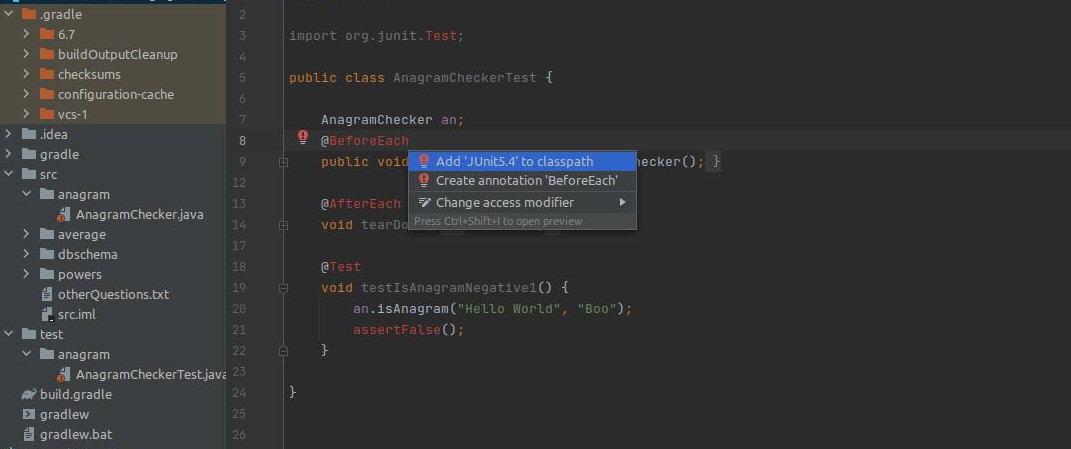
更新见截图。我添加了依赖项,它仍然促使我将junit添加到我的类路径中,尽管我已经添加了。
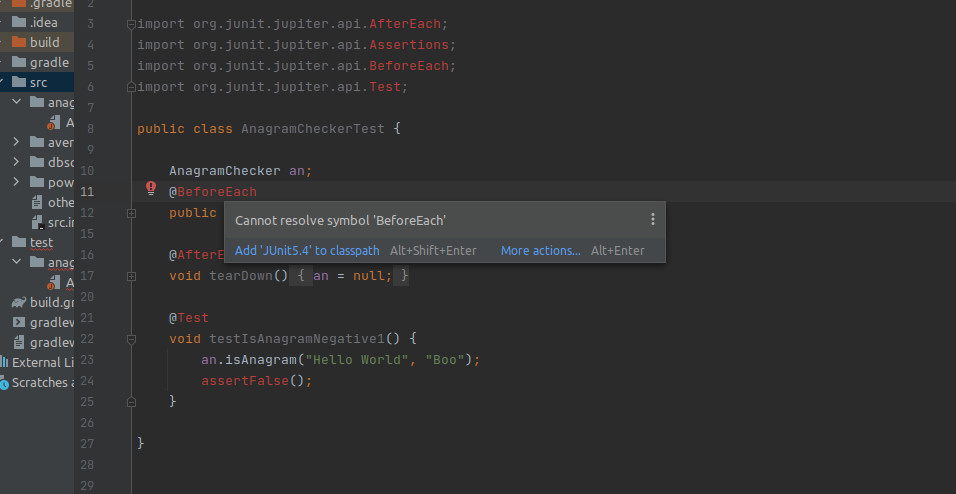
更新2 --我更新了build.gradle,也做了渐变干净的构建测试,这是成功的。但是它仍然用我的junit注释来显示错误--并且不断地提示我将junit 5.4添加到我的类路径中,尽管它在那里。
    id 'java'
    id 'idea'
}

group 'com.techchallenge'
version '1.0-SNAPSHOT'

repositories {
    mavenCentral()
}

dependencies {
    implementation 'org.junit.jupiter:junit-jupiter:5.4.2'
    implementation 'org.junit.jupiter:junit-jupiter:5.4.2'
    implementation 'org.junit.jupiter:junit-jupiter:5.4.2'
    implementation 'org.junit.jupiter:junit-jupiter:5.4.2'
    implementation 'org.junit.jupiter:junit-jupiter:5.4.2'
    implementation 'org.junit.jupiter:junit-jupiter:5.4.2'
    implementation 'org.junit.jupiter:junit-jupiter:5.4.2'

    testCompile('org.junit.jupiter:junit-jupiter-api:5.4.2')
    testRuntime('org.junit.jupiter:junit-jupiter-engine:5.4.2')
    testRuntime('org.junit.vintage:junit-vintage-engine:5.4.2')

}
test {
    useJUnitPlatform()
}
回答 3
Stack Overflow用户
发布于 2020-12-08 17:06:17
它应该能认出你的设置。您可以尝试添加junit5依赖项(这是添加junit5的方式,使用IntelliJ的New Project选项从头创建Gradle项目),然后重新加载Gradle项目。
    dependencies {
        testImplementation 'org.junit.jupiter:junit-jupiter-api:5.6.0'
        testRuntimeOnly 'org.junit.jupiter:junit-jupiter-engine'
} 如果您的项目使用File | Invalidate caches/Restart... cli命令成功运行测试,您可以尝试gradle test选项来消除一些奇怪的问题。
https://www.jetbrains.com/help/idea/invalidate-caches.html
您必须为Junit 5使用正确的导入,您使用的是Junit4导入。因为第5版@Test、Assertions等都在org.junit.jupiter.api包中。例如:
import org.junit.jupiter.api.AfterEach;
import org.junit.jupiter.api.Assertions;
import org.junit.jupiter.api.BeforeEach;
import org.junit.jupiter.api.Test;

public class DummyTest {

    @BeforeEach
    void setUp() {

    }

    @AfterEach
    void tearDown() {

    }

    @Test
    void name() {
        Assertions.assertTrue(true);
}您可以查看6月5日-木星-启动-级
Stack Overflow用户
发布于 2022-08-15 09:00:32
我在使用JUnit 5使用Maven时也遇到了类似的问题。我发现这个想法创建了一些不应该包含的*.iml文件。我在测试文件夹中有一个名为test.iml。删除了它们之后,问题就消失了。
请检查IDEA是否意外地创建了一些鬼怪模块。
我在截图中看到你有这样一个:

我的建议是删除它。
Stack Overflow用户
发布于 2020-12-08 16:44:56
确保您已经在intellij中正确地设置了gradle,就像maven一样
并确保你已经安装了JUnit插件IntelliJ的想法,
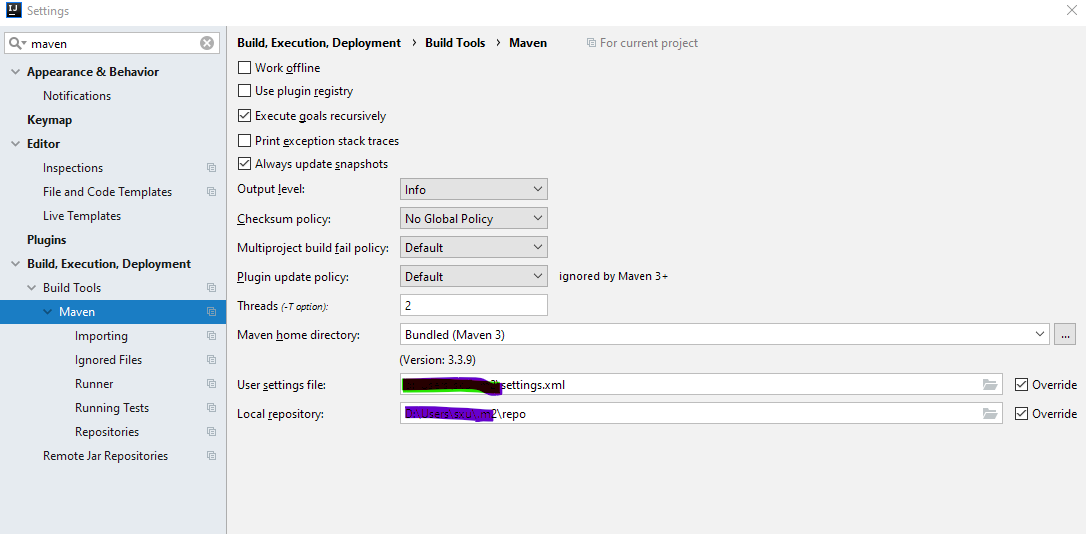
您甚至可以将gradle指向本地存储库,如
repositories {
  flatDir {
   dirs 'C:/path/to/local/directory'
  }
}
dependencies {
compile name: 'name-of-jar'
}https://stackoverflow.com/questions/65202981
复制相似问题
腾讯云开发者

Copyright © 2013 - 2026 Tencent Cloud. All Rights Reserved. 腾讯云 版权所有
深圳市腾讯计算机系统有限公司 ICP备案/许可证号:粤B2-20090059  粤公网安备44030502008569号
腾讯云计算(北京)有限责任公司 京ICP证150476号 | 京ICP备11018762号