
GKE Pod没有在不同的命名空间中调度
GKE Pod没有在不同的命名空间中调度
提问于 2020-11-08 12:33:45
我想在我已经存在的名称空间“test-命名空间”中部署一个蒙斯塔部署。当我在“默认”名称空间中部署它时,它可以工作,但当我将它部署到“测试名称空间”时,pod不调度。
kubectl get pods -n test-namespace monstache-74466dc7-5tnrr -o wide
NAME                       READY   STATUS    RESTARTS   AGE   IP       NODE     NOMINATED NODE   READINESS GATES
monstache-74466dc7-5tnrr   0/1     Pending   0          57m   <none>   <none>   <none>           <none>
以及:
kubectl describe pods -n test-namespace monstache-74466dc7-5tnrr
Name:           monstache-74466dc7-5tnrr
Namespace:      test-namespace
Priority:       0
Node:           <none>
Labels:         app=monstache
                pod-template-hash=74466dc7
Annotations:    <none>
Status:         Pending
IP:
IPs:            <none>
Controlled By:  ReplicaSet/monstache-74466dc7
Containers:
  monstache:
    Image:      rwynn/monstache:latest
    Port:       <none>
    Host Port:  <none>
    Command:
      /bin/monstache
      -f
      /app/monstache.test.config.toml
    Environment:
      MONSTACHE_DIRECT_READ_NS:    xxx.XXX
      MONSTACHE_CHANGE_STREAM_NS:  xxx.XXX
      MONSTACHE_MONGO_URL:         mongodb://xxx?replicaSet=rs0
      MONSTACHE_ES_USER:           elastic
      MONSTACHE_ES_PASS:           XXX
    Mounts:
      /app from monstache-config (rw)
      /var/run/secrets/kubernetes.io/serviceaccount from default-token-qmcwm (ro)
Volumes:
  monstache-config:
    Type:      ConfigMap (a volume populated by a ConfigMap)
    Name:      monstache-config
    Optional:  false
  default-token-qmcwm:
    Type:        Secret (a volume populated by a Secret)
    SecretName:  default-token-qmcwm
    Optional:    false
QoS Class:       BestEffort
Node-Selectors:  <none>
Tolerations:     node.kubernetes.io/not-ready:NoExecute for 300s
                 node.kubernetes.io/unreachable:NoExecute for 300s
Events:          <none>
以及:
kubectl get events -n test-namespace
LAST SEEN   TYPE     REASON              OBJECT                          MESSAGE
55m         Normal   SuccessfulCreate    replicaset/monstache-74466dc7   Created pod: monstache-74466dc7-snrdb
55m         Normal   SuccessfulCreate    replicaset/monstache-74466dc7   Created pod: monstache-74466dc7-5tnrr
55m         Normal   ScalingReplicaSet   deployment/monstache            Scaled up replica set monstache-74466dc7 to 1
55m         Normal   ScalingReplicaSet   deployment/monstache            Scaled up replica set monstache-74466dc7 to 1
以及:
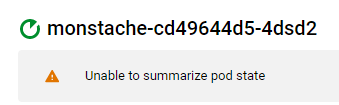
这是我的胡子部署:
apiVersion: apps/v1
kind: Deployment
metadata:
  name: monstache
  namespace: test-namespace
spec:
  progressDeadlineSeconds: 600
  replicas: 1
  revisionHistoryLimit: 10
  selector:
    matchLabels:
      app: monstache
  strategy:
    rollingUpdate:
      maxSurge: 25%
      maxUnavailable: 25%
    type: RollingUpdate
  template:
    metadata:
      creationTimestamp: null
      labels:
        app: monstache
    spec:
      containers:
      - command:
        - /bin/monstache
        - -f
        - /app/monstache.test.config.toml
        env:
        - name: MONSTACHE_DIRECT_READ_NS
          value: xxx.xxx
        - name: MONSTACHE_CHANGE_STREAM_NS
          value: xxx.xxx
        - name: MONSTACHE_MONGO_URL
          value: mongodb://mongodb-service:27017/xxx?replicaSet=rs0
        - name: MONSTACHE_ES_USER
          value: elastic
        - name: MONSTACHE_ES_PASS
          value: XXXX
        image: rwynn/monstache:latest
        imagePullPolicy: Always
        name: monstache
        resources: {}
        terminationMessagePath: /dev/termination-log
        terminationMessagePolicy: File
        volumeMounts:
        - mountPath: /app
          name: monstache-config
      dnsPolicy: ClusterFirst
      restartPolicy: Always
      schedulerName: default-scheduler
      securityContext: {}
      terminationGracePeriodSeconds: 30
      volumes:
      - configMap:
          defaultMode: 420
          name: monstache-config
        name: monstache-config
---
apiVersion: v1
data:
  monstache.test.config.toml: |
    resume = true

    gzip = true

    elasticsearch-urls = ["https://elasticsearch:9200"]

    elasticsearch-max-conns = 10

    elasticsearch-max-seconds = 1

    elasticsearch-max-docs = 1

    #namespace-regex = '*'

    verbose = false

    enable-http-server = true

    elasticsearch-validate-pem-file = false

    [[mapping]]
    namespace = "XXX.XXX"
    index = "XXX"
kind: ConfigMap
metadata:
  name: monstache-config
  namespace: test-namespace
很少有更多的事情需要知道:
- --我已经在名称空间
- 中计划了豆荚--我尝试删除部署--重新创建
- --我甚至创建了一个新的节点池并尝试在那里调度部署--也没有工作。
- 我搜索了荚计数限制和pod配额,并且它没有冲突。在GKE集群<
>H 215/代码>H 116中,有12个名称空间,其中GKE集群H 217H 118我在该集群中部署了一些成功的单变量。H 219/code>它发生在最近创建的2段代码空间中,
><<222>代码>><<222>代码>><<222>代码>
有什么线索吗?
回答 1
Stack Overflow用户
回答已采纳
发布于 2020-12-17 12:35:24
是个窃听器。用GKE版本1.17.14-gke.1200重新部署它解决了这个问题。
页面原文内容由Stack Overflow提供。腾讯云小微IT领域专用引擎提供翻译支持
原文链接:
https://stackoverflow.com/questions/64738092
复制相关文章
相似问题
腾讯云开发者

Copyright © 2013 - 2026 Tencent Cloud. All Rights Reserved. 腾讯云 版权所有
深圳市腾讯计算机系统有限公司 ICP备案/许可证号:粤B2-20090059  粤公网安备44030502008569号
腾讯云计算(北京)有限责任公司 京ICP证150476号 | 京ICP备11018762号