
反应-材料用户界面网格项目中心问题
反应-材料用户界面网格项目中心问题
提问于 2020-10-02 21:15:09
我无法使用材质ui网格系统对元素组进行中心设置。
发布:外部右侧的边距空间。
代码:
const renderProjects = projects.map(project => (
    <Grid item xs={12} sm={6} m={3} lg={3} key={project.title}>
      <ProjectCard
        title={project.title}
        description={project.description}
        image={project.image}
      />
    </Grid>
  ));

  return (
    <Grid
      container
      direction="row"
      justify="center" <==== Doesn't work
      alignItems="center"
    >
      { renderProjects}
    </Grid>
)ProjectCard组件只有这样的样式:
const useStyles = makeStyles({
  root: {
    maxWidth: 300,
  },
  media: {
    height: 100
  },
});
网格的
图像:
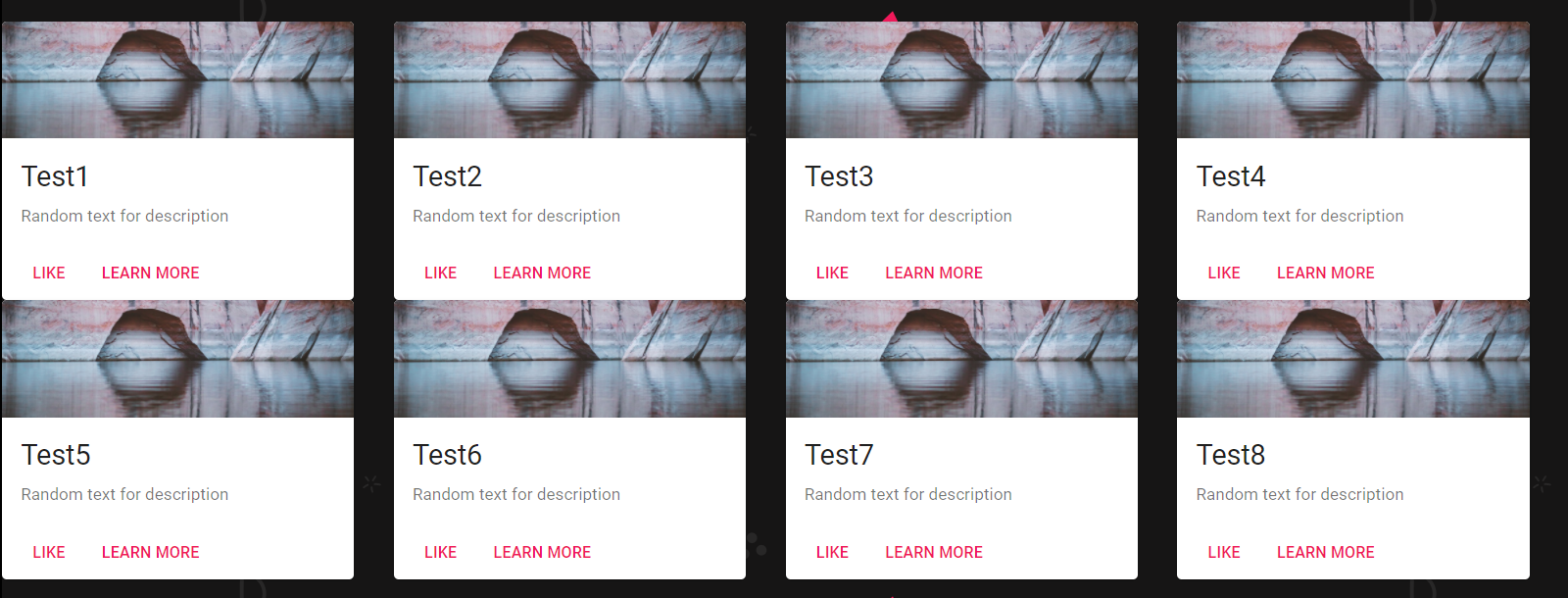
我是一个后端开发人员,为客户做工作,似乎无法解决这个问题。提前感谢!
回答 4
Stack Overflow用户
回答已采纳
发布于 2022-05-19 18:50:06
我也有同样的问题,很明显,如果您使用justifyContent而不是justify,它确实有效。您不需要添加样式标记。
(梅文5.8.0)
Stack Overflow用户
发布于 2020-10-03 01:15:39
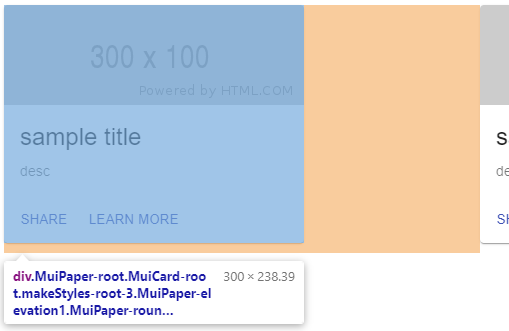
你需要给你的卡提供一些空白。目前,根据屏幕大小(由您的xs, sm, m, & lg道具定义),挠曲项占用了X%的空间,卡只被设置为最多占用300 width,因此在上面附加的图像上的橙色部分描述了“向右的空间”。
const useStyles = makeStyles({
  root: {
    maxWidth: 300,
    margin: "auto", // <-- add this
    marginBottom: "10px" // <-- only a suggestion. you might want to add spacing below each card
  },
  media: {
    height: 100
  },
});
const projects = [{
  title: "sample title",
  description: "desc",
  image: "https://via.placeholder.com/300x100"
},{
  title: "sample title",
  description: "desc",
  image: "https://via.placeholder.com/300x100"
},{
  title: "sample title",
  description: "desc",
  image: "https://via.placeholder.com/300x100"
},{
  title: "sample title",
  description: "desc",
  image: "https://via.placeholder.com/300x100"
},]

const useStyles = makeStyles({
  root: {
    maxWidth: 300,
    margin: "auto",
    marginBottom: "10px"
  },
  media: {
    height: 100
  },
});

function App() {

  const renderProjects = projects.map((project, index) => (
    <Grid item xs={12} sm={6} m={3} lg={3} key={index}>
      <ProjectCard
        title={project.title}
        description={project.description}
        image={project.image}
      />
    </Grid>
  ));

  return (
    <Grid
      container
      direction="row"
      justify="center"
      alignItems="center"
    >
      {renderProjects}
    </Grid>
  )
}

function ProjectCard({title, description, image}){

  const classes = useStyles();

  return(
    <Card classes={{root: classes.root}}>
      <CardActionArea>
        <CardMedia
          classes={{media: classes.media}}
          component="img"
          image={image}
          title={title}
        />
        <CardContent>
          <Typography gutterBottom variant="h5" component="h2">
            {title}
          </Typography>
          <Typography variant="body2" color="textSecondary" component="p">
            {description}
          </Typography>
        </CardContent>
      </CardActionArea>
      <CardActions>
        <Button size="small" color="primary">
          Share
        </Button>
        <Button size="small" color="primary">
          Learn More
        </Button>
      </CardActions>
    </Card>
  );
}


ReactDOM.render(<App/>, document.getElementById("root"));<body>
<div id="root"></div>
<!-- React -->
<script src="https://unpkg.com/react@16/umd/react.development.js"></script>
<script src="https://unpkg.com/react-dom@16/umd/react-dom.development.js"></script>
<!-- Babel -->
<script src="https://unpkg.com/babel-standalone@6/babel.min.js"></script>
<!-- MUI -->
<script src="https://unpkg.com/@material-ui/core@latest/umd/material-ui.development.js"></script>
<script type="text/babel">
const { Button, Grid, Card, CardActionArea, CardMedia, CardContent, Typography, CardActions, makeStyles } = MaterialUI;
</script>
</body>
Stack Overflow用户
发布于 2020-10-05 08:07:37
在Grid中使用的是md而不是m属性,更改它并查看它是否有效。
页面原文内容由Stack Overflow提供。腾讯云小微IT领域专用引擎提供翻译支持
原文链接:
https://stackoverflow.com/questions/64178339
复制相关文章
相似问题
腾讯云开发者

Copyright © 2013 - 2026 Tencent Cloud. All Rights Reserved. 腾讯云 版权所有
深圳市腾讯计算机系统有限公司 ICP备案/许可证号:粤B2-20090059  粤公网安备44030502008569号
腾讯云计算(北京)有限责任公司 京ICP证150476号 | 京ICP备11018762号