
ngx-在IE中不使用角9的转换
ngx-在IE中不使用角9的转换
提问于 2020-08-11 05:27:12
我们的应用程序在IE中不工作,它只显示一个编译错误(SCRIPT1002),当导航到该行时,它显示类TranslateLoader。
我已经找到了一个类似的问题,不幸的是答案不起作用:ngx-在IE中不工作的角度9的转换显示编译错误SCRIPT1002
任何帮助都会很好。非常感谢。
package.json
"@angular/core": "~9.1.6",
.....
"@ngx-translate/core": "^12.0.0",
"@ngx-translate/http-loader": "^5.0.0",
"classlist.js": "^1.1.20150312",
"web-animations-js": "^2.3.2",
browserlist
> 0.5%
last 2 versions
Firefox ESR
not dead
IE 9-11
tsconfig.json
...
"module": "es2015",
"downlevelIteration": true,
"experimentalDecorators": true,
"module": "esnext",
"moduleResolution": "node",
"importHelpers": true,
"target": "es5",
"typeRoots": [
  "node_modules/@types"
],
"lib": [
  "es2018",
  "dom"
]
polyfills.ts
import 'classlist.js';  // Run `npm install --save classlist.js`.
import 'web-animations-js';  // Run `npm install --save web-animations-js`.
import 'zone.js/dist/zone'; // Included with Angular CLI.回答 1
Stack Overflow用户
回答已采纳
发布于 2020-08-12 02:46:06
我找到了相似的线,我遵循了它的解决方案,然后它可以很好地在IE11中工作。我使用ngx-翻译,像这样的简单样本。你可以参考我的档案:
package.json
...
  "dependencies": {
    "@angular/animations": "~9.1.0",
    "@angular/common": "~9.1.0",
    "@angular/compiler": "~9.1.0",
    "@angular/core": "~9.1.0",
    "@angular/forms": "~9.1.0",
    "@angular/platform-browser": "~9.1.0",
    "@angular/platform-browser-dynamic": "~9.1.0",
    "@angular/router": "~9.1.0",
    "@ngx-translate/core": "^11.0.1",
    "@ngx-translate/http-loader": "^4.0.0",
    "classlist.js": "^1.1.20150312",
    "rxjs": "~6.5.4",
    "tslib": "^1.10.0",
    "web-animations-js": "^2.3.2",
    "zone.js": "~0.10.2"
  },
...
tsconfig.json
{
  "compileOnSave": false,
  "compilerOptions": {
    "baseUrl": "./",
    "outDir": "./dist/out-tsc",
    "sourceMap": true,
    "declaration": false,
    "downlevelIteration": true,
    "experimentalDecorators": true,
    "module": "esnext",
    "moduleResolution": "node",
    "importHelpers": true,
    "target": "es5",
    "lib": [
      "es2018",
      "dom"
    ]
  },
  "angularCompilerOptions": {
    "fullTemplateTypeCheck": true,
    "strictInjectionParameters": true
  }
}
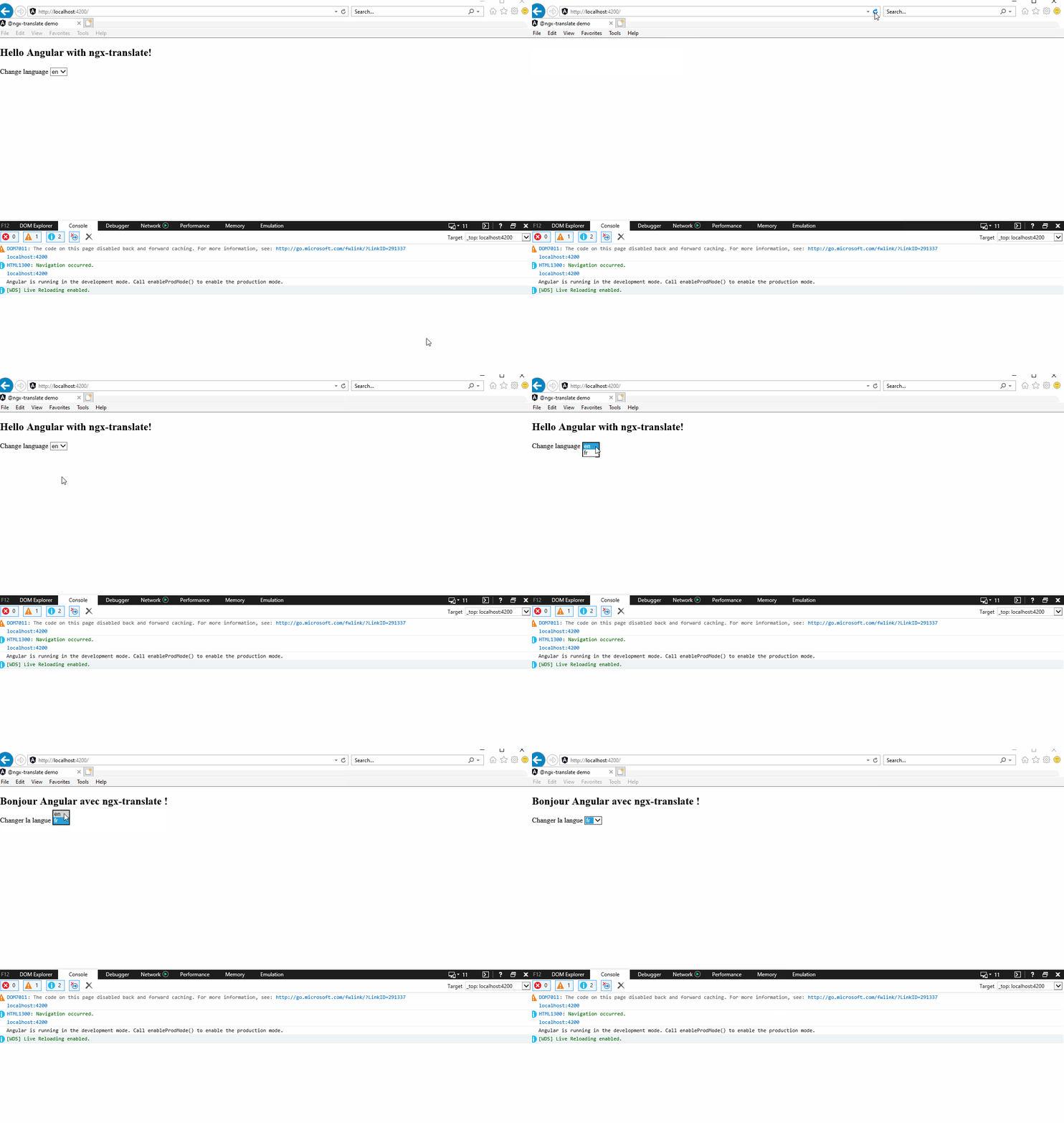
IE 11的结果如下:
页面原文内容由Stack Overflow提供。腾讯云小微IT领域专用引擎提供翻译支持
原文链接:
https://stackoverflow.com/questions/63352017
复制相关文章
相似问题
腾讯云开发者

Copyright © 2013 - 2026 Tencent Cloud. All Rights Reserved. 腾讯云 版权所有
深圳市腾讯计算机系统有限公司 ICP备案/许可证号:粤B2-20090059  粤公网安备44030502008569号
腾讯云计算(北京)有限责任公司 京ICP证150476号 | 京ICP备11018762号