
桌面拉拉白白页
桌面拉拉白白页
提问于 2020-08-10 06:58:26
我需要一个离线的网站,我的想法是创建一个桌面应用程序,在连接到服务器时同步数据库,然后我遇到php桌面,尝试将它用于我全新的laravel项目,但出于某种原因,当我运行exe时,唯一出现的是一个空白的白页。什么地方出问题了?这个项目是全新的。
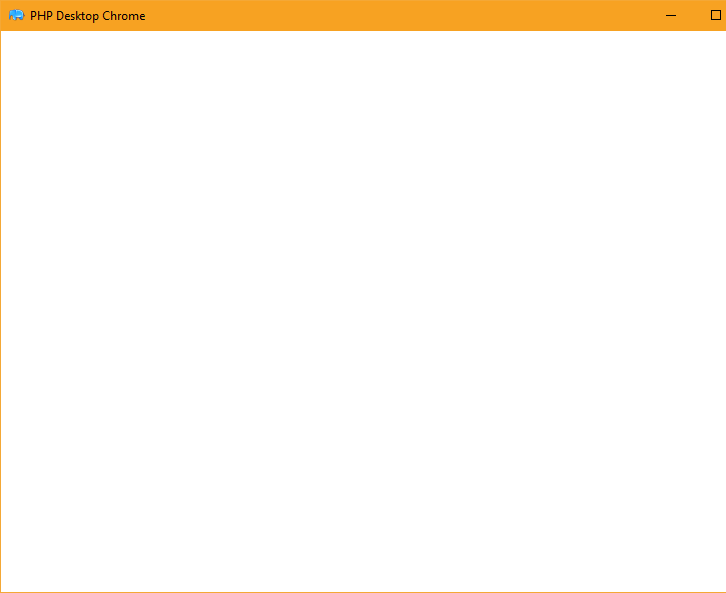
settings.json web_server是根据在线教程编辑的:
{
    "web_server": {
        "listen_on": ["127.0.0.1", 0],
        "www_directory": "www/public",
        "index_files": ["index.php"],
        "cgi_interpreter": "php/php-cgi.exe",
        "cgi_extensions": ["php"],
        "cgi_temp_dir": "",
        "404_handler": "/index.php",
        "hide_files": []
    },
    "chrome": {
        "log_file": "debug.log",
        "log_severity": "default",
        "cache_path": "webcache",
        "external_drag": true,
        "external_navigation": true,
        "reload_page_F5": true,
        "devtools_F12": true,
        "remote_debugging_port": 0,
        "command_line_switches": {},
        "enable_downloads": true,
        "context_menu": {
            "enable_menu": true,
            "navigation": true,
            "print": true,
            "view_source": true,
            "open_in_external_browser": true,
            "devtools": true
        }
    }
}
出来的日志:
- 13:47:23.109 INFO: --------------------------------------------------------
- 13:47:23.109 INFO: Started application
- 13:47:23.109 INFO: Logging to: C:\phpdesktop-chrome-57.0-rc-php-7.1.3\debug.log
- 13:47:23.109 INFO: Log level = DEBUG4
- 13:47:23.109 INFO: Starting Mongoose 3.9c web server
- 13:47:23.109 INFO: WWW directory: C:\phpdesktop-chrome-57.0-rc-php-7.1.3\www\public
- 13:47:23.109 INFO: Index files: index.php
- 13:47:23.109 INFO: CGI interpreter: C:\phpdesktop-chrome-57.0-rc-php-7.1.3\php\php-cgi.exe
- 13:47:23.109 INFO: CGI pattern: **.php$
- 13:47:23.109 INFO: Hide files patterns:
- 13:47:23.109 DEBUG: The temp directory returned by OS contains unicode characters: C:\Users\KAMACH~1\AppData\Local\Temp\
- 13:47:23.125 INFO: CGI environment variables set: TMP=C:\WINDOWS\Temp,TEMP=C:\WINDOWS\Temp,TMPDIR=C:\WINDOWS\Temp,SERVER_NAME=127.0.0.1,PHPDESKTOP_VERSION=57.0
- 13:47:23.125 INFO: Web server url: http://127.0.0.1:51950/
- 13:47:23.140 INFO: remote_debugging_port = 54835
- 13:47:23.140 DEBUG: Command line string for the browser process: "C:\phpdesktop-chrome-57.0-rc-php-7.1.3\phpdesktop-chrome.exe" --no-sandbox --lang=en-US --log-file="C:\phpdesktop-chrome-57.0-rc-php-7.1.3\debug.log" --remote-debugging-port=54835 --disable-gpu
- 13:47:24.250 DEBUG: App::OnContextInitialized()
- 13:47:24.250 DEBUG: Window max width/height = 1286/720
- 13:47:24.265 DEBUG: GetBrowserWindow(): not found, hwnd = 5178660
- 13:47:24.265 DEBUG: WindowProc(): event WM_GETMINMAXINFO: could not fetch BrowserWindow
- 13:47:24.265 DEBUG: BrowserWindow::CreateBrowserControl()
- 13:47:24.265 DEBUG: StoreBrowserWindow(): hwnd = 5178660
- 13:47:24.328 DEBUG: ClientHandler::OnAfterCreated()
- 13:47:24.328 DEBUG: SetCefBrowser() called in ClientHandler::OnAfterCreated()
- 13:47:24.343 DEBUG: OnLoadingStateChange: loading=1, url=
- 13:47:25.843 INFO: GET 200 /
- 13:47:25.843 DEBUG: OnLoadingStateChange: loading=0, url=http://127.0.0.1:51950/
如有任何帮助,我们将不胜感激。
回答 1
Stack Overflow用户
回答已采纳
发布于 2020-08-16 06:11:52
只需将php从7.1更新到7.2.19。我找到了这个回购https://github.com/laravelarticle/laravel-desktop,并注意到它在更高的php上工作。
页面原文内容由Stack Overflow提供。腾讯云小微IT领域专用引擎提供翻译支持
原文链接:
https://stackoverflow.com/questions/63335482
复制相关文章
相似问题
腾讯云开发者

Copyright © 2013 - 2026 Tencent Cloud. All Rights Reserved. 腾讯云 版权所有
深圳市腾讯计算机系统有限公司 ICP备案/许可证号:粤B2-20090059  粤公网安备44030502008569号
腾讯云计算(北京)有限责任公司 京ICP证150476号 | 京ICP备11018762号