
通过单元格引用在另一个工作表中循环输入值,然后复制公式值并使用vba将其粘贴到另一个工作表。
通过单元格引用在另一个工作表中循环输入值,然后复制公式值并使用vba将其粘贴到另一个工作表。
提问于 2020-06-08 18:08:17
[
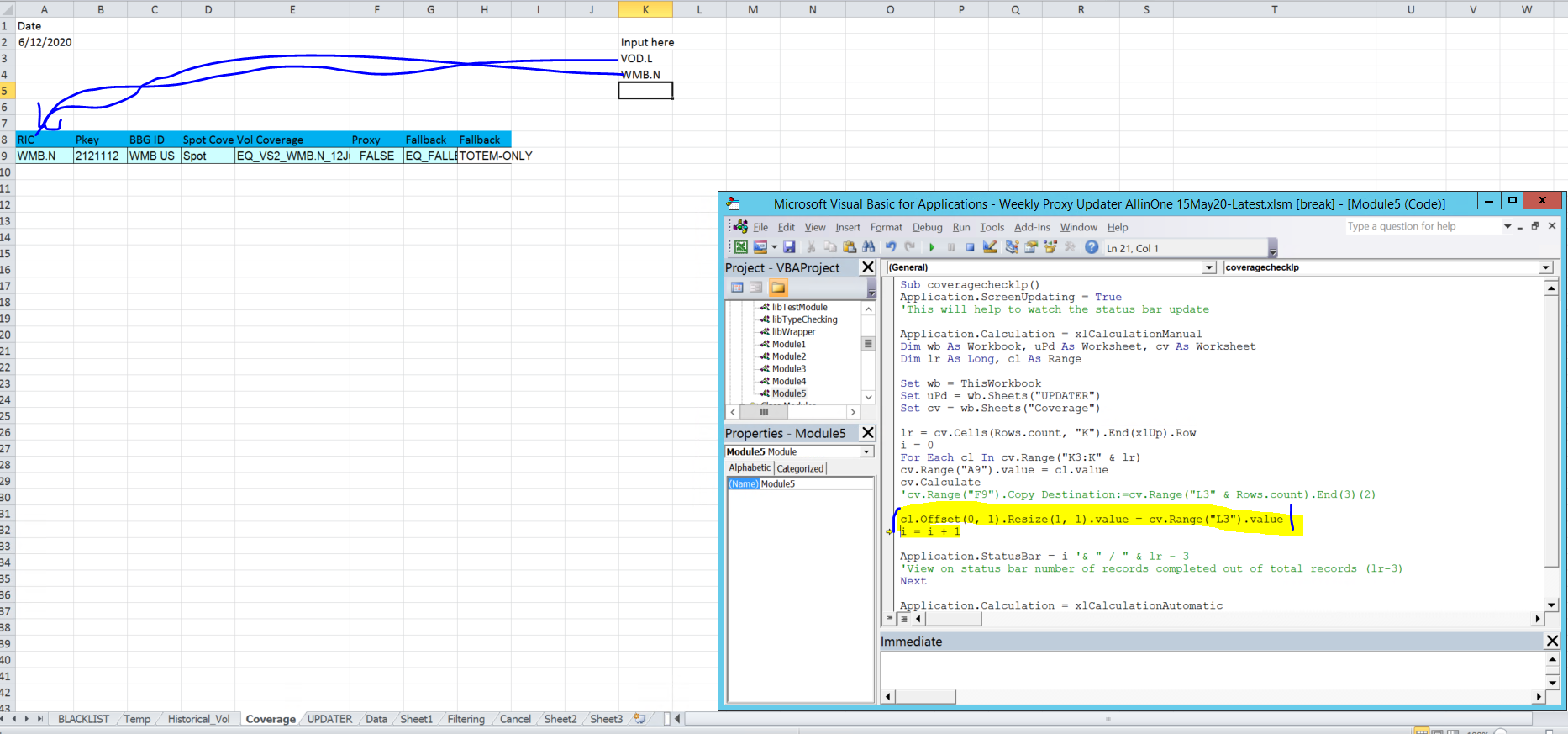
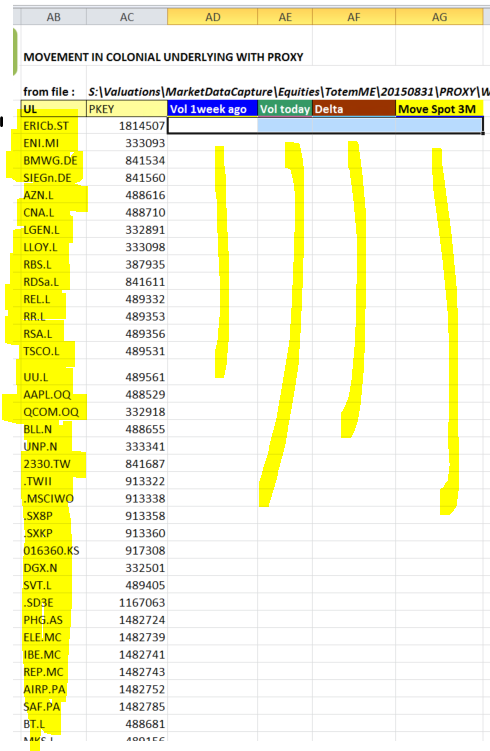
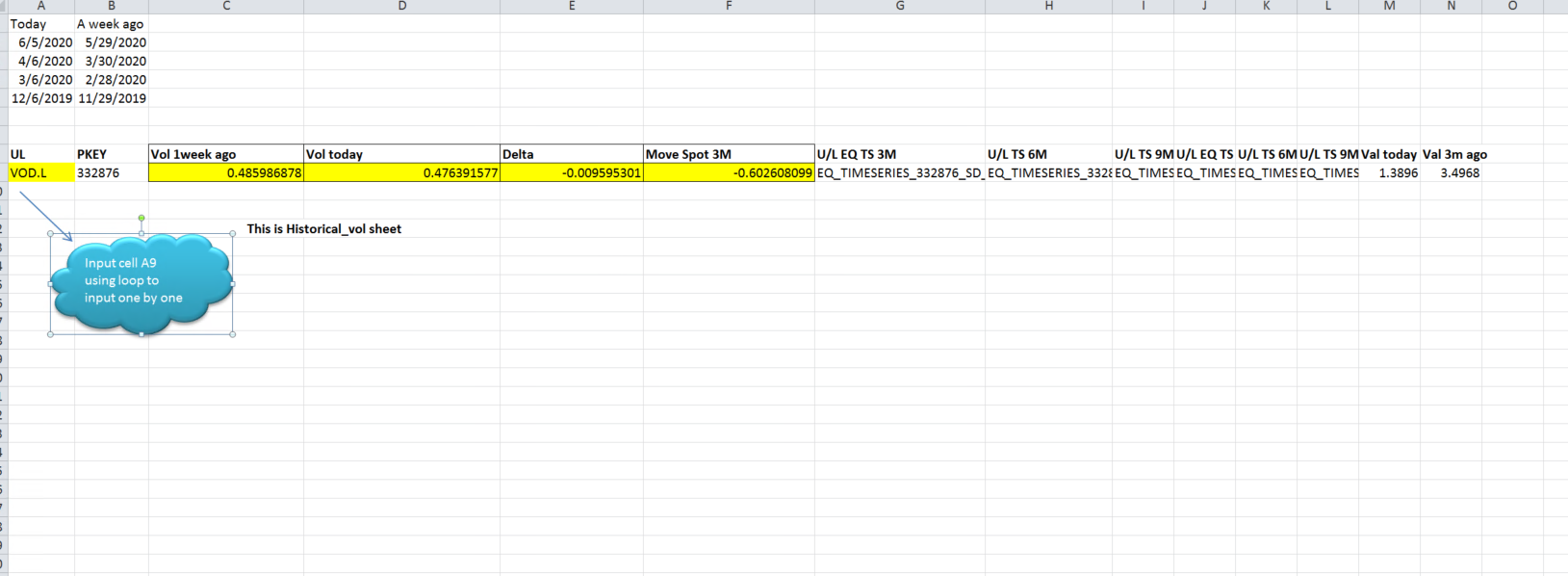
我正在处理两个工作表(“updater”)=输入数据放置的位置(超过700行)和需要复制数据的位置(“historical_vol )=保存公式(C9:N9)的地方,并在单元格A9 of historical_vol工作表中输入更新表中的记录。其目的是获取粘贴在sheet(“updater”).columns(“AB”)中的每个底层的值,但是值是从sheet(“Historical_vol”).column(C9:F9)中计算出来的,然后将这些值粘贴到每行的工作表(“updater”)中,从单元格AD4开始。
Sub historical_vol()
Dim i As Long
Dim a As Worksheet
Dim b As Worksheet

lr = Worksheets("UPDATER").Cells(Rows.count, "AB").End(xlUp).Row
Set a = Worksheets("UPDATER")
Set b = Worksheets("Historical_vol")
 For i = 4 To lr

 b.Range("A9").value = a.Range("AB4" & i).value
 'b.Range("C9":F9").Calculate
 Application.Wait (Now + TimeValue("00:00:02"))
 b.Range("C9:F9").Copy
 NextRow = Cells(Rows.count, "AD").End(xlUp).Row + 1
 Cells(NextRow, "AD").Select
 ActiveSheet.Paste

 Next i

End Sub回答 1
Stack Overflow用户
回答已采纳
发布于 2020-06-09 08:07:34
首先,我注意到行b.Range("A9").value = a.Range("AB4" & i).value应该是b.Range("A9").value = a.Range("AB" & i).value
正如我所看到的,您使用的是Application.Wait,我假设它是用于计算的。因此,我建议使用xlCalculationManual计算并将其重置为自动完成,如下所示。
Sub historical_vol()
Application.ScreenUpdating = True
'This will help to watch the status bar update

Application.Calculation = xlCalculationManual
Dim wb As Workbook, uPd As Worksheet, hV As Worksheet
Dim lr As Long, cl As Range

Set wb = ThisWorkbook
Set uPd = wb.Sheets("UPDATER")
Set hV = wb.Sheets("Historical_vol")

lr = uPd.Cells(Rows.Count, "AB").End(xlUp).Row
i = 0
For Each cl In uPd.Range("AB4:AB" & lr)
hV.Range("A9").Value = cl.Value
hV.Calculate
cl.Offset(0, 2).Resize(1, 4).Value = hV.Range("C9:F9").Value
i = i + 1

Application.StatusBar = i '& " / " & lr - 3
'View on status bar number of records completed out of total records (lr-3)
Next

Application.Calculation = xlCalculationAutomatic
End Sub页面原文内容由Stack Overflow提供。腾讯云小微IT领域专用引擎提供翻译支持
原文链接:
https://stackoverflow.com/questions/62268520
复制相关文章
相似问题
腾讯云开发者

Copyright © 2013 - 2026 Tencent Cloud. All Rights Reserved. 腾讯云 版权所有
深圳市腾讯计算机系统有限公司 ICP备案/许可证号:粤B2-20090059  粤公网安备44030502008569号
腾讯云计算(北京)有限责任公司 京ICP证150476号 | 京ICP备11018762号