
使用高级图表,“number[]”类型与Angular8中的“XrangePointOptionsObject”类型没有相同的属性
使用高级图表,“number[]”类型与Angular8中的“XrangePointOptionsObject”类型没有相同的属性
提问于 2020-05-24 22:23:48
我试图使用Angular8中的高图表添加一个热图,但是类型记录显示了以下错误
“类型'number[]‘与’XrangePointOptionsObject‘类型没有共同点。”
因此,我知道错误来自于部件series.data,当我注释掉页面加载的数据数组时,热图上的字段是空的。我曾经使用javascript开发过类似的图表,但这是我第一次使用类型记录来创建图表。这个热图的高图集选项基本上来自这里- https://www.tutorialspoint.com/angular_highcharts/angular_highcharts_heat_map.htm。
这是heatmap的.ts文件:
import { Component, OnInit } from '@angular/core';
import * as Highcharts from 'highcharts';
import * as highchartsHeatmap from 'highcharts/modules/heatmap';
import HeatmapModule from 'highcharts/modules/heatmap';
HeatmapModule(Highcharts);

@Component({
  selector: 'app-heatmap',
  template: '<div id="container"style="height: 400px; min-width: 380px"></div>',
})

export class HeatMapComponent implements OnInit {

  chartObject: Highcharts.Chart = null;
  constructor() {

  }

  ngOnInit() {
    this.chartObject = Highcharts.chart(

      {
        chart: {
          renderTo:"container",
          type: 'heatmap',
          marginTop: 40,
          marginBottom: 80
        },
        title: {
          text: 'Sales per employee per weekday'
        },
        xAxis: {
          categories: ['Alexander', 'Marie', 'Maximilian', 'Sophia', 'Lukas',
            'Maria', 'Leon', 'Anna', 'Tim', 'Laura']
        },
        yAxis: {
          categories: ['Monday', 'Tuesday', 'Wednesday', 'Thursday', 'Friday'],
          title: null
        },
        colorAxis: {
          min: 0,
          minColor: '#FFFFFF',
          maxColor: Highcharts.getOptions().colors[0]
        },
        legend: {
          align: 'right',
          layout: 'vertical',
          margin: 0,
          verticalAlign: 'top',
          y: 25,
          symbolHeight: 280
        },
        tooltip: {
          formatter: function () {
            return '<b>' + this.series.xAxis.categories[this.point.x] +
              '</b> sold <br><b>' +
              this.point.value +
              '</b> items on <br><b>' +
              this.series.yAxis.categories[this.point.y] + '</b>';
          }
        },
        series: [{
          name: 'sales per employee',
          borderwidth: 1,
          data: [[0, 0, 10], [0, 1, 19], [0, 2, 8], [0, 3, 24], [0, 4, 67],
          [1, 0, 92], [1, 1, 58], [1, 2, 78], [1, 3, 117], [1, 4, 48],
          [2, 0, 35], [2, 1, 15], [2, 2, 123], [2, 3, 64], [2, 4, 52],
          [3, 0, 72], [3, 1, 132], [3, 2, 114], [3, 3, 19], [3, 4, 16],
          [4, 0, 38], [4, 1, 5], [4, 2, 8], [4, 3, 117], [4, 4, 115],
          [5, 0, 88], [5, 1, 32], [5, 2, 12], [5, 3, 6], [5, 4, 120],
          [6, 0, 13], [6, 1, 44], [6, 2, 88], [6, 3, 98], [6, 4, 96],
          [7, 0, 31], [7, 1, 1], [7, 2, 82], [7, 3, 32], [7, 4, 30],
          [8, 0, 85], [8, 1, 97], [8, 2, 123], [8, 3, 64], [8, 4, 84],
          [9, 0, 47], [9, 1, 114], [9, 2, 31], [9, 3, 48], [9, 4, 91]],

          datalabels: {
            enabled: true,
            color: '#000000'
          }
        }]

      }


    );
  }

}
使用类型记录插入图表选项以创建图表和避免类似错误的正确方法是什么?诚挚的问候!
回答 5
Stack Overflow用户
发布于 2020-07-22 09:00:37
Stack Overflow用户
发布于 2020-07-13 11:36:21
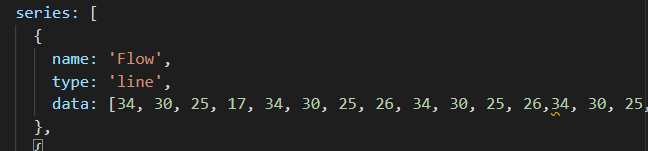
在属性"series“中,您需要添加如下类型:
series: [
        {type: undefined,
        name: 'name I',
        data:[1,2,3]},
       {type: undefined,
        name: 'name II',
data:[4,5,6]}],Stack Overflow用户
发布于 2020-05-25 07:31:08
所以我自己解决了这个错误。如果有相同的错误,请使用以下代码:
import { Component, OnInit } from '@angular/core';
import * as Highcharts from 'highcharts';
import HeatmapModule from 'highcharts/modules/heatmap';
HeatmapModule(Highcharts);

@Component({
  selector: 'app-heatmap',
  template: '<div id="heatmap-object"style="height: 400px; min-width: 380px"></div>',
})

export class HeatMapComponent implements OnInit {


  HeatmapObject: Highcharts.Chart = null;
  constructor() { }

  ngOnInit() {
    let options = this.HeatmapOptions();
    this.HeatmapObject = Highcharts.chart(options);
  }

  HeatmapOptions(): Highcharts.Options {

    let options: Highcharts.Options = {

      chart: {
        renderTo: 'heatmap-object',
        marginTop: 40,
        marginBottom: 80,
        plotBorderWidth: 1
      },
      title: {
        text: 'Sales per employee per weekday'
      },
      xAxis: {
        categories: ['Alexander', 'Marie', 'Maximilian', 'Sophia', 'Lukas', 'Maria', 'Leon', 'Anna', 'Tim', 'Laura']
      },
      yAxis: {
        categories: ['Monday', 'Tuesday', 'Wednesday', 'Thursday', 'Friday'],
        title: null
      },
      colorAxis: {
        min: 0,
        minColor: '#FFFFFF',
        maxColor: Highcharts.getOptions().colors[0]
      },
      legend: {
        align: 'right',
        layout: 'vertical',
        margin: 0,
        verticalAlign: 'top',
        y: 25,
        symbolHeight: 280
      },
      tooltip: {
        formatter: function () {
          return '<b>' + this.series.xAxis.categories[this.point.x] + '</b> sold <br><b>' +
            this.point.value + '</b> items on <br><b>' + this.series.yAxis.categories[this.point.y] + '</b>';
        }
      },
      series: [{
        type: 'heatmap',
        name: 'Sales per employee',
        borderWidth: 1,
        data: [[0, 0, 10], [0, 1, 19], [0, 2, 8], [0, 3, 24], [0, 4, 67], [1, 0, 92], [1, 1, 58], [1, 2, 78], [1, 3, 117], [1, 4, 48], [2, 0, 35], [2, 1, 15], [2, 2, 123], [2, 3, 64], [2, 4, 52], [3, 0, 72], [3, 1, 132], [3, 2, 114], [3, 3, 19], [3, 4, 16], [4, 0, 38], [4, 1, 5], [4, 2, 8], [4, 3, 117], [4, 4, 115], [5, 0, 88], [5, 1, 32], [5, 2, 12], [5, 3, 6], [5, 4, 120], [6, 0, 13], [6, 1, 44], [6, 2, 88], [6, 3, 98], [6, 4, 96], [7, 0, 31], [7, 1, 1], [7, 2, 82], [7, 3, 32], [7, 4, 30], [8, 0, 85], [8, 1, 97], [8, 2, 123], [8, 3, 64], [8, 4, 84], [9, 0, 47], [9, 1, 114], [9, 2, 31], [9, 3, 48], [9, 4, 91]],
        dataLabels: {
          enabled: true,
          color: '#000000'
        }
      }]

    }

    return options;
  }

}页面原文内容由Stack Overflow提供。腾讯云小微IT领域专用引擎提供翻译支持
原文链接:
https://stackoverflow.com/questions/61993148
复制相关文章
相似问题
腾讯云开发者

Copyright © 2013 - 2026 Tencent Cloud. All Rights Reserved. 腾讯云 版权所有
深圳市腾讯计算机系统有限公司 ICP备案/许可证号:粤B2-20090059  粤公网安备44030502008569号
腾讯云计算(北京)有限责任公司 京ICP证150476号 | 京ICP备11018762号