
Laravel Google 2 2fa代码不显示
Laravel Google 2 2fa代码不显示
提问于 2020-03-19 14:10:56
目前,我正在为Google2FA使用一个包,并从我的控制器中提取一个字符串变量形式的SVG代码,然后根据该包要求添加QR代码。问题是,这没有显示图像,我认为这是因为我从控制器中提取的字符串值。
这是从我的控制器收到的变量的值:
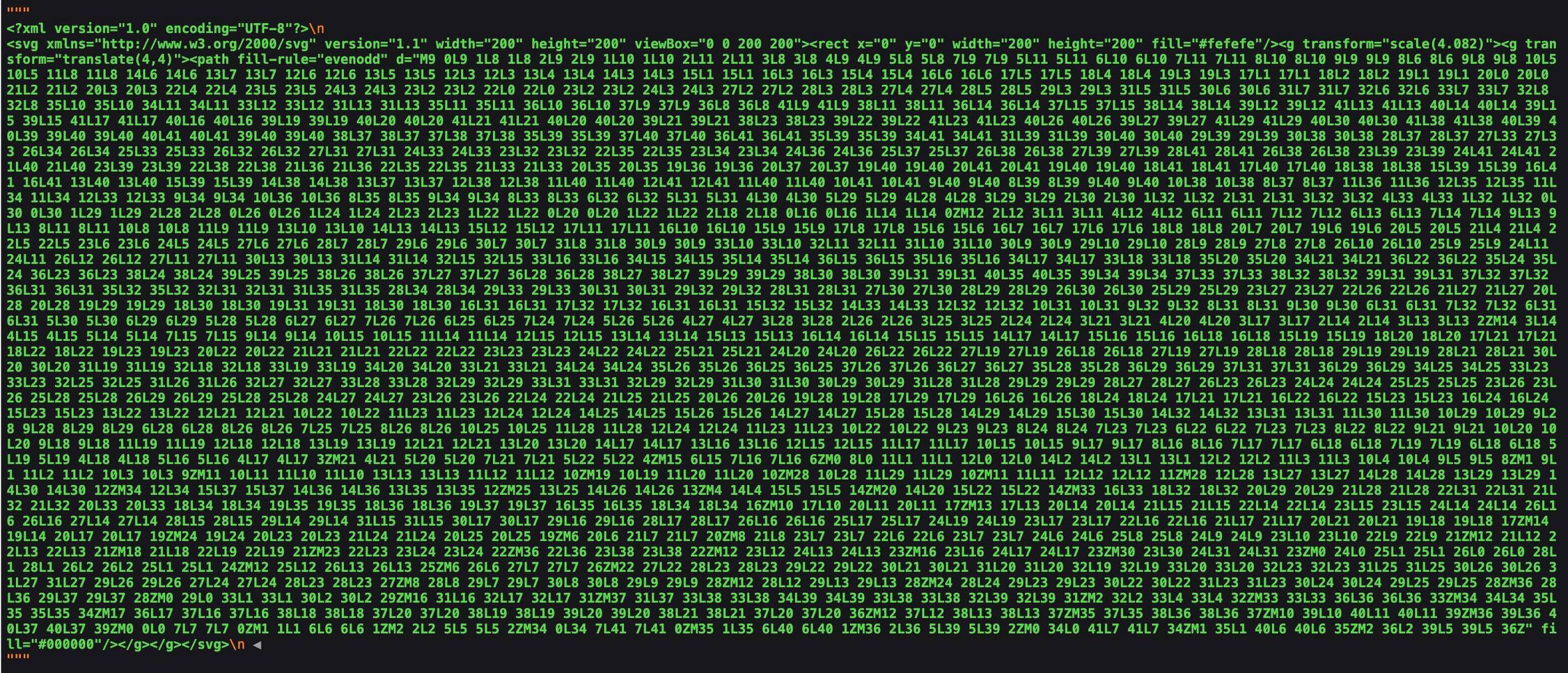
在我的刀片文件中回显这一点时,它只是回显字符串值。如果我要在没有"“的情况下复制这个字符串值,Laravel会识别该值为html,并显示我的QR代码。有没有办法回显它的刀片,以识别它为html代码?或者,当以这种方式将SVG文件作为变量拉进来时,如何在刀片文件中显示这个SVG文件?如果有人愿意帮助我,我们将不胜感激!
链接到Laravel包-> https://github.com/antonioribeiro/google2fa-laravel
我的财务主任:
public function register(Request $request)
    {
        //Validate the incoming request using the already included validator method
        $this->validator($request->all())->validate();

        // Initialise the 2FA class
        $google2fa = app('pragmarx.google2fa');

        // Save the registration data in an array
        $registration_data = $request->all();

        // Add the secret key to the registration data
        $registration_data["google2fa_secret"] = $google2fa->generateSecretKey();

        // Save the registration data to the user session for just the next request
        $request->session()->flash('registration_data', $registration_data);

        // Generate the QR image. This is the image the user will scan with their app
        // to set up two factor authentication
        $QR_Image = $google2fa->getQRCodeInline(
            config('app.name'),
            $registration_data['email'],
            $registration_data['google2fa_secret']
        );

        // Pass the QR barcode image to our view
        return view('google2fa.register', ['QR_Image' => $QR_Image, 'secret' => $registration_data['google2fa_secret']]);
    }
我的观点:
<div>
     <img src="{{ $QR_Image }}">
</div>回答 1
Stack Overflow用户
回答已采纳
发布于 2020-03-19 14:38:04
这应该相当容易:
<div>
     {!! $QR_Image !!}
</div>您需要{!! !!}来呈现HTML/SVG数据而不转义它。您需要删除img标记,因为它不是真正的图像,而是SVG。
页面原文内容由Stack Overflow提供。腾讯云小微IT领域专用引擎提供翻译支持
原文链接:
https://stackoverflow.com/questions/60758920
复制相关文章
相似问题
腾讯云开发者

Copyright © 2013 - 2026 Tencent Cloud. All Rights Reserved. 腾讯云 版权所有
深圳市腾讯计算机系统有限公司 ICP备案/许可证号:粤B2-20090059  粤公网安备44030502008569号
腾讯云计算(北京)有限责任公司 京ICP证150476号 | 京ICP备11018762号