
为什么_issi.cfg文件在Inno安装程序中不能工作?
为什么_issi.cfg文件在Inno安装程序中不能工作?
提问于 2020-03-12 10:16:35
我编写这段代码是为了在安装程序启动之前添加启动屏幕:
[ISSI]

#define ISSI_Splash "C:\ABoffice\Install\InnoSetupProject\Images\client.bmp"
#define ISSI_Splash_T 5
#define ISSI_Splash_X 500
#define ISSI_Splash_Y 220
//#define ISSI_IncludePath "C:\ISSI"
#include ISSI_IncludePath+"\_issi.isi"

[Setup]
AppName=Client AB OFFICE
AppVersion=5.0
DefaultDirName={sd}\AB_Office\Client
指导手册说,我可以通过在位于ISSI文件夹中的"_issi.cfg“文件中设置一些预置来配置我的ISSI安装。下面是我的"_issi.cfg“文件的样子:
[ISSI Configuration]
#define ISSI_IncludePath "C:\ISSI"
;#define ISSI_Constants "YYMDHMS"
;#define ISSI_ConstantsSeperator "."
;#define ISSI_Compression
;#define ISSI_BeveledLabel

[Setup]
OutputDir=C:\Inno Setup Output
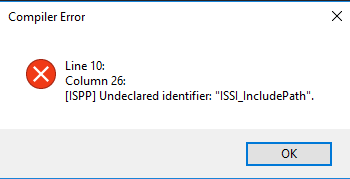
但是,当我编译我的脚本时,我会得到以下错误:
未声明的标识符:"ISSI_IncludePath“。
我需要在代码中添加什么才能从_issi.cfg中读取
回答 1
Stack Overflow用户
回答已采纳
发布于 2020-03-12 12:09:51
在ISSI_IncludePath中设置_issi.cfg。
然后,通过使用_issi.cfg引用.iss脚本,尝试将ISSI_IncludePath包含到它中。
那是一个循环相依。
也许你想在你的国际空间站文件中设置ISSI_IncludePath:
#define ISSI_IncludePath "C:\ISSI"

#include ISSI_IncludePath+"\_issi.isi"然后,您可能会让您从#define ISSI_IncludePath中删除_issi.cfg。
页面原文内容由Stack Overflow提供。腾讯云小微IT领域专用引擎提供翻译支持
原文链接:
https://stackoverflow.com/questions/60651909
复制相关文章
相似问题
腾讯云开发者

Copyright © 2013 - 2026 Tencent Cloud. All Rights Reserved. 腾讯云 版权所有
深圳市腾讯计算机系统有限公司 ICP备案/许可证号:粤B2-20090059  粤公网安备44030502008569号
腾讯云计算(北京)有限责任公司 京ICP证150476号 | 京ICP备11018762号