
基于转换属性的另一个路径协调插入svg路径
基于转换属性的另一个路径协调插入svg路径
提问于 2020-03-11 18:00:35
我想在我已经应用了transform属性的另一条路径上插入一个路径(使用级数param )。
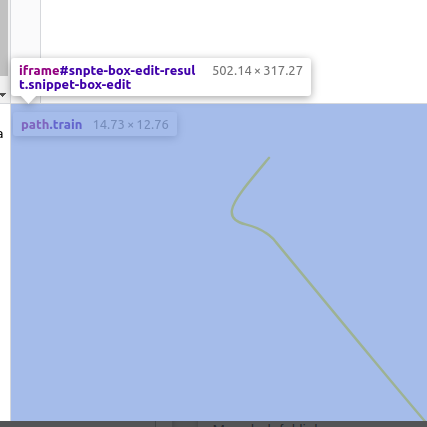
问题是,当我从getPointAtLength(//h2 path//)得到点位置时,x和y参数与h2的位置不一样。
所以他们就能从盒子里出来了。
let paths = d3.select('svg').select("#h2").selectAll('path.train').data([1,2]);
let branch=d3.select('svg').select("#h2").select('path')
paths.enter().append('path')
          .attr('d', d3.symbol().type(d3.symbolTriangle))
          .attr('class', 'train')
          .attr('fill','black')
          .attr('transform',(d,i)=>  {
          let point = branch.node()
              .getPointAtLength(30)
           return `translate(${point.x},${point.y}`
})<script src="https://cdnjs.cloudflare.com/ajax/libs/d3/4.9.0/d3.min.js"></script>
<svg viewBox="0 0 388.71 412.14">
<g data-id="branch" id="h2" transform="translate(-885 -562) ">
<g class="branch-label" id="h2select" transform="translate(-240 -340)"></g>
<rect fill="rgba(255,255,255,1)" height="11" id="h2" width="12"></rect>
<path d="M1093.763,1595.658 v -82.417 c 0,0 5,-14.987 -18.452,-16.644 -23.452,-1.657 -40.9,2.386 -54.093,-11.537 -13.193,-13.923 -132.873,-159.193 -132.873,-159.193 0,0 -6.456,-10.249 -24.986,-14.661 -18.53,-4.412 -11.029,-16.736 -2.10392,-28.6309 2.68431,-3.5775 12.32475,-15.4715 21.44325,-26.363" data-name="h2" fill="none" id="h2-3" stroke="#efcf2f" stroke-linecap="round" stroke-width="2" transform="translate(208.67 -656.38)" style="opacity: 1;"></path>
</g>
</svg>
我想要的是如何将三角形定位到路径的30%,而不删除svg上的“`transform属性”?
回答 1
Stack Overflow用户
回答已采纳
发布于 2020-03-13 12:08:08
我们可以将路径“包装”在g元素中,并将路径进行转换并将其从路径中移除?
那你的方法应该有效吗?
var child = document.getElementById('h2-3');
var parent = child.parentNode;
var i = Array.prototype.indexOf.call(parent.children, child);
console.log(i);
child = parent.removeChild(child);

var g = document.createElementNS('http://www.w3.org/2000/svg','g');
g.setAttribute('transform', child.getAttribute('transform'));
child.removeAttribute('transform');
g.appendChild(child);

if (i < parent.childNodes.length) {
  parent.insertBefore(g, parent.childNodes[i]);
} else {
  parent.appendChild(g);
}

const len = child.getTotalLength();
//console.log(len)
const point = child.getPointAtLength(0.99*len);
var circle = document.createElementNS('http://www.w3.org/2000/svg','circle')
circle.setAttribute('cx', point.x);
circle.setAttribute('cy', point.y);
circle.setAttribute('r', 10);
circle.setAttribute('fill', 'black');
g.appendChild(circle);

var myInterval;
var currProgress = 0.995;
var direction = -1;
var count = 0;

myInterval = setInterval(myAnimate, 50);

function myAnimate() {
  if (currProgress <= 0.0 || currProgress >= 1.0) {
    direction *= -1;
  }
  //console.log(currProgress);
  const myPoint = child.getPointAtLength(currProgress * len);
  circle.setAttribute("cx", myPoint.x);
  circle.setAttribute("cy", myPoint.y);
  currProgress += direction * 0.005;

  if (count >= 5) {
    clearInterval(myInterval);
  }
}


/*
let paths = d3.select('svg').select("#h2").selectAll('path.train').data([1,2]);
let branch = d3.select('svg').select("#h2").select('path')
paths.enter().append('path')
          .attr('d', d3.symbol().type(d3.symbolTriangle))
          .attr('class', 'train')
          .attr('fill','black')
          .attr('transform',(d,i)=>  {
          let point = branch.node()
              .getPointAtLength(30)
           return `translate(${point.x},${point.y}`
          })
*/<script src="https://cdnjs.cloudflare.com/ajax/libs/d3/4.9.0/d3.min.js"></script>
<svg viewBox="0 0 450 500">
<g data-id="branch" id="h2" transform="translate(-885 -562) ">
<g class="branch-label" id="h2select" transform="translate(-240 -340)"></g>
<rect fill="rgba(255,255,255,1)" height="11" id="h2" width="12"></rect>
<path d="M1093.763,1595.658 v -82.417 c 0,0 5,-14.987 -18.452,-16.644 -23.452,-1.657 -40.9,2.386 -54.093,-11.537 -13.193,-13.923 -132.873,-159.193 -132.873,-159.193 0,0 -6.456,-10.249 -24.986,-14.661 -18.53,-4.412 -11.029,-16.736 -2.10392,-28.6309 2.68431,-3.5775 12.32475,-15.4715 21.44325,-26.363" data-name="h2" fill="none" id="h2-3" stroke="#efcf2f" stroke-linecap="round" stroke-width="2" transform="translate(208.67 -656.38)" style="opacity: 1;"></path>
</g>
</svg>
我们可以使用以下JS来完成这一任务:
var child = document.getElementById('h2-3');
var parent = child.parentNode;
var i = Array.prototype.indexOf.call(parent.children, child);
console.log(i);
child = parent.removeChild(child);

var g = document.createElementNS('http://www.w3.org/2000/svg','g');
g.setAttribute('transform', child.getAttribute('transform'));
child.removeAttribute('transform');
g.appendChild(child);

if (i < parent.childNodes.length) {
  parent.insertBefore(g, parent.childNodes[i]);
} else {
  parent.appendChild(g);
}
这样,您就可以将路径“包装”在g元素中,并将路径进行转换并将其从路径中移除。
由此产生的DOM是:
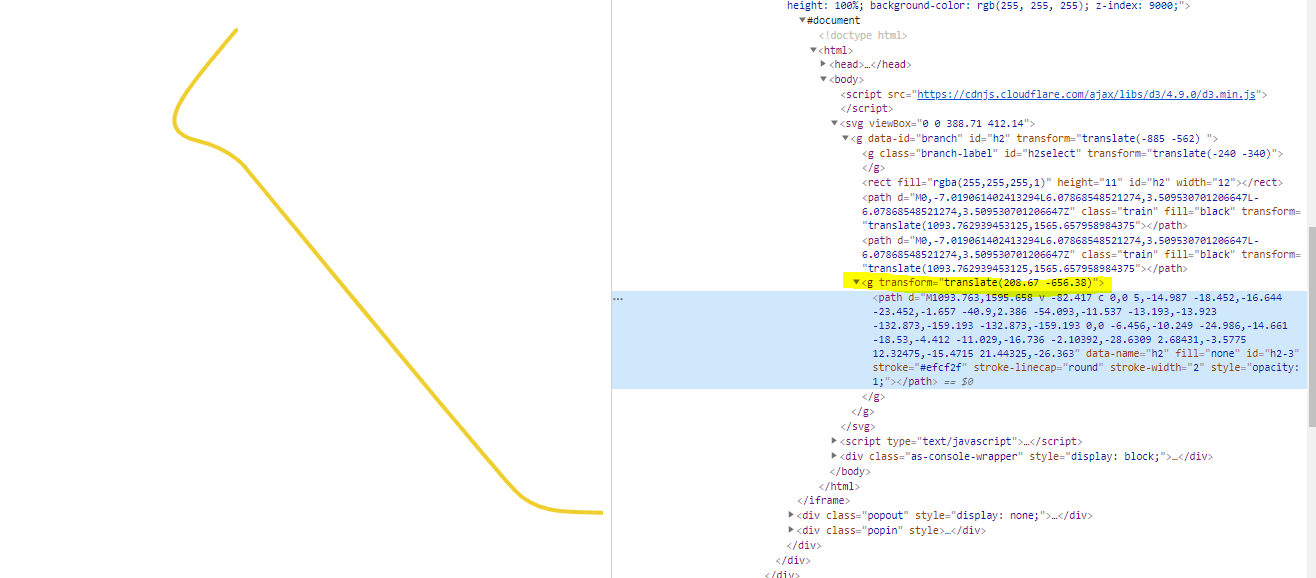
然后,我们可以使用以下JS在路径长度的30%处放置一个圆:
const len = child.getTotalLength();
console.log(len)
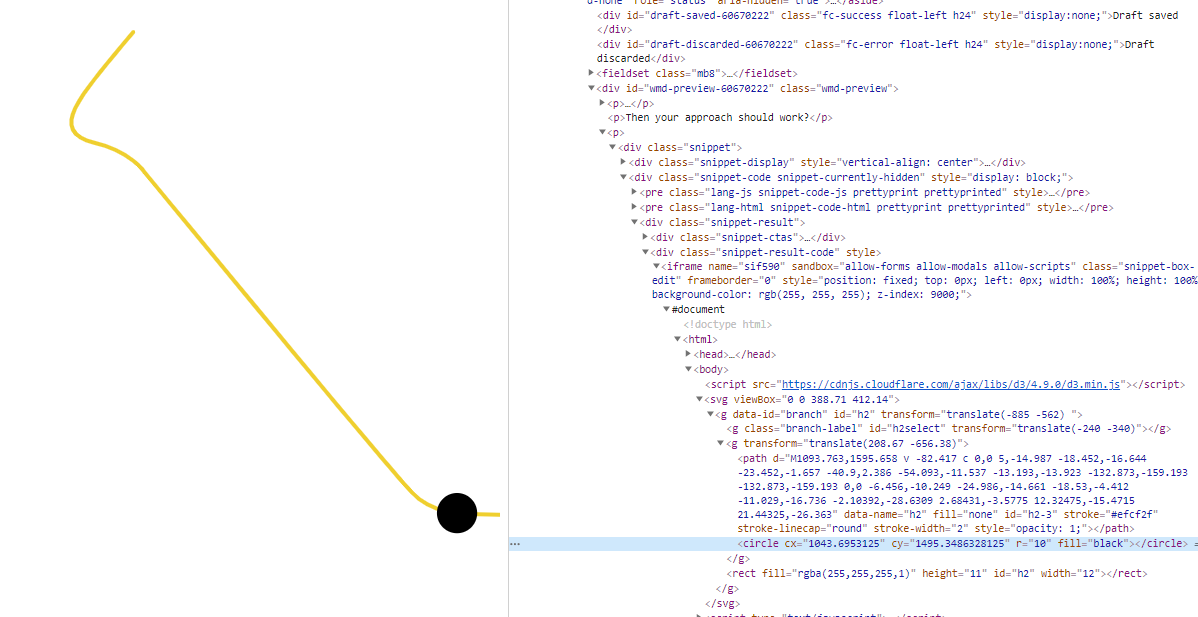
const point = child.getPointAtLength(0.3*len);
var circle = document.createElementNS('http://www.w3.org/2000/svg','circle')
circle.setAttribute('cx', point.x);
circle.setAttribute('cy', point.y);
circle.setAttribute('r', 10);
circle.setAttribute('fill', 'black');
g.appendChild(circle);
然后我们得到这个输出(您可以使用其他值(如0.6*len来查看其他位置的圆圈):
更新
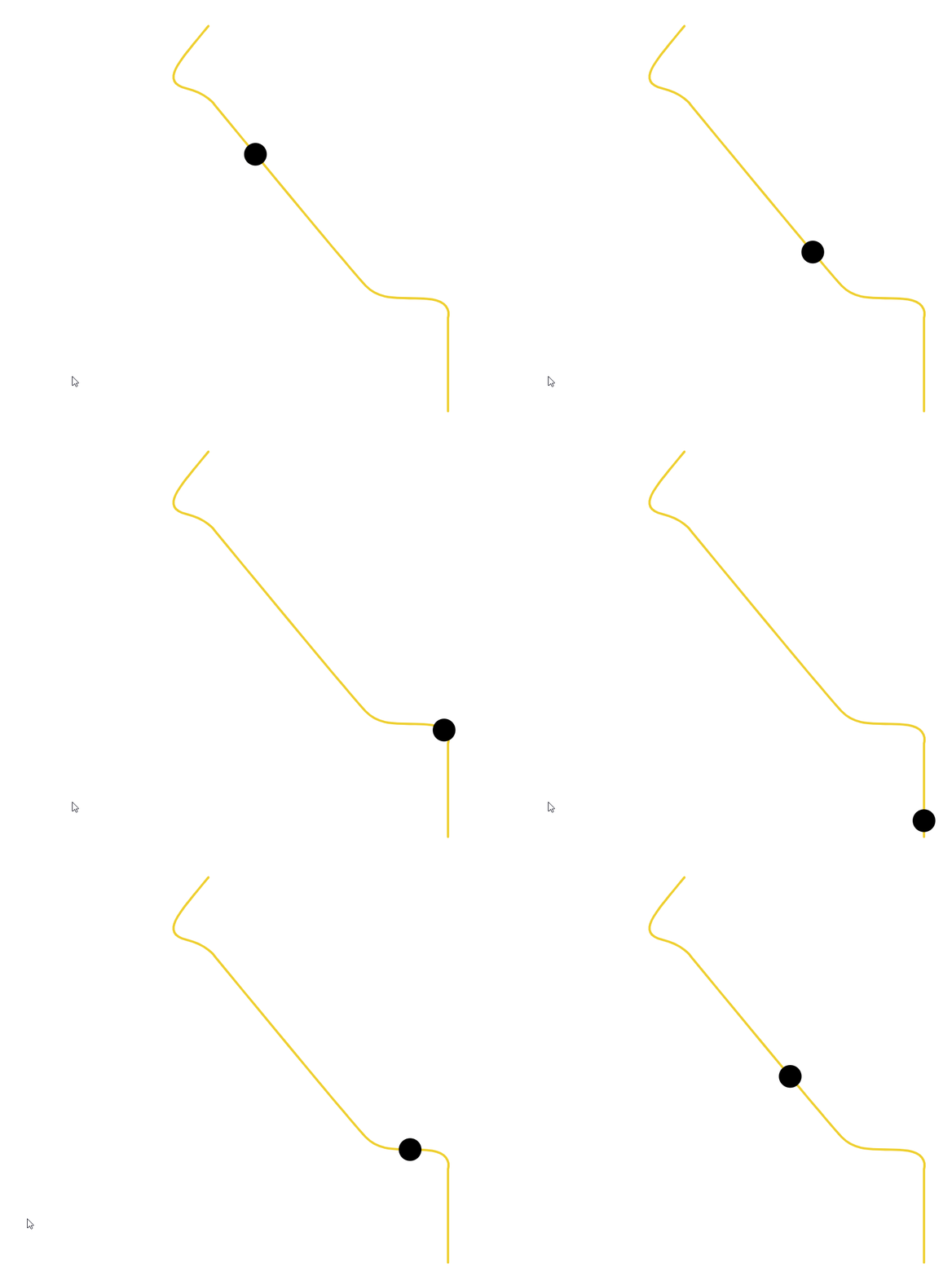
实际上,我注意到有些路径被切断了,因为它位于svg视图框之外,因此我对viewbox进行了如下修改:
<svg viewBox="0 0 450 500">然后我还添加了一些动画代码,因为,为什么不呢?
var myInterval;
var currProgress = 0.995;
var direction = -1;
var count = 0;

myInterval = setInterval(myAnimate, 50);

function myAnimate() {
  if (currProgress <= 0.0 || currProgress >= 1.0) {
    direction *= -1;
  }
  //console.log(currProgress);
  const myPoint = child.getPointAtLength(currProgress * len);
  circle.setAttribute("cx", myPoint.x);
  circle.setAttribute("cy", myPoint.y);
  currProgress += direction * 0.005;

  if (count >= 5) {
    clearInterval(myInterval);
  }
}
结果是:
页面原文内容由Stack Overflow提供。腾讯云小微IT领域专用引擎提供翻译支持
原文链接:
https://stackoverflow.com/questions/60642047
复制相关文章
相似问题
腾讯云开发者

Copyright © 2013 - 2026 Tencent Cloud. All Rights Reserved. 腾讯云 版权所有
深圳市腾讯计算机系统有限公司 ICP备案/许可证号:粤B2-20090059  粤公网安备44030502008569号
腾讯云计算(北京)有限责任公司 京ICP证150476号 | 京ICP备11018762号