
无法在文本框区域中写入新字段
无法在文本框区域中写入新字段
提问于 2020-03-08 20:28:54
我试图在飞行搜索应用程序(https://flights.msn.com/en-in/flight-search)中写入任何新字段,但无法编写。我尝试了所有可能的XPath和定位器,但都做不到。
中的默认值不允许删除,也不允许写入任何新字段。
Link:https://flights.msn.com/en-in/flight-search
字段:起源地
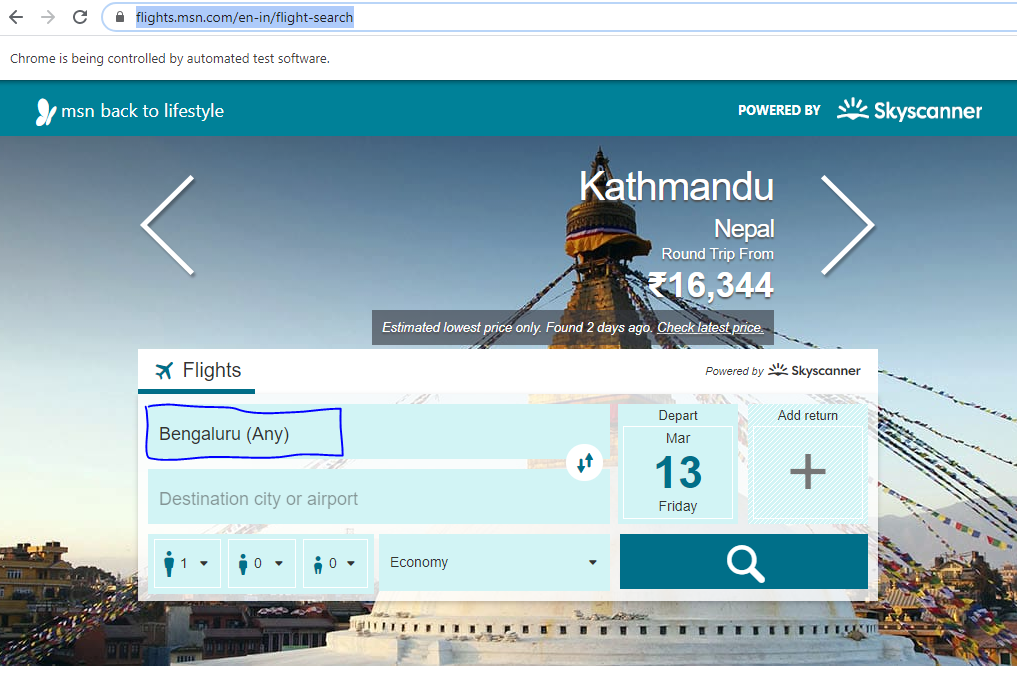
错误:
线程“
”org.openqa.selenium.NoSuchElementException中的异常:没有这样的元素:无法定位元素:{“方法”:“xpath”,“选择器”:“//div@class=‘js-原始位置字段-框flex'"} (会话信息: chrome=80.0.3987.132)
码
<div class="js-originplace field-box flex"><div class="place-selector js-place-selector">
        <div class="place-selector__root clearfix">
            <a href="#" tabindex="1" class="place-selector__cover text-ellipsis js-autocomplete-place-cover populated">Bengaluru <span class="place-selector__cover-id">(Any)<span></span></span></a>
            <div class="place-selector__content">
                <input class="place-selector__input js-place-input" size="1" tabindex="1" type="text" placeholder="Origin city or airport" autocomplete="off" value="">
                <div class="place-selector__loading-spinner js-loading js-spin-activated" style="display: none;">
                <div class="place-selector__dropdown dropdown">
                    <div class="place-selector__not-found js-not-found" style="display: none;">
                        <div data-i18n="search.place.not-found">Type a city or airport</div>
                    </div>
                    <ul class="dropdown-items js-dropdown-items"></ul>
                </div>
            </div>
        </div>
</div></div>回答 2
Stack Overflow用户
发布于 2020-03-08 23:31:28
试试这个xpath:
//*[@class='js-originplace field-box flex']/descendant-or-self::a备选案文2
WebElement element = driver.findElement(By.xpath("//*[@class='js-originplace field-box flex']/descendant-or-self::a"));
JavascriptExecutor js= (JavascriptExecutor)driver;
js.executeScript("arguments[0].click();", element);Stack Overflow用户
发布于 2020-03-09 04:33:08
尝试在字段上使用element.click,然后使用清除的发送键发送您的输入。
页面原文内容由Stack Overflow提供。腾讯云小微IT领域专用引擎提供翻译支持
原文链接:
https://stackoverflow.com/questions/60591780
复制相关文章
相似问题
腾讯云开发者

Copyright © 2013 - 2026 Tencent Cloud. All Rights Reserved. 腾讯云 版权所有
深圳市腾讯计算机系统有限公司 ICP备案/许可证号:粤B2-20090059  粤公网安备44030502008569号
腾讯云计算(北京)有限责任公司 京ICP证150476号 | 京ICP备11018762号