
如何使用javascript删除内存中创建的元素
如何使用javascript删除内存中创建的元素
提问于 2020-03-06 15:45:00
,这是我的情况
顺便说一句,我不想像下面的代码那样将vdom插入到身体DOM中。
  // vdom
  const alink = document.createElement('a');
  document.body.appendChild(alink);
  alink.click();
document.body.removeChild(alink);const virtualDomConvert = (filename = ``) => {
const svg = document.querySelector(`[id="live_map_svg"]`);
const clone = svg.cloneNode(true);
clone.id = 'vdom_svg';
// autoRemoveAttributes(clone);
const html = clone.outerHTML;
// add xml namespace, support browser open preview
const xml = `
<?xml version="1.0" encoding="UTF-8"?>
${html}
`.trim();
const alink = document.createElement('a');
alink.setAttribute('href', 'data:image/svg+xml;charset=utf-8,' + encodeURIComponent(xml));
alink.setAttribute('download', filename);
alink.style.display = 'none';
const vdom = document.createElement(`div`);
vdom.appendChild(alink);
alink.click();
vdom.removeChild(alink);
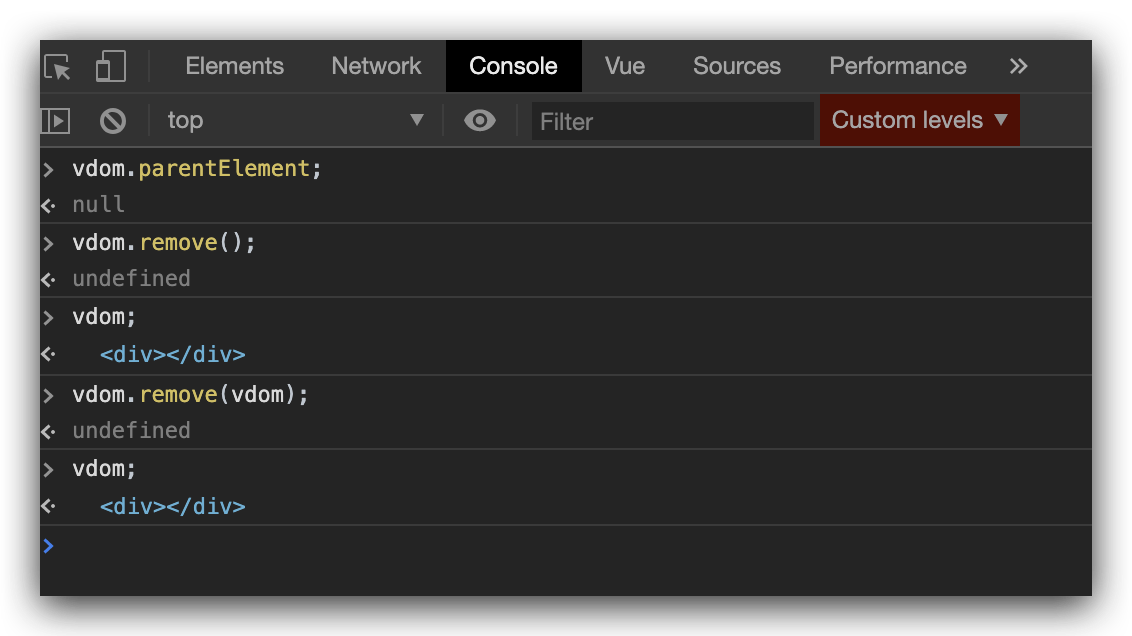
// ❓ how to delete vdom ???
// vdom.remove();
// vdom.parentElement.removeChild(vdom);
}我试过一些方法,但仍然没有用。
参考文献
https://developer.mozilla.org/en-US/docs/Web/API/ChildNode/remove
回答 1
Stack Overflow用户
回答已采纳
发布于 2020-03-06 16:38:24
解决方案
I指出,
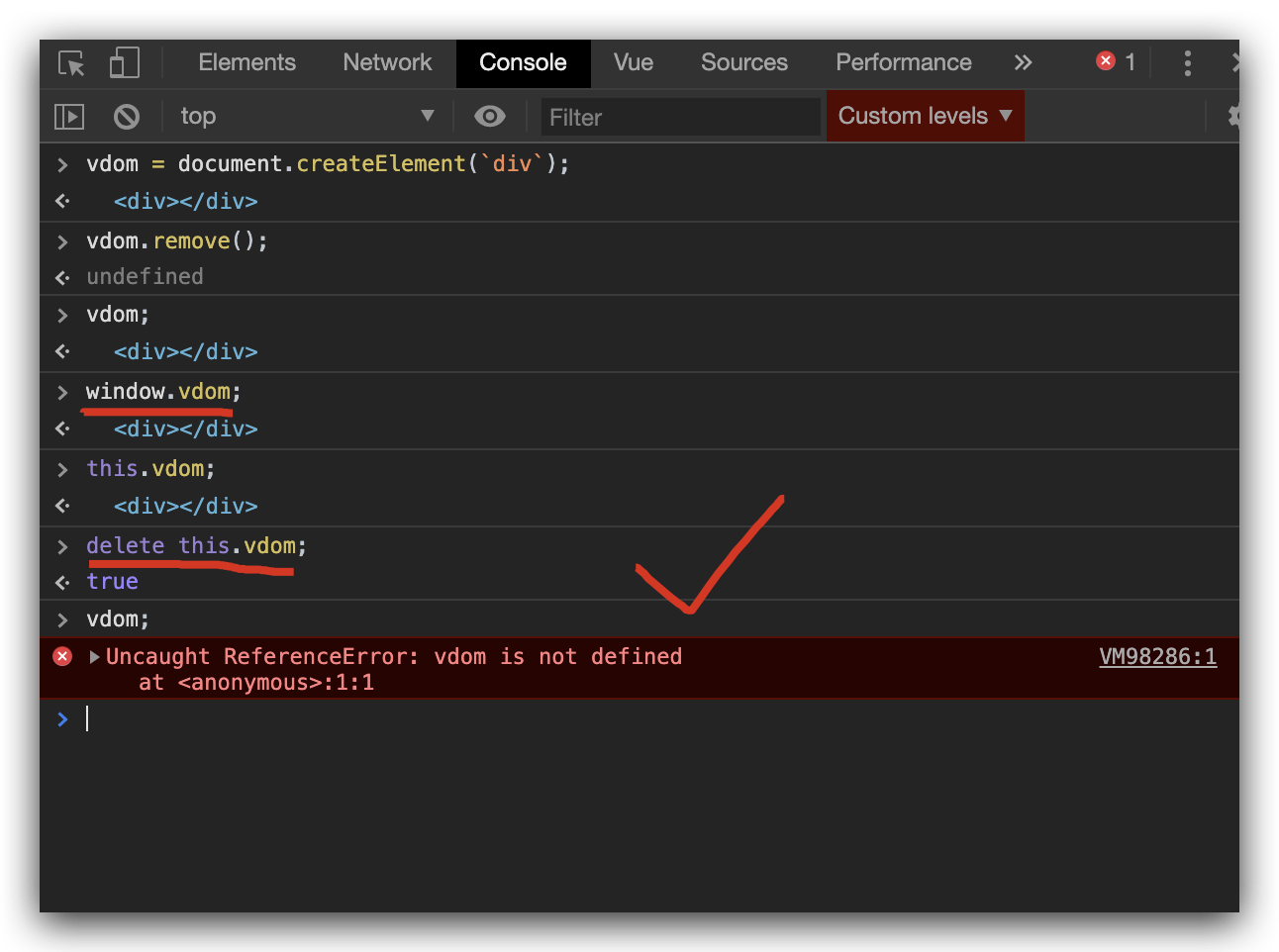
vdom只是在JS环境中,而不是在真正的DOM上下文中,因此很容易删除vdom。
const log = console.log;

const virtualDomConvert = (filename = ``) => {
  const svg = document.querySelector(`[id="live_map_svg"]`);
  const clone = svg.cloneNode(true);
  clone.id = 'vdom_svg';
  // autoRemoveAttributes(clone);
  const html = clone.outerHTML;
  // add xml namespace, support browser open preview
  const xml = `
    <?xml version="1.0" encoding="UTF-8"?>
    ${html}
  `.trim();
  const alink = document.createElement('a');
  alink.setAttribute('href', 'data:image/svg+xml;charset=utf-8,' + encodeURIComponent(xml));
  alink.setAttribute('download', filename);
  alink.style.display = 'none';
  const vdom = document.createElement(`div`);
  vdom.appendChild(alink);
  alink.click();
  vdom.removeChild(alink);
  log(`vdom`, vdom);
  setTimeout(() => {
    delete this.vdom;
    log(`deleted vdom`, vdom);
  }, 3000);
}
如截图所示
页面原文内容由Stack Overflow提供。腾讯云小微IT领域专用引擎提供翻译支持
原文链接:
https://stackoverflow.com/questions/60567395
复制相关文章
相似问题
腾讯云开发者

Copyright © 2013 - 2026 Tencent Cloud. All Rights Reserved. 腾讯云 版权所有
深圳市腾讯计算机系统有限公司 ICP备案/许可证号:粤B2-20090059  粤公网安备44030502008569号
腾讯云计算(北京)有限责任公司 京ICP证150476号 | 京ICP备11018762号