
计算cv2中的白像素
我正在尝试用python和openCV来实现视神经胶质瘤的鉴别。
为了成功地分类视神经胶质瘤,我需要做以下几个步骤。
Done
- Calculate
- 找到图像中最亮的部分,并使用cv2在其上放置一个圆圈-
- 在cv2中的图像上放置白色部分。
这是我的识别图像中最亮部分的代码
gray = cv2.GaussianBlur(gray, (371, 371), 0)
(minVal, maxVal, minLoc, maxLoc) = cv2.minMaxLoc(gray)
image = orig.copy()
cv2.circle(image, maxLoc, 371, (255, 0, 0), 2)

sought = [254,254,254]
amount = 0

for x in range(image.shape[0]):
    for y in range(image.shape[1]):
        b, g, r = image[x, y]
        if (b, g, r) == sought:
            amount += 1

print(amount)

image = imutils.resize(image, width=400)

# display the results of our newly improved method
cv2.imshow("Optic Image", image)
cv2.waitKey(0)
上面的代码返回以下输出
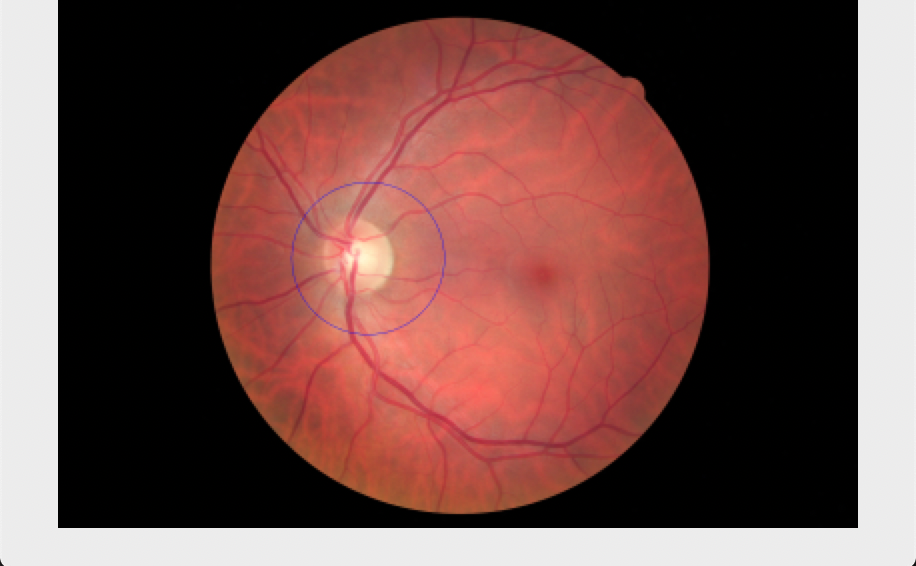
我现在要做的是识别cv2.圆内图像的白色区域的大小。
非常感谢!
回答 2
Stack Overflow用户
发布于 2020-02-28 18:54:44
我不知道您认为什么是“白色”,但这里有一种方法可以在Python/OpenCV中进行计数。只需读一读图像。转换为灰度。在一定程度上达到门槛。然后计算阈值图像中的白像素数。
如果我使用输出图像作为输入(在删除白色边框后):
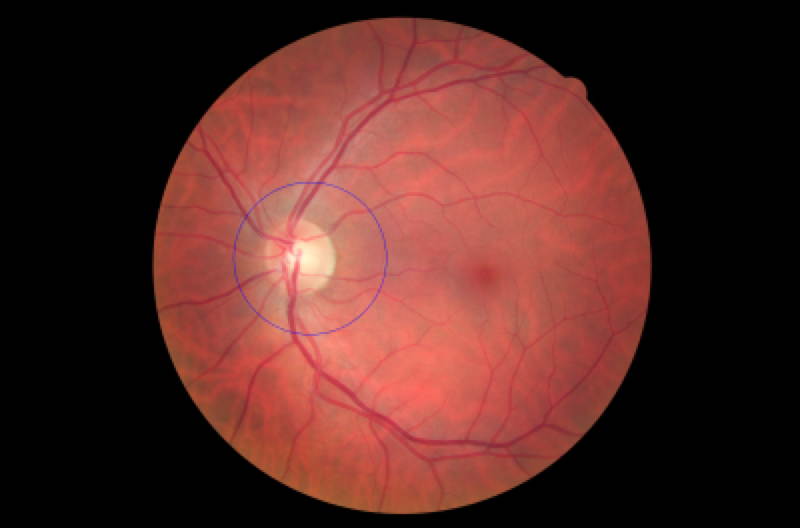
import cv2
import numpy as np

# read image
img = cv2.imread('optic.png')

# convert to HSV and extract saturation channel
gray = cv2.cvtColor(img, cv2.COLOR_RGB2GRAY)

# threshold
thresh = cv2.threshold(gray, 175, 255, cv2.THRESH_BINARY)[1]

# count number of white pixels
count = np.sum(np.where(thresh == 255))
print("count =",count)

# write result to disk
cv2.imwrite("optic_thresh.png", thresh)

# display it
cv2.imshow("IMAGE", img)
cv2.imshow("THRESH", thresh)
cv2.waitKey(0)
缩影图像:
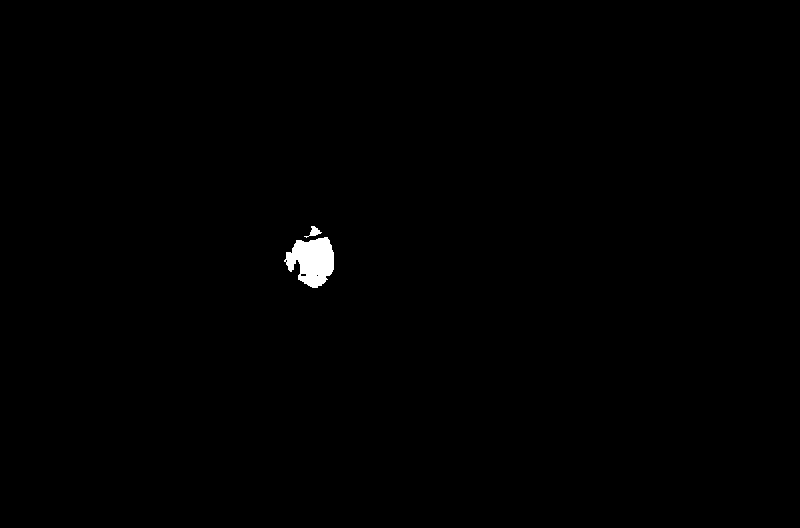
阈值中白色像素的计数:
count = 1025729Stack Overflow用户
发布于 2020-02-29 01:09:03
我仍然不知道你认为什么是白色,什么是你认为的黄色圆圈。但是下面是使用Python/OpenCV的另一次尝试。
- 读取输入的
- ,将输入转换为0到1的一维数据,
- 使用kmeans聚类来减少颜色,并转换回0到255范围作为2D图像
- 使用inRange颜色阈值来隔离“黄色”区域
h 19用形态学清理它,得到轮廓< for >h 210H 111/代码>得到最小包围圆中心和半径,并使中心偏置一点<<代码>H 212<编码>H 113在输入代码上画一个未填充的白色圆圈,在输入代码<>H 214/代码>上画一个填充在黑圈上的白圈,作为216区域的背景。将输入转换为grayscale
Threshold,灰度图像,将掩码应用于阈值灰度图像计数白像素数
输入:
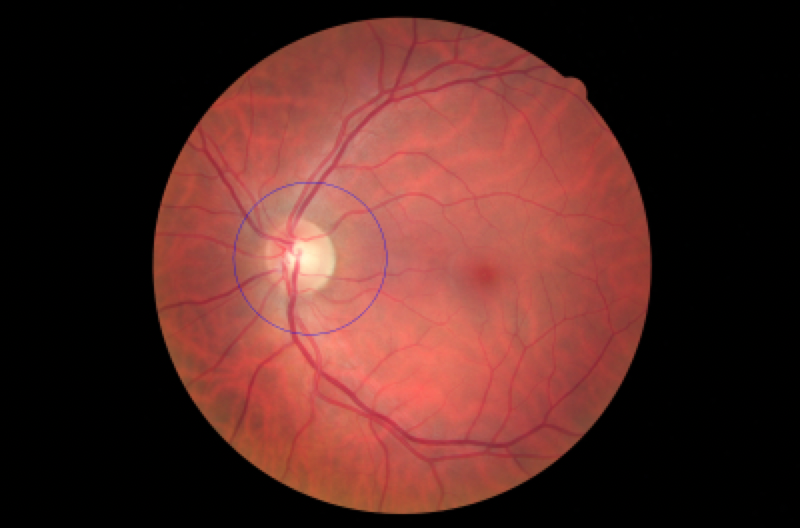
import cv2
import numpy as np
from sklearn import cluster

# read image
img = cv2.imread('optic.png')
h, w, c = img.shape

# convert to range 0 to 1
image = img.copy()/255

# reshape to 1D array
image_1d = image.reshape(h*w, c)

# do kmeans processing
kmeans_cluster = cluster.KMeans(n_clusters=int(5))
kmeans_cluster.fit(image_1d)
cluster_centers = kmeans_cluster.cluster_centers_
cluster_labels = kmeans_cluster.labels_

# need to scale result back to range 0-255
newimage = cluster_centers[cluster_labels].reshape(h, w, c)*255.0
newimage = newimage.astype('uint8')

# threshold brightest region
lowcolor = (150,180,230)
highcolor = (170,200,250)
thresh1 = cv2.inRange(newimage, lowcolor, highcolor)

# apply morphology open and close
kernel = cv2.getStructuringElement(cv2.MORPH_ELLIPSE, (7,7))
thresh1 = cv2.morphologyEx(thresh1, cv2.MORPH_OPEN, kernel, iterations=1)
thresh1 = cv2.morphologyEx(thresh1, cv2.MORPH_CLOSE, kernel, iterations=1)

# get contour
cntrs = cv2.findContours(thresh1, cv2.RETR_EXTERNAL, cv2.CHAIN_APPROX_SIMPLE)
cntrs = cntrs[0] if len(cntrs) == 2 else cntrs[1]
c = cntrs[0]

# get enclosing circle and bias center, if desired, since it is slightly offset (or alternately, increase the radius)
bias = 5
center, radius = cv2.minEnclosingCircle(c)
cx = int(round(center[0]))-bias
cy = int(round(center[1]))+bias
rr = int(round(radius))

# draw filled circle over black and also outline circle over input
mask = np.zeros_like(img)
cv2.circle(mask, (cx,cy), rr, (255, 255, 255), -1)
circle = img.copy()
cv2.circle(circle, (cx,cy), rr, (255, 255, 255), 1)

# convert to gray
gray = cv2.cvtColor(img, cv2.COLOR_RGB2GRAY)

# threshold gray image
thresh2 = cv2.threshold(gray, 200, 255, cv2.THRESH_BINARY)[1]

# apply mask to thresh2
thresh2 = cv2.bitwise_and(thresh2, mask[:,:,0])

# count number of white pixels
count = np.sum(np.where(thresh2 == 255))
print("count =",count)

# write result to disk
#cv2.imwrite("optic_thresh.png", thresh)
cv2.imwrite("optic_kmeans.png", newimage)
cv2.imwrite("optic_thresh1.png", thresh1)
cv2.imwrite("optic_mask.png", mask)
cv2.imwrite("optic_circle.png", circle)
cv2.imwrite("optic_thresh2.png", thresh2)

# display it
cv2.imshow("IMAGE", img)
cv2.imshow("KMEANS", newimage)
cv2.imshow("THRESH1", thresh1)
cv2.imshow("MASK", mask)
cv2.imshow("CIRCLE", circle)
cv2.imshow("GRAY", gray)
cv2.imshow("THRESH2", thresh2)
cv2.waitKey(0)
kmeans图像:
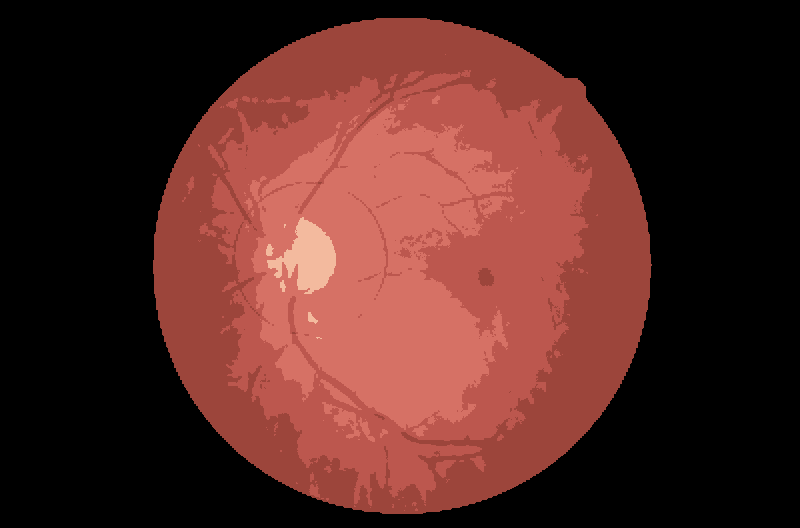
inRange阈值图像:

输入的圆圈:
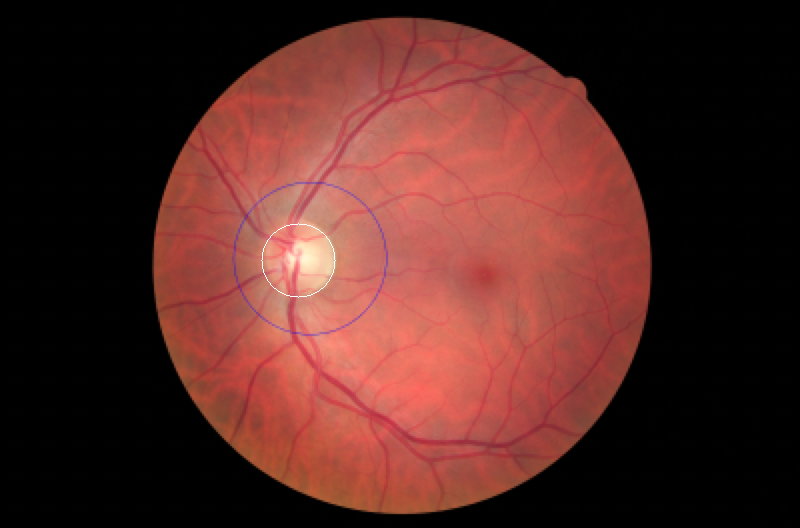
圆掩模图像:
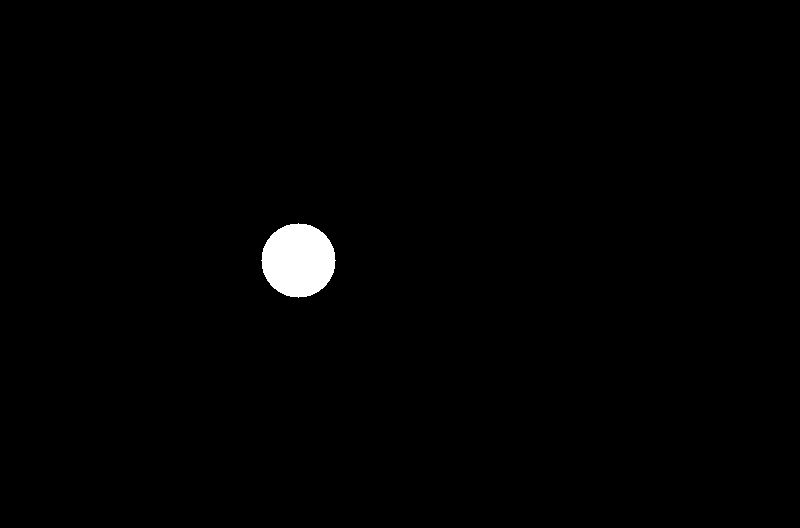
蒙面阈值图像:
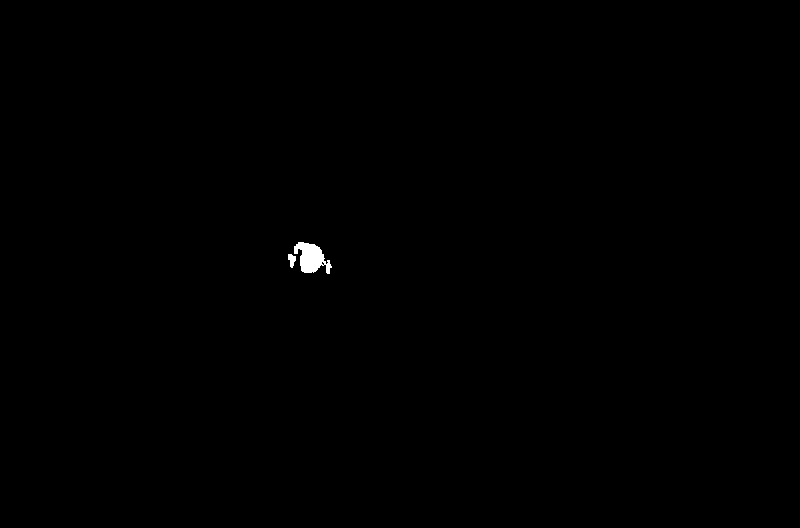
统计结果:
count = 443239https://stackoverflow.com/questions/60454889
复制相似问题
腾讯云开发者

Copyright © 2013 - 2026 Tencent Cloud. All Rights Reserved. 腾讯云 版权所有
深圳市腾讯计算机系统有限公司 ICP备案/许可证号:粤B2-20090059  粤公网安备44030502008569号
腾讯云计算(北京)有限责任公司 京ICP证150476号 | 京ICP备11018762号