
从git存储库历史记录中删除文件
从git存储库历史记录中删除文件
提问于 2020-01-14 05:04:31
我误签了一些敏感文件(进入github)。为了纠正这一点,我遵循了这里指令并运行了以下命令:
git filter-branch --force --index-filter "git rm --cached --ignore-unmatch settings.json" --prune-empty --tag-name-filter cat -- --all
echo "settings.json" >> .gitignore
git add .gitignore
git commit -m "Add settings.json to .gitignore"
git push origin --force --all
git push origin --force --tags
git for-each-ref --format="delete %(refname)" refs/original | git update-ref --stdin
git reflog expire --expire=now --all
git gc --prune=now
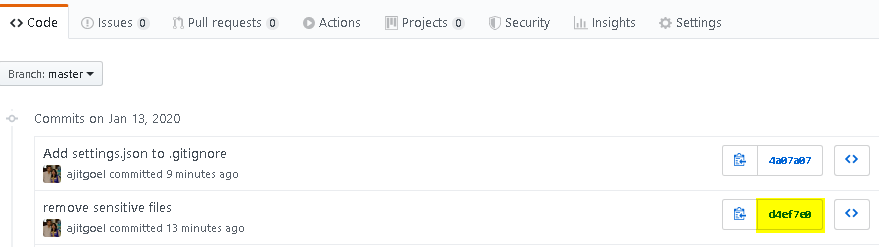
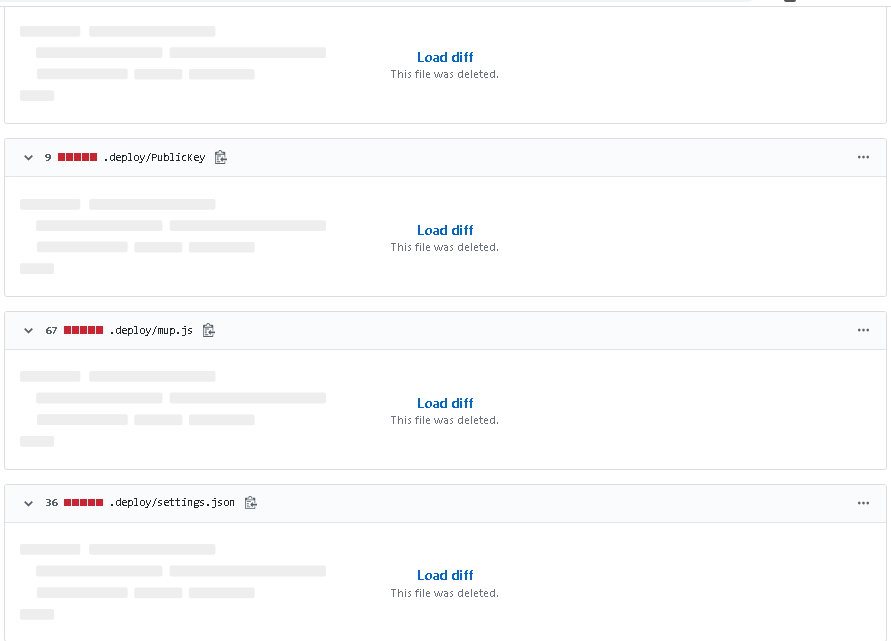
不过,我可以转到提交历史记录来查看已删除的文件。
要解决此问题,如何从github提交历史记录中删除该文件?
回答 1
Stack Overflow用户
发布于 2020-01-14 05:08:40
相反,尝试使用最佳实践是使用新工具git filter-repo ( git filter-branch )。
注意:如果在运行上述命令时收到以下错误消息:
Error: need a version of `git` whose `diff-tree` command has the `--combined-all-paths` option`这意味着你必须git。
见"路径滤波":
git filter-repo --path settings.json --invert-paths然后是git push --force
最后不需要所有的repack/gc/prune :该工具为您做了清理工作。
页面原文内容由Stack Overflow提供。腾讯云小微IT领域专用引擎提供翻译支持
原文链接:
https://stackoverflow.com/questions/59727771
复制相关文章
相似问题
腾讯云开发者

Copyright © 2013 - 2026 Tencent Cloud. All Rights Reserved. 腾讯云 版权所有
深圳市腾讯计算机系统有限公司 ICP备案/许可证号:粤B2-20090059  粤公网安备44030502008569号
腾讯云计算(北京)有限责任公司 京ICP证150476号 | 京ICP备11018762号