
RTSP流的拼接VLC 3.0.8
RTSP流的拼接VLC 3.0.8
提问于 2019-12-04 16:05:22
我找到了一种方法,可以在VLC 3.0.8上正确地显示RTSP摄像机上的流的马赛克,并想分享解决方案:
将以下内容写入文件<mosaic_vlc3.vlm>
# Comment the following line if you don't want to reset your VLM configuration
del all

new ch1 broadcast enabled
setup ch1 input "rtsp://user:pass@192.168.1.101:554/stream1"
setup ch1 output #mosaic-bridge{id=ch1,width=1280,height=512}

new ch2 broadcast enabled
setup ch2 input "rtsp://user:pass@192.168.1.102:554/stream1"
setup ch2 output #mosaic-bridge{id=ch2,width=1280,height=512}

new bg broadcast enabled
# The following background file is simply a black picture with specified dimensions, you can create one with any image editor, like mspaint, it is required for proper mosaic size
setup bg input "bg_1280x1024.jpg"
setup bg option image-duration=-1
setup bg output #transcode{vcodec=mp4v,vb=0,fps=0,acodec=none,channels=2,sfilter=mosaic{alpha=255,width=1280,height=1080,cols=1,rows=2,position=1,order="ch1,ch2",keep-aspect-ratio=enabled,mosaic-align=0,keep-picture=1}}:bridge-in{offset=100}:display

control bg play
control ch1 play
control ch2 play

# end of mosaic batch将<mosaic_vlc3.vlm>和<bg_1280x1024.jpg>文件放在vlc.exe旁边的VLC安装文件夹中。发射很简单:
将以下字符串写入文件<VLC_Mosaic.cmd>
vlc.exe --vlm-conf mosaic_vlc3.vlm
您还可以创建具有与上面相同的参数的快捷链接。
如果RTSP流不稳定,可以尝试更改VLC配置,如下面的屏幕截图所示:
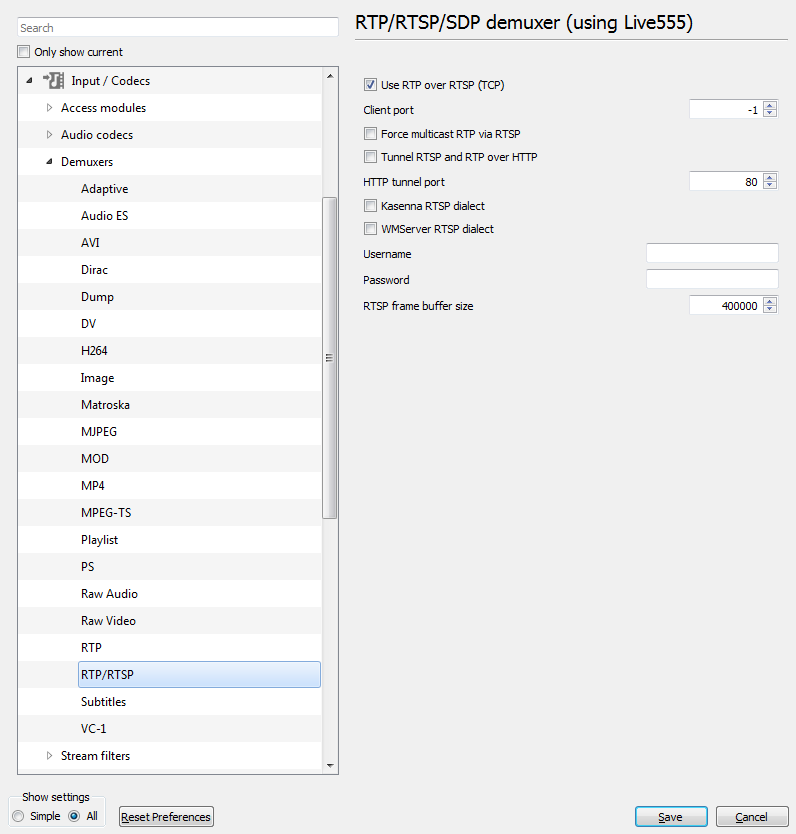
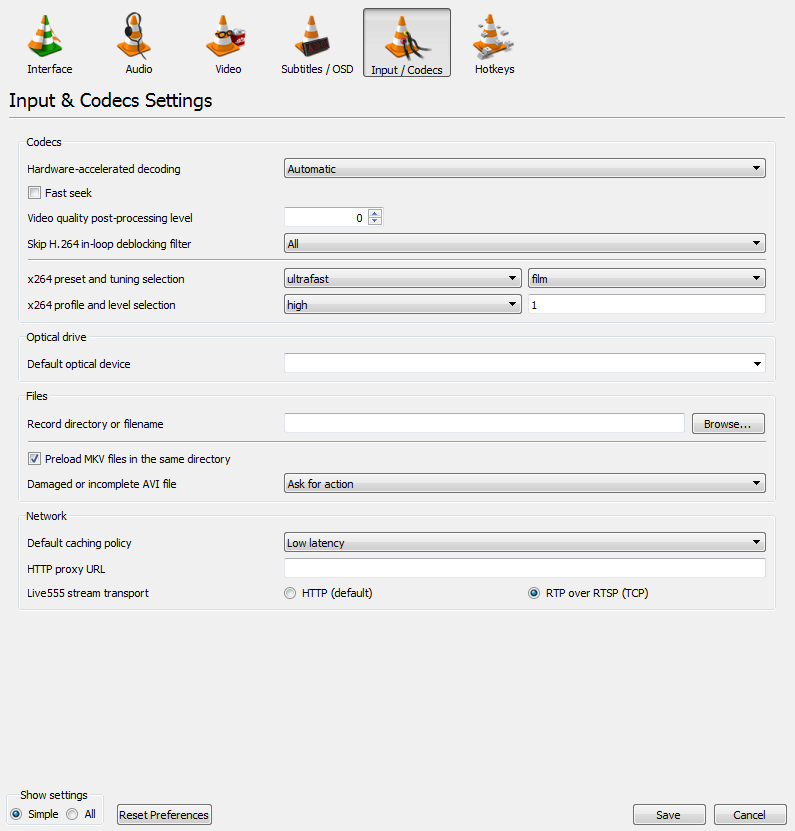
回答 1
Stack Overflow用户
发布于 2020-09-22 11:05:06
在评论中回答一个问题:
- 是的,可以添加声音。甚至可以用鼠标滚动来控制一般的音量,这是相当方便的。只需要正确地添加
select=audio,如下面的示例所示。它可以添加到一个或多个频道,这将导致混合所有的声音频道。就我个人而言,我更喜欢只启用一个音频频道。
new ch1 broadcast enabled
setup ch1 input "rtsp://login:pass@192.168.1.2:80/stream1.mp4"
setup ch1 output #duplicate{dst=mosaic-bridge{id=ch1,width=1024,height=640},select=video,dst=bridge-out{id=0},select=audio}页面原文内容由Stack Overflow提供。腾讯云小微IT领域专用引擎提供翻译支持
原文链接:
https://stackoverflow.com/questions/59180160
复制相关文章
相似问题
腾讯云开发者

Copyright © 2013 - 2026 Tencent Cloud. All Rights Reserved. 腾讯云 版权所有
深圳市腾讯计算机系统有限公司 ICP备案/许可证号:粤B2-20090059  粤公网安备44030502008569号
腾讯云计算(北京)有限责任公司 京ICP证150476号 | 京ICP备11018762号