
如何在Gatsby站点的iframe中呈现带有情感的反应性组件?
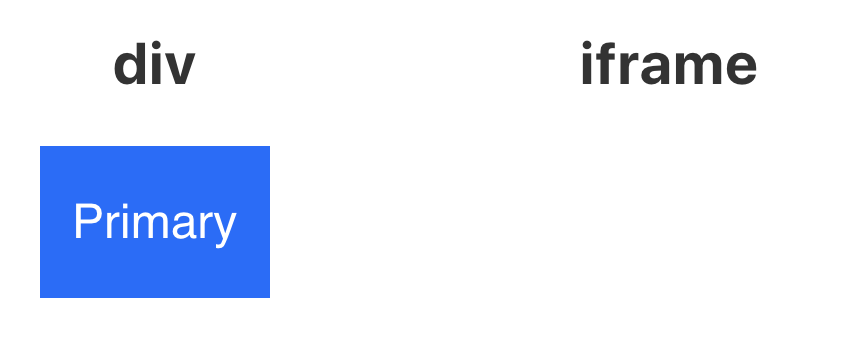
回答 2
Stack Overflow用户
发布于 2019-12-02 15:06:53
我认为这里的问题是将emotion生成的样式应用于放在iframe中的按钮。
我发现米切尔(情感核心团队)做了你需要的事情:github,这是一个很好的例子。
下面是代码框的一个分叉,代码被复制过来,带有一个基本的自制<Iframe>元素:码箱
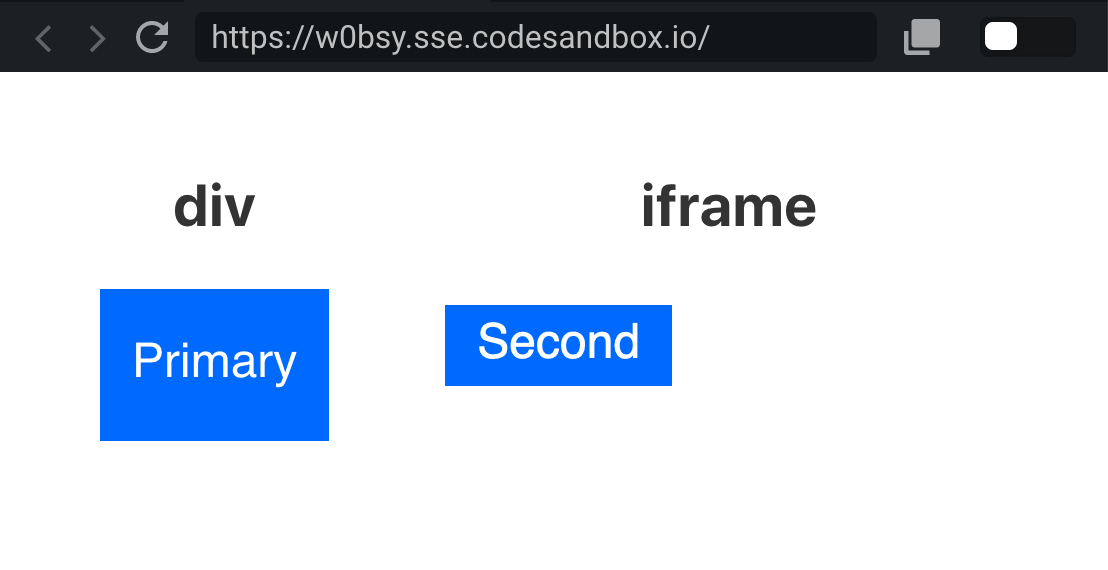
以下是相关代码:
// src/components/Iframe.js

import React, { useRef, useEffect, useState } from 'react'
import { createPortal } from 'react-dom'

import { CacheProvider } from '@emotion/core'
import createCache from '@emotion/cache'
import weakMemoize from '@emotion/weak-memoize'

// literally copied from Mitchell's codesandbox
// https://github.com/emotion-js/emotion/issues/760#issuecomment-404353706
let memoizedCreateCacheWithContainer = weakMemoize(container => {
  let newCache = createCache({ container });
  return newCache;
});


/* render Emotion style to iframe's head element */
function EmotionProvider({ children, $head }) {
  return (
    <CacheProvider value={memoizedCreateCacheWithContainer($head)}>
      {children}
    </CacheProvider>
  )
}

/* hack-ish: force iframe to update */
function useForceUpdate(){
  const [_, setValue] = useState()
  return () => setValue(0)
}

/* rudimentary Iframe component with Portal */
export function Iframe({ children, ...props }) {
  const iFrameRef = useRef(null)
  const [$iFrameBody, setIframeBody] = useState(null)
  const [$iFrameHead, setIframeHead] = useState(null)
  const forceUpdate = useForceUpdate()

  useEffect(function(){
    if (!iFrameRef.current) return

    const $iframe = iFrameRef.current
    $iframe.addEventListener('load', onLoad)

    function onLoad() {
      // TODO can probably attach these to ref itself?
      setIframeBody($iframe.contentDocument.body)
      setIframeHead($iframe.contentDocument.head)

      // force update, otherwise portal children won't show up
      forceUpdate()
    }

    return function() {
      // eslint-disable-next-line no-restricted-globals
      $iframe.removeEventListener('load', onload)
    }
  })

  return (<iframe {...props} title="s" ref={iFrameRef}>
      {$iFrameBody && $iFrameHead && createPortal((
        <EmotionProvider $head={$iFrameHead}>{children}</EmotionProvider>
      ), $iFrameBody)}
    </iframe>)
}如果您希望在iFrames期间预先呈现gatsby build,这需要更多的工作。
对于styled-components用户,我发现斯蒂芬·哈尼的这个片段看起来比emotion要优雅得多
.
styled-components包括一个StyleSheetManager组件,它可以接收目标道具。目标需要一个DOM节点,并将其动态创建的样式表附加到该节点。react-frame-component使用React的新版本的上下文API来公开FrameContextProvider。它包括上下文中的IFrame文档和窗口。 您可以将这两个API组合在一起,如下所示,以便在styled-components中使用IFrames: { frameContext => ( {/*,您的孩子在这里*/} )} 这与react v16.4.1,styled components v3.3.3和react frame-component v4.0.0完美地工作。
Stack Overflow用户
发布于 2019-12-01 09:01:45
我叉形您的沙箱,以显示一个解决方案。
步骤:
- 为iframe使用或编写组件。在沙箱中,我使用
react-frame-component(https://github.com/ryanseddon/react-frame-component)。它将为我们呈现任何传递内容的iframe。 - 找到一种方法来获得由情感创造的风格。情感只会创建
style节点,所以我们只需复制它。在沙箱中,我编写了非常原始的代码来检查这个想法,它正在工作,但是在生产过程中,您应该编写一些更高级的代码,我认为:
        <Frame>
          <FrameContextConsumer>
            {// Callback is invoked with iframe's window and document instances
            ({ document }) => {
              if (isFirstRender) {
                setTimeout(() => {
                  // find styles in main document
                  const styles = Array.from(
                    window.document.head.querySelectorAll("style[data-emotion]")
                  )
                  // and add it to the child
                  styles.forEach(s =>
                    document.head.appendChild(s.cloneNode(true))
                  )
                  isFirstRender = false
                }, 100)
              }
              // Render Children
              return <Button>Primary</Button>
            }}
          </FrameContextConsumer>
</Frame>注意:我不熟悉emotion,但我认为它不会在生产中创建style节点(通过webpack ofc),而是创建一个文件,类似于styles.css。然后,应该将链接添加到子文档中:
              if (isFirstRender) {
                setTimeout(() => {
                  const link = document.createElement("link");
                  link.href = "styles.scss";
                  link.rel = "stylesheet";

                  document.head.appendChild(link);

                  isFirstRender = false
                }, 100)
}https://stackoverflow.com/questions/59098769
复制相似问题
腾讯云开发者

Copyright © 2013 - 2026 Tencent Cloud. All Rights Reserved. 腾讯云 版权所有
深圳市腾讯计算机系统有限公司 ICP备案/许可证号:粤B2-20090059  粤公网安备44030502008569号
腾讯云计算(北京)有限责任公司 京ICP证150476号 | 京ICP备11018762号