
Azure管道:.NET核心3.0:无法发布
我和Azure管道有个问题。我正在尝试构建一个ASP.NET Core3.0项目。是的,我知道它还不受支持,但是其他问题说你可以通过在管道脚本中包含以下内容来完成它。然而,我不知道如何做到这一点。
- 任务: DotNetCoreInstaller@0 displayName:“安装.net核心3.0 (预览)” 输入:版本:“3.0.100-预览6-012264”
我是否在下面的脚本中粘贴上面的内容?如果没有,我该把它放在哪里?另外,我现在在预览9-支持了吗?
# ASP.NET Core
# Build and test ASP.NET Core projects targeting .NET Core.
# Add steps that run tests, create a NuGet package, deploy, and more:
# https://learn.microsoft.com/azure/devops/pipelines/languages/dotnet-core

trigger:
- master

pool:
  vmImage: 'ubuntu-latest'


variables:
  buildConfiguration: 'Release'

steps:
- script: dotnet build --configuration $(buildConfiguration)
displayName: 'dotnet build $(buildConfiguration)'回答 2
Stack Overflow用户
发布于 2019-09-23 06:46:15
我是在下面的脚本中粘贴以下内容,还是将其放置在哪里?
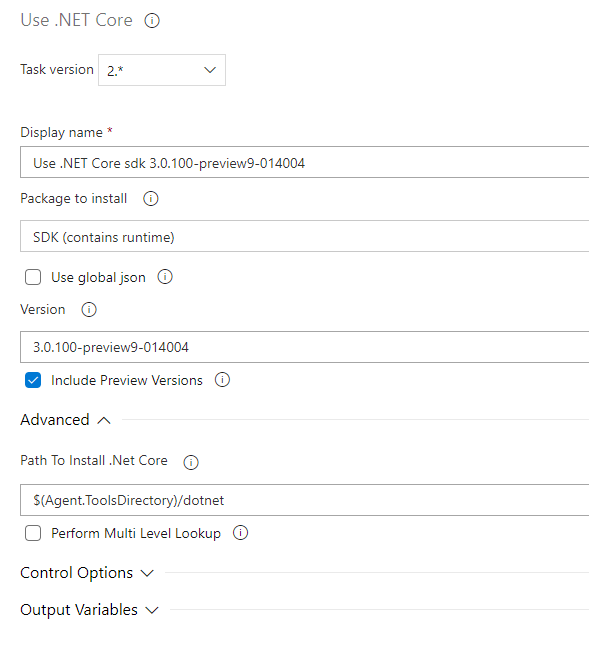
您可以在Steps的开头粘贴以下脚本,如:
steps:
- task: UseDotNet@2
  displayName: 'Use .NET Core sdk 3.0.100-preview9-014004'
  inputs:
    version: '3.0.100-preview9-014004'
    includePreviewVersions: true

- task: dotnet build --configuration $(buildConfiguration)
  displayName: 'dotnet build $(buildConfiguration)'
...您可以通过搜索框中的use .net core获得它:
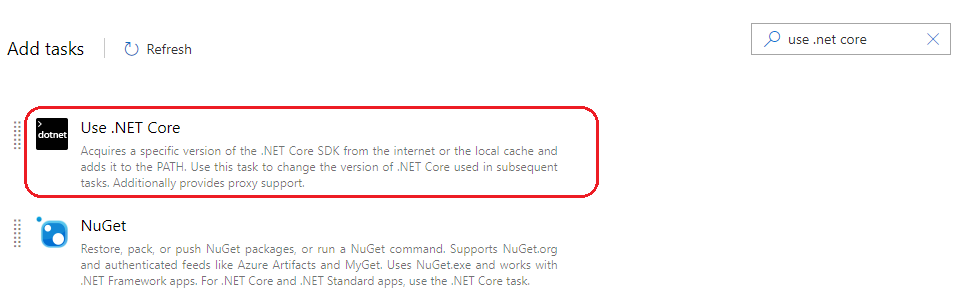
我现在正在预览9,这支持它吗?
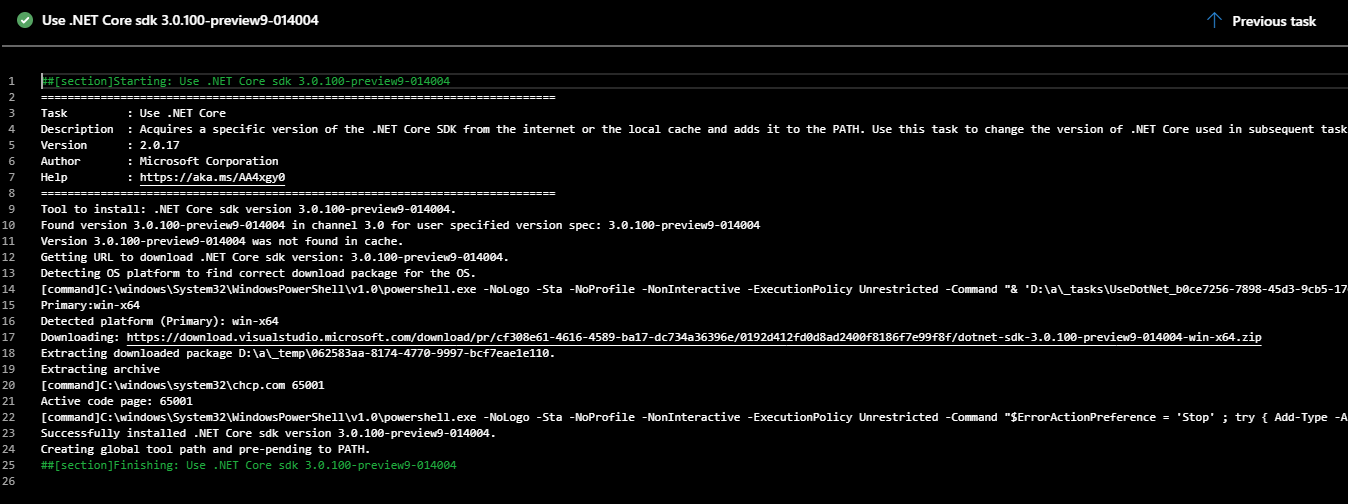
答案是肯定的。此任务用于安装.NET SDK,它支持.NET核心3.0预览版本列表。
作为测试结果:
希望这能有所帮助。
Stack Overflow用户
发布于 2019-09-21 21:50:37
您可能希望使用UseDotNet@2任务。您可以将其添加到步骤列表中。
举个例子..。
- steps:

- task: UseDotNet@2
  displayName: 'Use .NET Core sdk'
  inputs:
    packageType: sdk
    version: 3.x
    includePreviewVersions: true
    installationPath: $(Agent.ToolsDirectory)/dotnet

- script: ... etc etc
displayName: Continue as normal, now that the .net core 3.x SDK is installed.是的,preview9是受支持的。rc1也是。此步骤安装最新的3.x版本并包含所有预览。一旦发布,您可以删除includePreviewVersions字段(如果需要)。
有关更多信息,文档在这里:https://learn.microsoft.com/en-us/azure/devops/pipelines/tasks/tool/dotnet-core-tool-installer?view=azure-devops
https://stackoverflow.com/questions/58044351
复制相似问题
腾讯云开发者

Copyright © 2013 - 2026 Tencent Cloud. All Rights Reserved. 腾讯云 版权所有
深圳市腾讯计算机系统有限公司 ICP备案/许可证号:粤B2-20090059  粤公网安备44030502008569号
腾讯云计算(北京)有限责任公司 京ICP证150476号 | 京ICP备11018762号