
使用按钮触发具有参数化类的Panel中的操作,并在完成按钮操作时更新另一个依赖项(Holoviz)
使用按钮触发具有参数化类的Panel中的操作,并在完成按钮操作时更新另一个依赖项(Holoviz)
提问于 2019-09-17 08:48:54
我正在使用参数化类构建面板Holoviz仪表板。
在这个类中,我想要一个按钮,当按下开始训练一个模型时,当模型完成训练时,它需要显示一个基于该模型的图形。
如何使用类在Panel中构建此类依赖关系?
回答 1
Stack Overflow用户
回答已采纳
发布于 2019-09-17 08:48:54
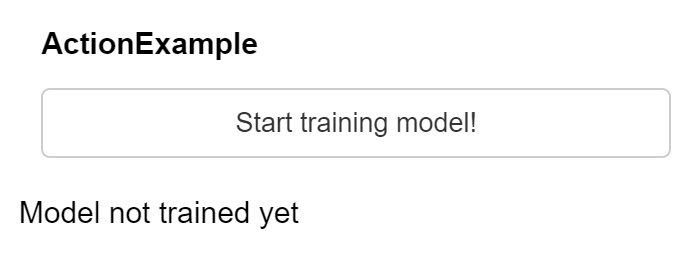
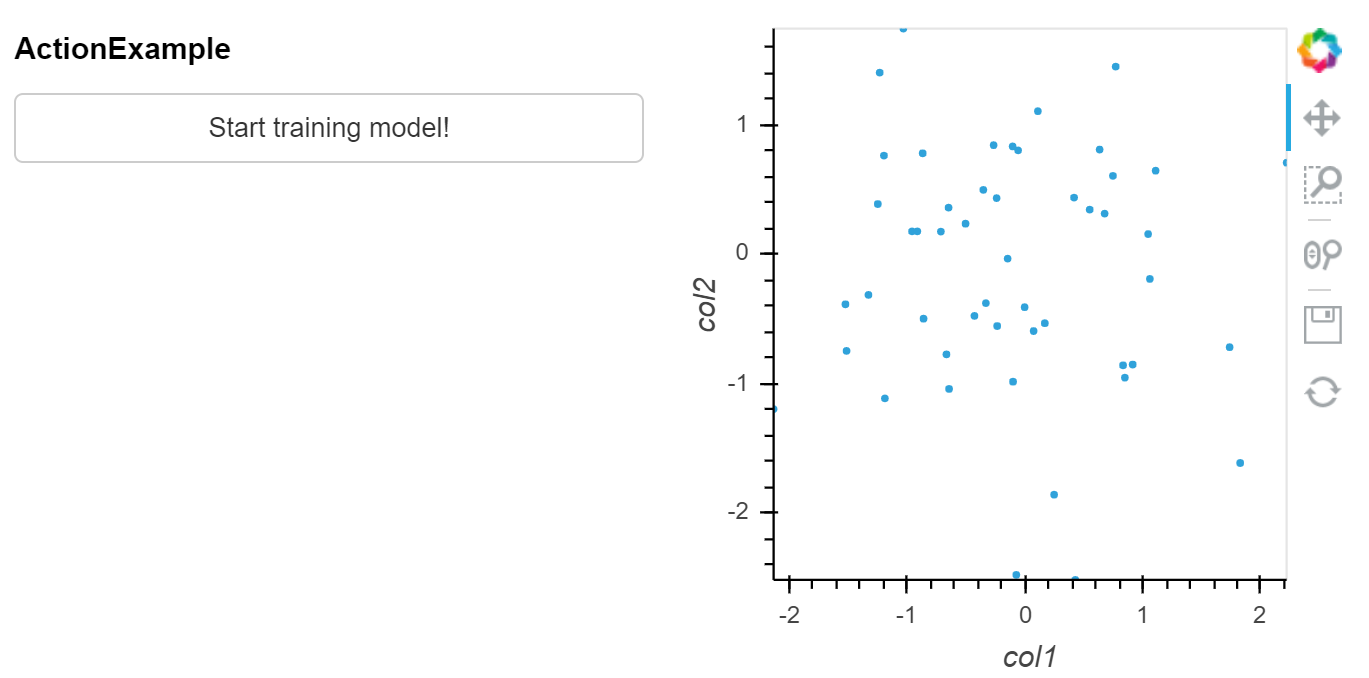
下面的示例显示了当按钮被按下时,它如何触发‘train_model’,该方法触发方法update_graph(),该方法完成后触发update_graph()方法。
关键在于lambda x: x.param.trigger(按钮)和@param.depends(按钮,watch=True)
import numpy as np
import pandas as pd
import holoviews as hv
import param
import panel as pn
hv.extension('bokeh')

class ActionExample(param.Parameterized):

    # create a button that when pushed triggers 'button'
    button = param.Action(lambda x: x.param.trigger('button'), label='Start training model!')

    model_trained = None

    # method keeps on watching whether button is triggered
    @param.depends('button', watch=True)
    def train_model(self):
        self.model_df = pd.DataFrame(np.random.normal(size=[50, 2]), columns=['col1', 'col2'])
        self.model_trained = True

    # method is watching whether model_trained is updated
    @param.depends('model_trained', watch=True)
    def update_graph(self):
        if self.model_trained:
            return hv.Points(self.model_df)
        else:
            return "Model not trained yet"

action_example = ActionExample()

pn.Row(action_example.param, action_example.update_graph)
关于“行动”按钮的有用文件:
https://panel.pyviz.org/gallery/param/action_button.html#gallery-action-button
其他有益的行动实例:
https://github.com/pyviz/panel/issues/239
按下按钮前的:
按按钮后的:
页面原文内容由Stack Overflow提供。腾讯云小微IT领域专用引擎提供翻译支持
原文链接:
https://stackoverflow.com/questions/57970603
复制相关文章
相似问题
腾讯云开发者

Copyright © 2013 - 2026 Tencent Cloud. All Rights Reserved. 腾讯云 版权所有
深圳市腾讯计算机系统有限公司 ICP备案/许可证号:粤B2-20090059  粤公网安备44030502008569号
腾讯云计算(北京)有限责任公司 京ICP证150476号 | 京ICP备11018762号