
背景-混合模式不适用于移动
背景-混合模式不适用于移动
提问于 2019-10-08 04:00:02
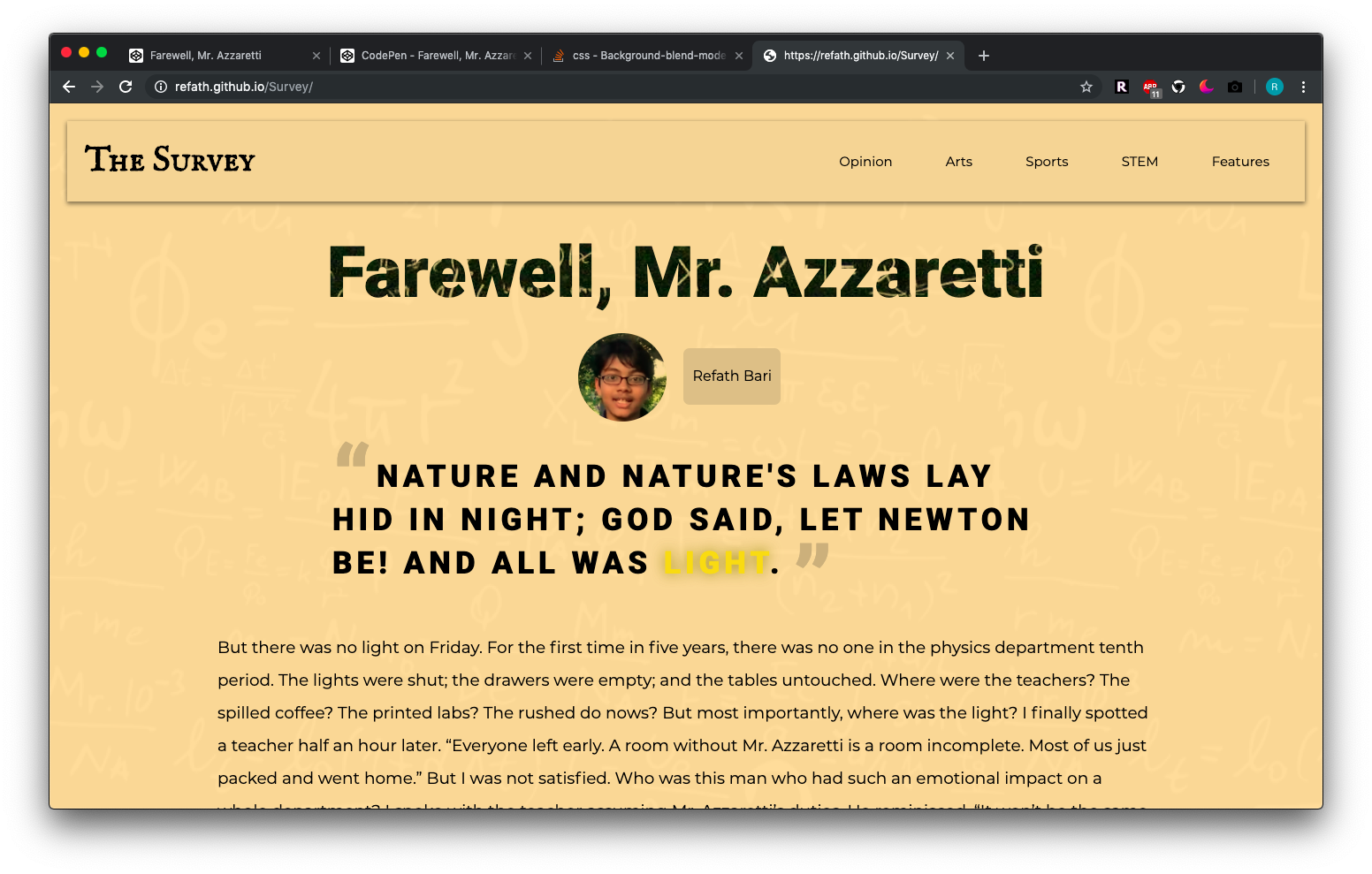
我使用background-blend-mode: lighten;从本质上减轻了黑色背景图像(Refath.github.io/调查)的强度。虽然它在桌面上运行得很好,但我在手机上查看了这个站点,出于某种原因,如果有道理的话,黑色的背景就会覆盖background-blend-mode。我甚至尝试使用!important覆盖任何可能干扰设计的库,但都没有效果。以下是相关代码:
CSS:
body{
	padding: 20px;
	margin: 0;
	background-image: url("https://wallpaperplay.com/walls/full/2/b/1/99126.jpg");
	background-color: rgba(255, 255, 255, 0.95);
  background-blend-mode: lighten !important;
  max-width: 100%;
	overflow-x: hidden;
}<body>
</body>
桌面(Chrome):
iPhone X(Chrome)上:

任何帮助都将不胜感激。谢谢。
回答 2
Stack Overflow用户
发布于 2019-10-08 05:11:51
我不认为Chrome上的iOS,但浏览器对css规则的支持仍然不稳定。这可能是因为还没有人支持它。由于Edge不支持它,所以通常最好有一个备份计划,以备失败时使用。您在iOS上尝试过其他浏览器吗?
Stack Overflow用户
发布于 2019-10-08 06:30:58
为什么不在body上使用颜色叠加
body{
    padding: 20px;
    margin: 0;
    background-image: url("https://wallpaperplay.com/walls/full/2/b/1/99126.jpg");
    max-width: 100%;
    overflow-x: hidden;
    position: relative;
}


body:before{
    content: '';
    width: 100%; /* Full width (cover the whole page) */
    height: 100%; /* Full height (cover the whole page) */
    position: absolute;
    top: 0;
    left: 0;
    right: 0;
    bottom: 0;
    background-color: rgba(255, 255, 255, 0.95); /* Your desire color */
    z-index: 2;
}
或
<div id="overlay"></div>//place inside body tag

#overlay {
  position: fixed; /* Sit on top of the page content */
  display: none; /* Hidden by default */
  width: 100%; /* Full width (cover the whole page) */
  height: 100%; /* Full height (cover the whole page) */
  top: 0;
  left: 0;
  right: 0;
  bottom: 0;
  background-color: rgba(0,0,0,0.5); /* Your desire color */
  z-index: 2; /* Specify a stack order in case you're using a different order for other elements */
}页面原文内容由Stack Overflow提供。腾讯云小微IT领域专用引擎提供翻译支持
原文链接:
https://stackoverflow.com/questions/58280031
复制相关文章
相似问题
腾讯云开发者

Copyright © 2013 - 2026 Tencent Cloud. All Rights Reserved. 腾讯云 版权所有
深圳市腾讯计算机系统有限公司 ICP备案/许可证号:粤B2-20090059  粤公网安备44030502008569号
腾讯云计算(北京)有限责任公司 京ICP证150476号 | 京ICP备11018762号