
反应-本机-选择-选择不使用父视图{挠性方向:‘行’}
反应-本机-选择-选择不使用父视图{挠性方向:‘行’}
提问于 2019-11-07 10:37:00
我想在一行中使用<RNPickerSelect./>和<TextInput/>。因此,当我创建父flexDirection: row时,我只看到箭头而没有文本。即使我删除了<TextInput/>,也没有看到任何文本。
import React, { Component } from 'react';
import {
    StyleSheet,
    View,
} from 'react-native';
import RNPickerSelect from 'react-native-picker-select';

type Props = {}

const countryCode = [
{
    label: '+91',
    value: '+91',
},
{
    label: '+1',
    value: '+1',
},
{
    label: '+2',
    value: '+2',
},
];

export default class PickerTest extends Component<Props> {

constructor() {
    super()
    this.state = {
        phoneNumber: "",
        countryCode: ""
    }
}

render() {
    return (
        <View style={{flexDirection:'row'}}>
            <View paddingVertical={5}>
            {/* and hiding the InputAccessoryView on iOS */}
            <RNPickerSelect
            placeholder={{}}
            items={countryCode}
            onValueChange={value => {
            this.setState({
                countryCode: value,
            });
            }}
            InputAccessoryView={() => null}
            style={pickerSelectStyles}
            value={this.state.countryCode}
            />
            </View>
        </View>
    );
}
}

const pickerSelectStyles = StyleSheet.create({
inputIOS: {
    fontSize: 16,
    paddingVertical: 12,
    paddingHorizontal: 10,
    borderWidth: 1,
    borderColor: 'gray',
    borderRadius: 4,
    color: 'black',
    paddingRight: 30, // to ensure the text is never behind the icon
},
inputAndroid: {
    fontSize: 16,
    paddingHorizontal: 10,
    paddingVertical: 8,
    borderWidth: 0.5,
    borderColor: 'purple',
    borderRadius: 8,
    color: 'black',
    paddingRight: 30, // to ensure the text is never behind the icon
},
});
在运行上面的应用程序时,我得到了这样的信息
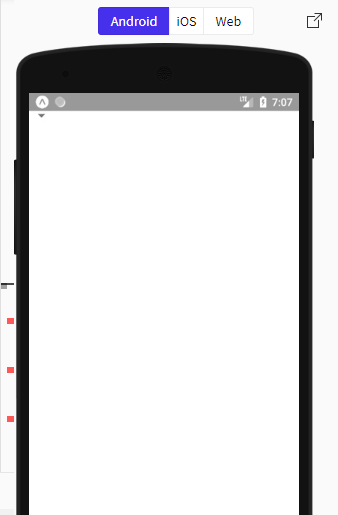
如您所见,选择器没有显示文本。
下面是我正在使用的配置
react本机-选择版本: 6.3.3
react原生版本: 0.61.2
反应版本: 16.9.0
回答 2
Stack Overflow用户
发布于 2019-11-19 16:19:52
这是一个上游问题:https://snack.expo.io/HkygCqhsr
选项:
useNativeAndroidPickerStyle- 套装
width和height配inputAndroid风格的道具
Stack Overflow用户
发布于 2021-04-19 18:01:11
向RNPickerSelect中添加atribute“RNPickerSelect”,并使用溢出选项:‘隐藏’
<RNPickerSelect style={styles.selectContainer}
                ...
                pickerProps={{ style: { height: 214, overflow: 'hidden' } }}
                ...
/>页面原文内容由Stack Overflow提供。腾讯云小微IT领域专用引擎提供翻译支持
原文链接:
https://stackoverflow.com/questions/58746878
复制相关文章
相似问题
腾讯云开发者

Copyright © 2013 - 2026 Tencent Cloud. All Rights Reserved. 腾讯云 版权所有
深圳市腾讯计算机系统有限公司 ICP备案/许可证号:粤B2-20090059  粤公网安备44030502008569号
腾讯云计算(北京)有限责任公司 京ICP证150476号 | 京ICP备11018762号