
在10,11上运行一个角8应用程序
我很难在Internet 10和11上显示我的“角8”应用程序。目前,它只是加载一个空白的白色页面,其中包含一个空组件。我在网上跟踪了一些令人眩晕的答案,比如this one。
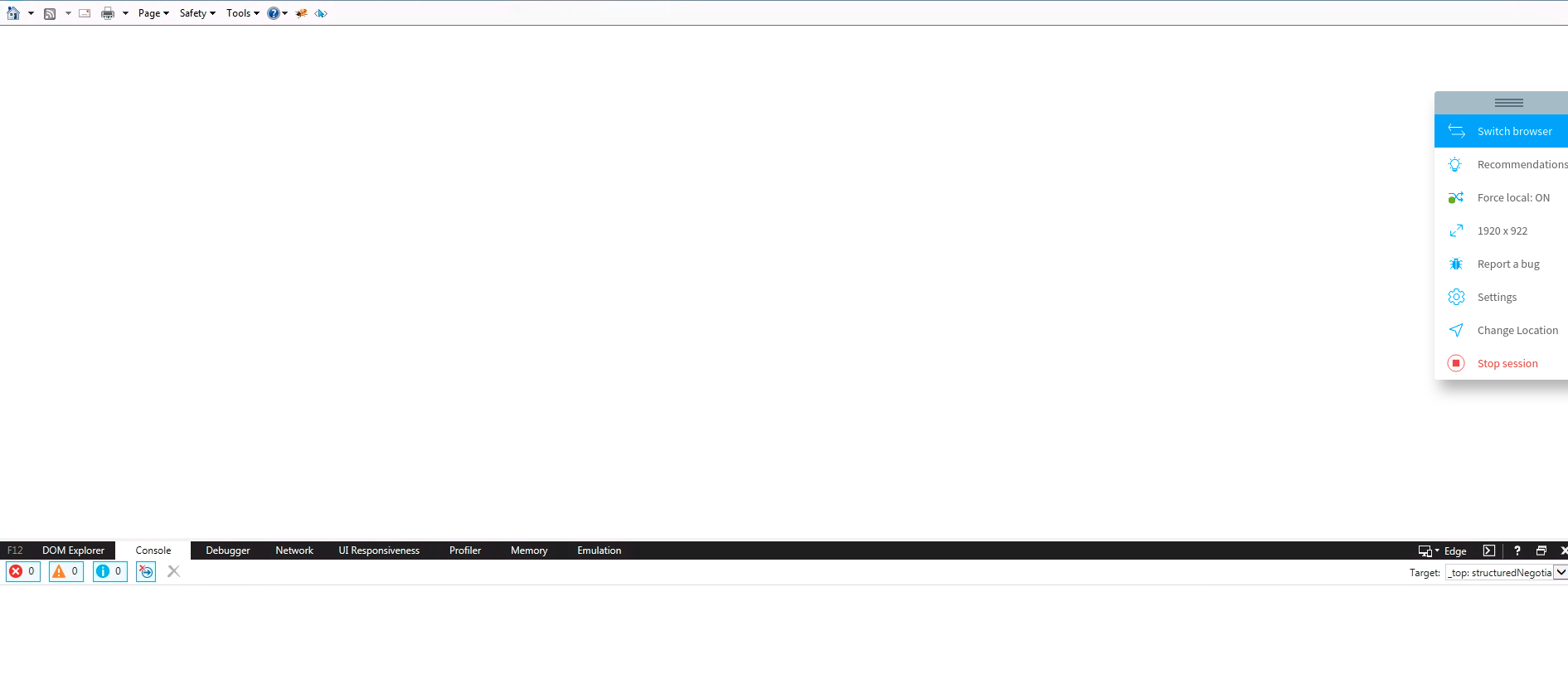
但这一页仍然是空白的。以下是我的配置文件:
tsconfig.es5.json
{
  "extends": "./tsconfig.app.json",
  "compilerOptions": {
    "target": "es5"
  }
}
tsconfig.json
{
  "compileOnSave": false,
  "compilerOptions": {
    "baseUrl": "./",
    "outDir": "./dist/out-tsc",
    "sourceMap": true,
    "declaration": false,
    "downlevelIteration": true,
    "experimentalDecorators": true,
    "module": "esnext",
    "moduleResolution": "node",
    "importHelpers": true,
    "target": "es5",
    "typeRoots": [
      "node_modules/@types"
    ],
    "lib": [
      "es2018",
      "dom"
    ]
  },
  "angularCompilerOptions": {
    "fullTemplateTypeCheck": true,
    "strictInjectionParameters": true
  }
}
angular.json
{
  "$schema": "./node_modules/@angular/cli/lib/config/schema.json",
  "version": 1,
  "newProjectRoot": "projects",
  "projects": {
    "AppName": {
      "projectType": "application",
      "schematics": {},
      "root": "",
      "sourceRoot": "src",
      "prefix": "app",
      "architect": {
        "build": {
          "builder": "@angular-devkit/build-angular:browser",
          "options": {
            "outputPath": "dist/AppName",
            "index": "src/index.html",
            "main": "src/main.ts",
            "polyfills": "src/polyfills.ts",
            "tsConfig": "tsconfig.app.json",
            "aot": false,
            "assets": [
              "src/favicon.ico",
              "src/assets"
            ],
            "styles": [
              {
                "input": "node_modules/@angular/material/prebuilt-themes/indigo-pink.css"
              },
              "src/styles.css"
            ],
            "scripts": []
          },
          "configurations": {
            "production": {
              "fileReplacements": [
                {
                  "replace": "src/environments/environment.ts",
                  "with": "src/environments/environment.prod.ts"
                }
              ],
              "optimization": true,
              "outputHashing": "all",
              "sourceMap": false,
              "extractCss": true,
              "namedChunks": false,
              "aot": true,
              "extractLicenses": true,
              "vendorChunk": false,
              "buildOptimizer": true,
              "budgets": [
                {
                  "type": "initial",
                  "maximumWarning": "2mb",
                  "maximumError": "5mb"
                }
              ]
            },
            "es5": {
              "tsConfig": "./tsconfig.es5.json"
            }
          }
        },
        "serve": {
          "builder": "@angular-devkit/build-angular:dev-server",
          "options": {
            "browserTarget": "AppName:build"
          },
          "configurations": {
            "production": {
              "browserTarget": "AppName:build:production"
            },
            "es5": {
              "browserTarget": "AppName:build:es5"
            }
          }
        },
        "extract-i18n": {
          "builder": "@angular-devkit/build-angular:extract-i18n",
          "options": {
            "browserTarget": "AppName:build"
          }
        },
        "test": {
          "builder": "@angular-devkit/build-angular:karma",
          "options": {
            "main": "src/test.ts",
            "polyfills": "src/polyfills.ts",
            "tsConfig": "tsconfig.spec.json",
            "karmaConfig": "karma.conf.js",
            "assets": [
              "src/favicon.ico",
              "src/assets"
            ],
            "styles": [
              "src/styles.css"
            ],
            "scripts": []
          }
        },
        "lint": {
          "builder": "@angular-devkit/build-angular:tslint",
          "options": {
            "tsConfig": [
              "tsconfig.app.json",
              "tsconfig.spec.json",
              "e2e/tsconfig.json"
            ],
            "exclude": [
              "**/node_modules/**"
            ]
          }
        },
        "e2e": {
          "builder": "@angular-devkit/build-angular:protractor",
          "options": {
            "protractorConfig": "e2e/protractor.conf.js",
            "devServerTarget": "AppName:serve"
          },
          "configurations": {
            "production": {
              "devServerTarget": "AppName:serve:production"
            }
          }
        }
      }
    }
  },
  "defaultProject": "AppName"
}
polyfills.js
/**
 * This file includes polyfills needed by Angular and is loaded before the app.
 * You can add your own extra polyfills to this file.
 *
 * This file is divided into 2 sections:
 *   1. Browser polyfills. These are applied before loading ZoneJS and are sorted by browsers.
 *   2. Application imports. Files imported after ZoneJS that should be loaded before your main
 *      file.
 *
 * The current setup is for so-called "evergreen" browsers; the last versions of browsers that
 * automatically update themselves. This includes Safari >= 10, Chrome >= 55 (including Opera),
 * Edge >= 13 on the desktop, and iOS 10 and Chrome on mobile.
 *
 * Learn more in https://angular.io/guide/browser-support
 */

/***************************************************************************************************
 * BROWSER POLYFILLS
 */

/** IE10 and IE11 require the following for NgClass support on SVG elements */
import 'classlist.js';  // Run `npm install --save classlist.js`.

/* Evergreen browsers require these. */
import 'core-js/es6/reflect';

/* IE10 and IE11 requires the following to support `@angular/animation`. ALL Firefox browsers require the following to support `@angular/animation`. */
import 'web-animations-js';  // Run `npm install --save web-animations-js`.

/***************************************************************************************************
 * Zone JS is required by Angular itself.
 */
import 'zone.js/dist/zone';  // Included with Angular CLI.

/***************************************************************************************************
 * APPLICATION IMPORTS
 * You can include your own polyfills here (e.g. CSS custom properties).
 */

import 'core-js/es6/symbol';
import 'core-js/es6/object';
import 'core-js/es6/function';
import 'core-js/es6/parse-int';
import 'core-js/es6/parse-float';
import 'core-js/es6/number';
import 'core-js/es6/math';
import 'core-js/es6/string';
import 'core-js/es6/date';
import 'core-js/es6/array';
import 'core-js/es6/regexp';
import 'core-js/es6/map';
import 'core-js/es6/weak-map';
import 'core-js/es6/set';
下面是生成的索引文件
<!doctype html>
    <html lang="en">
    <head>
    <meta charset="utf-8">
    <title>AppName</title>
    <base href="/">

    <meta name="viewport" content="width=device-width, initial-scale=1">
    <link rel="icon" type="image/x-icon" href="favicon.ico">
    </head>
    <body>
    <app-root></app-root>
    <script src="runtime.js"></script>
    <script src="polyfills-es5.js" nomodule></script>
    <script src="polyfills.js"></script>
    <script src="styles.js"></script>
    <script src="vendor.js"></script><script src="main.js"></script>
    </body>
    </html>
browserlist
# This file is used by the build system to adjust CSS and JS output to support the specified browsers below.
# For additional information regarding the format and rule options, please see:
# https://github.com/browserslist/browserslist#queries

# You can see what browsers were selected by your queries by running:
#   npx browserslist

> 0.5%
last 2 versions
Firefox ESR
not dead
IE 9-11 # For IE 9-11 support, remove 'not'.这是npx browserlist的输出
npx浏览器列表and_chr 75 and_ff 67 and_qq 1.2 and_uc 11.8安卓67百度7.12铬74铬74铬72边缘18边17 firefox 67火狐66火狐60 ie 11包括9 ie_mob 11 ios_saf 12.2 ios_saf 12.0-12.1 ios_saf 11.3-11.4 kaios 2.5 op_mini all op_mob 46歌剧57 safari 12.1 safari 12 safari 12 safari 5.1三星9.2三星8.2三星4
在现代浏览器中工作很好,但我们需要支持IE10和11。我也使用最新的角度材料,如果这有区别的话。我试过了
ng build和
ng build --configration="es5"任何帮助都是非常感谢的。
谢谢
更新:
ng serve --configutation=es5在IE中加载页面!
ng build生产的dist没有。
回答 2
Stack Overflow用户
发布于 2019-11-21 09:46:58
尝试使用F12开发工具检查是否有错误?
我创建了一个新的角度示例(然后,根据this link to config ES5),并使用类似的tsconfig.es5.json、angular.json和tsconfig.json文件。但是polyfills.ts文件只包含以下内容:
/***************************************************************************************************
 * Zone JS is required by default for Angular itself.
 */
import 'zone.js/dist/zone';  // Included with Angular CLI.

/** IE10 and IE11 require the following for NgClass support on SVG elements */
import 'classlist.js';  // Run `npm install --save classlist.js`.

/* IE10 and IE11 requires the following to support `@angular/animation`. ALL Firefox browsers require the following to support `@angular/animation`. */
import 'web-animations-js';  // Run `npm install --save web-animations-js`.
注意,polyfills.ts文件不包含"core-js/es6/XXX“导入,如果我添加它们,它将显示”“。
然后使用ng serve --configuration es5与ES5配置一起运行,在IE浏览器(IE 10+)中一切正常工作。
然后使用ng build --configuration es5 --prod构建应用程序,然后将输出文件夹中的所有内容(dist/默认情况下)复制到服务器上的一个文件夹中,并将其保存在IIS上,然后,使用IE浏览器浏览网站,一切工作正常。
您可以根据上述步骤创建一个新的angular8应用程序进行测试。
Stack Overflow用户
发布于 2019-11-21 02:43:05
我在Chrome和Safari上都有很多这样的问题。不仅仅是IE。所以,我有一些建议给您,因为您的代码看起来没什么问题。
- 确保基本的href是正确的。因为,有时我们部署到dev服务器和像
xx.xxx.xx.xxx:1024/your-frontend/这样的url上。这意味着您必须将your-frontend作为基本href添加到angular.json或构建命令行中。
怎么检查这个?
您可以查看您的网络,并注意到您的脚本和资产在loading.
- Sometimes上失败了,因为有多填充问题。也许不是你的项目。它来自
node_modules中的库。上一次,我不能在IE上运行我的角度项目,因为我使用ngxs作为状态管理,并且它不工作在IE上。
然后,我必须将类似的内容添加到我的polyfills.ts中以支持ngxs
如果(! Object.entries ) {Object.entries=函数(obj) { var ownProps = Object.keys(obj),i= ownProps.length,resArray =新数组(I);//预先分配数组,而(i-) resArrayi = [ownPropsi,obj[ownPropsi]];返回resArray;};} (window as any).__Zone_enable_cross_context_check = true;
如何检查这个问题?
通常,您可以在IE上看到来自控制台的错误或警告。
- --这对我的ex项目来说是非常奇怪的。角8中的新的延迟加载语法不能很好地工作。它不会加载您的组件。
我的解决方案:
删除角8中新的load子语法。
路由:路由={ path:‘惰性’,//新的导入()语法loadChildren:() =>导入(‘./ => /lazy.Module’).then(m=> m.LazyModule) };
至
路由:路由={ path:'lazy',loadChildren:() => LazyModule };
希望这能帮上忙。
https://stackoverflow.com/questions/58961542
复制相似问题
腾讯云开发者

Copyright © 2013 - 2026 Tencent Cloud. All Rights Reserved. 腾讯云 版权所有
深圳市腾讯计算机系统有限公司 ICP备案/许可证号:粤B2-20090059  粤公网安备44030502008569号
腾讯云计算(北京)有限责任公司 京ICP证150476号 | 京ICP备11018762号