
如何使用离子-v4在离子按钮中添加动态背景色?
如何使用离子-v4在离子按钮中添加动态背景色?
提问于 2019-11-21 07:06:25
我使用的离子4 fab按钮,在fab按钮,我想设置一个动态背景颜色。
下面是示例代码:
page.html
<!-- fab placed to the bottom end -->
<ion-fab vertical="bottom" horizontal="end" slot="fixed">
  <ion-fab-button [style.background.color]="currentColor" [style.color]="isColorLight(currentColor) ? 'black' : 'white'"
    size="small">
    <ion-icon name="color-palette"></ion-icon>
  </ion-fab-button>
  <ion-fab-list side="top">
    <ion-fab-button (click)="switchColor(i)" [style.background.color]="colors[i]"
      *ngFor="let color of colors; let i = index">
    </ion-fab-button>
  </ion-fab-list>
</ion-fab>
page.ts
colors: string[] = ['#000000', '#db0f0f', '#0fbf0f', '#35a3e8', '#FFFFFF'];
currentColor: string = this.colors[0];
::
::
switchColor(index: number) {
  this.currentColor = this.colors[index];
}另外,我尝试了[style.background-color]="currentColor",但它不起作用。
“Najam”的输出回答:
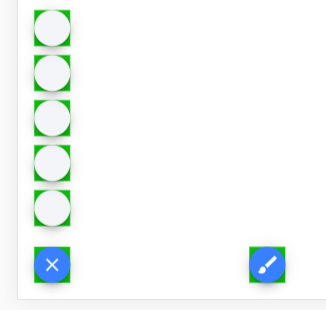
回答 4
Stack Overflow用户
发布于 2020-04-06 18:42:11
它的颜色由其--ion-color-base属性控制。因此,请尝试使用--ion-color-base和!important属性来覆盖已经定义的CSS属性。
但是,当我尝试使用[ngstyle]时,它没有工作,为了让它工作,我不得不通过CSS文件分配它。我增加了一个例子供你参考。
HTML模板,
<ion-fab-button color="light" id="btnProceed"></ion-fab-button>CSS块
#btnProceed {-离子色基:#006161!重要;}
希望这能帮上忙。
Stack Overflow用户
发布于 2019-11-21 07:25:57
使用ngStyle属性。
<ion-fab vertical="bottom" horizontal="start" slot="fixed">
  <ion-fab-button [ngStyle]="{'background': currentColor}" [style.color]="isColorLight(currentColor) ? 'black' : 'white'"
    size="small">
    <ion-icon name="color-palette"></ion-icon>
  </ion-fab-button>
  <ion-fab-list side="top">
    <ion-fab-button (click)="switchColor(i)" [ngStyle]="{'background': currentColor}"
      *ngFor="let color of colors; let i = index">
    </ion-fab-button>
  </ion-fab-list>
</ion-fab>Stack Overflow用户
发布于 2020-02-26 17:15:15
您可以尝试“背景”,而不是像这样的“背景颜色”:
style.background="currentColor“
页面原文内容由Stack Overflow提供。腾讯云小微IT领域专用引擎提供翻译支持
原文链接:
https://stackoverflow.com/questions/58969099
复制相关文章
相似问题
腾讯云开发者

Copyright © 2013 - 2026 Tencent Cloud. All Rights Reserved. 腾讯云 版权所有
深圳市腾讯计算机系统有限公司 ICP备案/许可证号:粤B2-20090059  粤公网安备44030502008569号
腾讯云计算(北京)有限责任公司 京ICP证150476号 | 京ICP备11018762号